8
01
02
4X
2
SECURELY TIGHTEN
b
Rounded-back TVs / Extra Space
11
14
a
Flat-back TVs
11
03 0310 10
1312
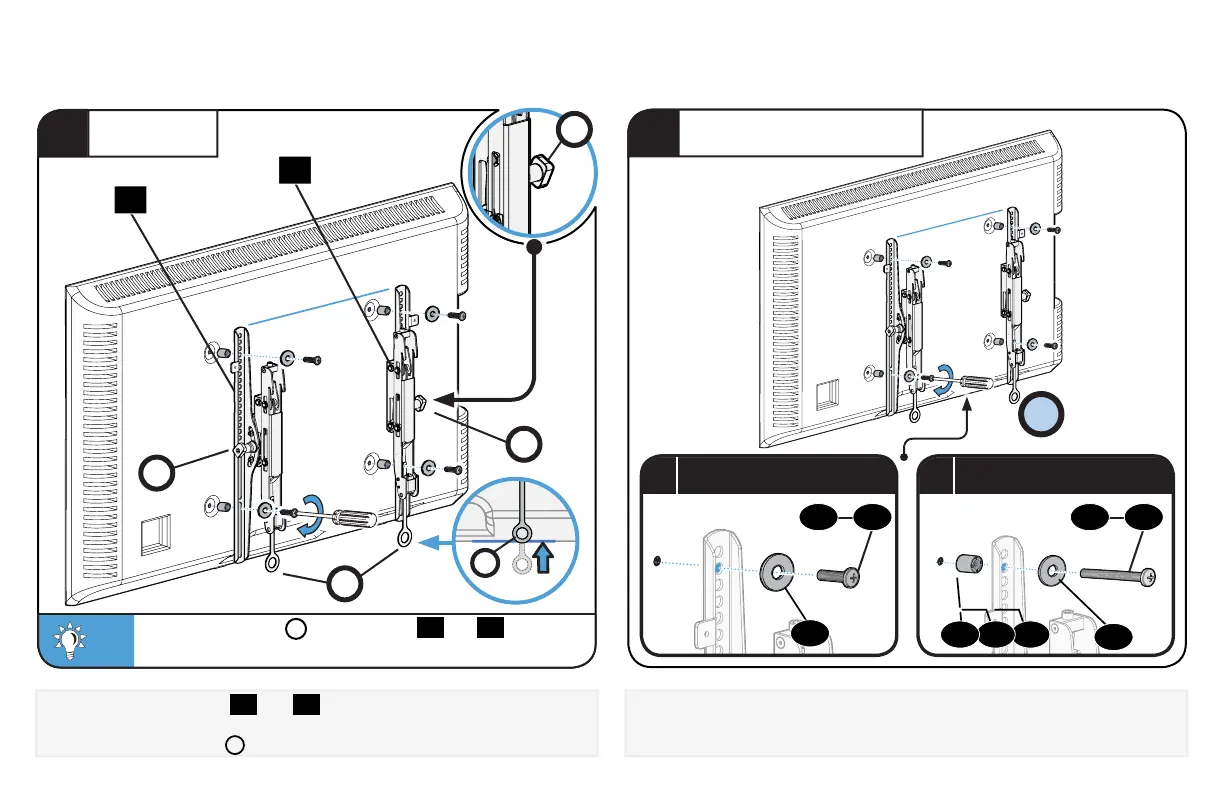
Install using the spacer, screw and washer combination you
selected for your TV.
1.3 Attach TV Bracket Assembly to TV
Center the TV brackets
01
and
02
over your TV's mounting hole
pattern - making sure the brackets are at the same height.
Adjust the release tabs
R
to the bottom of the TV.
1
POSITION
TIP:
The tilt tension knob
T
on TV brackets
01
and
02
should be oriented to the outside edges.
T
T
T
R
R
TV


 To Next Page