EasyManua.ls Logo

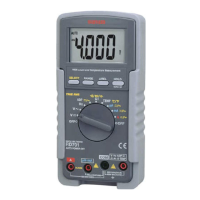
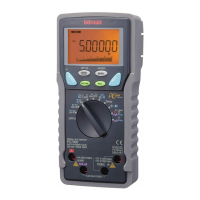
Sanwa RD700 - User Manual

Sanwa RD700
34 pages
Print Icon
To Next Page IconTo Next Page
Loading...
DRAWING No. RD700/701 06-1404 2040 6010
INSTRUCTION MANUAL
RD700
RD701
DIGITAL MULTIMETER
Question and Answer IconNeed help?

Do you have a question about the Sanwa RD700 and is the answer not in the manual?

Summary

Safety Precautions

Explanation of Warning Symbols

Meaning of symbols used in the manual and on the product for safety.

Warning Instruction for Safe Use

Instructions to ensure safe use of the meter, including warnings and precautions.

Overload Protections

Details maximum rating input values and overload protection input for various functions.

Application and Features

Applications

Describes the intended use of the portable digital multimeter in circuitry analysis.

Features

Highlights key features like fuse protection, alarm, LCD readability, and measurement capabilities.

Description of Functions

Function Switch

Explains how to turn the meter on/off and select measurement functions.

Auto Power Off

Details the automatic power-saving feature and how to wake the meter.

Low Battery Indication

Describes the indication shown when the internal battery voltage drops below a certain level.

Measurement Function Select

Explains how the SELECT button cycles through measurement modes for different functions.

Range Hold

How to set manual range mode and return to auto mode using the RANGE button.

Data Hold

How to freeze the displayed value using the HOLD button and cancel the function.

Max Hold

How the MAX H feature displays maximum measured values, with automatic ranging.

Relative Mode

How to offset consecutive measurements using the REL button as a reference.

Current Function Alarm

Explains the audible alarm that warns against improper connections for current measurement.

Technical Terms

Explains technical terms like AC Sensing, Average RMS, True RMS, and Crest Factor.

Measurement Procedure

Start-Up Inspection

Outlines safety checks and continuity testing before starting measurements.

Voltage Measurement

Procedures for measuring DCV and ACV, including applications and ranges.

Frequency Measurement

Procedure for measuring frequency of AC circuits, including application and ranges.

Adapter Measurement

How to use the meter with optional clamp probes for current measurement.

Resistance Measurement

Procedure for measuring resistance, including applications and ranges.

Checking Continuity

How to check the continuity of wiring and conductors using the buzzer function.

Testing Diode

Procedure for testing diode quality, including how to interpret readings for good or defective diodes.

Capacitance Measurement

Procedure for measuring capacitance of capacitors, including precautions.

Temperature Measurement

How to measure temperature using the meter and optional sensors.

Current Measurement

Procedures for measuring DC and AC current, including precautions and ranges.

Maintenance

Maintenance and Inspection

Guidelines for appearance checks and test lead inspection for proper maintenance.

Calibration

Information on calibration and inspection, advising to contact the manufacturer.

Battery and Fuse Replacement

Safety precautions and procedures for replacing the battery and fuse.

Storage

Recommendations for storing the instrument to prevent damage from environmental factors.

After-Sale Service

Warranty and Provision

Details Sanwa's general warranty policy, duration, and exclusions.

Repair

Information required from customers when requesting repair services for the product.

Sanwa Web Site

Provides the web address and email for Sanwa's customer support and information.

Specifications

General Specification

Lists general specifications like display, sampling rate, operating conditions, and power supply.

Measurement Range and Accuracy

Details the measurement ranges, accuracy, input impedance, and remarks for each function.

Summary

Safety Precautions

Explanation of Warning Symbols

Meaning of symbols used in the manual and on the product for safety.

Warning Instruction for Safe Use

Instructions to ensure safe use of the meter, including warnings and precautions.

Overload Protections

Details maximum rating input values and overload protection input for various functions.

Application and Features

Applications

Describes the intended use of the portable digital multimeter in circuitry analysis.

Features

Highlights key features like fuse protection, alarm, LCD readability, and measurement capabilities.

Description of Functions

Function Switch

Explains how to turn the meter on/off and select measurement functions.

Auto Power Off

Details the automatic power-saving feature and how to wake the meter.

Low Battery Indication

Describes the indication shown when the internal battery voltage drops below a certain level.

Measurement Function Select

Explains how the SELECT button cycles through measurement modes for different functions.

Range Hold

How to set manual range mode and return to auto mode using the RANGE button.

Data Hold

How to freeze the displayed value using the HOLD button and cancel the function.

Max Hold

How the MAX H feature displays maximum measured values, with automatic ranging.

Relative Mode

How to offset consecutive measurements using the REL button as a reference.

Current Function Alarm

Explains the audible alarm that warns against improper connections for current measurement.

Technical Terms

Explains technical terms like AC Sensing, Average RMS, True RMS, and Crest Factor.

Measurement Procedure

Start-Up Inspection

Outlines safety checks and continuity testing before starting measurements.

Voltage Measurement

Procedures for measuring DCV and ACV, including applications and ranges.

Frequency Measurement

Procedure for measuring frequency of AC circuits, including application and ranges.

Adapter Measurement

How to use the meter with optional clamp probes for current measurement.

Resistance Measurement

Procedure for measuring resistance, including applications and ranges.

Checking Continuity

How to check the continuity of wiring and conductors using the buzzer function.

Testing Diode

Procedure for testing diode quality, including how to interpret readings for good or defective diodes.

Capacitance Measurement

Procedure for measuring capacitance of capacitors, including precautions.

Temperature Measurement

How to measure temperature using the meter and optional sensors.

Current Measurement

Procedures for measuring DC and AC current, including precautions and ranges.

Maintenance

Maintenance and Inspection

Guidelines for appearance checks and test lead inspection for proper maintenance.

Calibration

Information on calibration and inspection, advising to contact the manufacturer.

Battery and Fuse Replacement

Safety precautions and procedures for replacing the battery and fuse.

Storage

Recommendations for storing the instrument to prevent damage from environmental factors.

After-Sale Service

Warranty and Provision

Details Sanwa's general warranty policy, duration, and exclusions.

Repair

Information required from customers when requesting repair services for the product.

Sanwa Web Site

Provides the web address and email for Sanwa's customer support and information.

Specifications

General Specification

Lists general specifications like display, sampling rate, operating conditions, and power supply.

Measurement Range and Accuracy

Details the measurement ranges, accuracy, input impedance, and remarks for each function.

Sanwa RD700 Specifications

General IconGeneral
TypeDigital Multimeter
Diode TestYes
Data HoldYes
Display Count4000
BacklightYes
Max Current10A
Capacitance Range100.0μF
Continuity CheckYes
Auto Power OffYes
Safety StandardIEC61010 CAT.III 600V

Related product manuals