EasyManua.ls Logo

Sanyo C2472 - User Manual

Sanyo C2472
88 pages
Print Icon
To Next Page IconTo Next Page
Loading...
IMPORTANT
These air conditioners employ new
refrigerant R410A.
Pay special attention when
servicing the unit.
TECHNICAL & SERVICE MANUAL
KS1872 + C1872
+ CL1872
KS2472 + C2472
+ CL2472
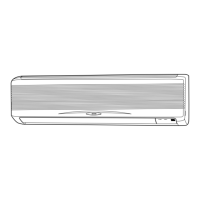
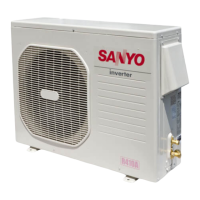
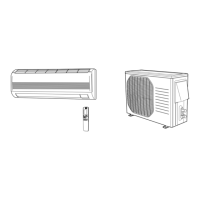
DC INVERTER SPLIT SYSTEM AIR CONDITIONER
Indoor Unit
FILE NO.
Destination: North America
Outdoor Model No.
C1872
C2472
CL1872
CL2472
Product Code No.
1 852 330 36
1 852 330 37
1 852 330 40
1 852 330 41
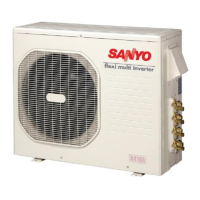
Outdoor Unit
KS1872
KS2472
C1872
CL1872
C2472
CL2472
REFERENCE NO. SM700663
Indoor Model No.
KS1872
KS2472
Product Code No.
1 852 099 83
1 852 099 84
AIR CO
N
D
I
T
I
O
N
E
R

Table of Contents

Questions and Answers

  • A
    Amber LopezAug 15, 2025
    What to do if my Sanyo Air Conditioner stops suddenly or the indicator lamps flicker?
    • K
      Kathryn KelleyAug 16, 2025
      To address sudden stops or flickering indicator lamps in your Sanyo Air Conditioner, insulate for noise or increase the distance from the noise source. You can also: - Use shielded wires. - Move the unit away from the noise source.
  • R
    Ruth JohnsonAug 18, 2025
    How to fix TV picture noise or radio static with Sanyo C2472 Air Conditioner?
    • N
      nwheelerAug 18, 2025
      If you're experiencing noise or distortion in your TV picture or static in the radio sound when using your Sanyo Air Conditioner, try these steps: - Use a separate power source. - Keep the A/C and its wiring at least 1 meter away from wireless devices and antenna cables. - Change the wireless device’s antenna to a high-sensitivity antenna. - Change the antenna cable to a BS coaxial cable. - Use a noise filter (for the wireless device). - Use a signal booster.
  • V
    villanuevabrettAug 21, 2025
    What to do if the motor stops quickly when the outdoor unit of my Sanyo C2472 Air Conditioner operates?
    • L
      Lauren HensonAug 21, 2025
      If the motor rotates briefly (for a few seconds) and then stops quickly when the outdoor unit of your Sanyo Air Conditioner operates, first replace the outdoor unit controller, then, if necessary, replace the DC motor.
  • R
    Richard WilliamsonAug 25, 2025
    What to do if the motor stops quickly when the indoor unit of my Sanyo C2472 operates?
    • M
      Mikayla MilesAug 25, 2025
      If the motor rotates briefly (for a few seconds) and then stops quickly when the indoor unit of your Sanyo Air Conditioner operates, first replace the indoor unit controller, then, if necessary, replace the DC motor.
  • A
    aliciaandradeAug 27, 2025
    Why doesn't the fan stop when the outdoor unit stops on my Sanyo C2472 Air Conditioner?
    • H
      Heather WalkerAug 28, 2025
      If the fan doesn't stop when the outdoor unit of your Sanyo Air Conditioner stops, it indicates outdoor unit controller trouble. Replace the controller to resolve this.
  • R
    Ryan YoungAug 30, 2025
    Why doesn't the fan stop when the unit stops on my Sanyo C2472 Air Conditioner?
    • T
      tammy00Aug 30, 2025
      If the fan doesn't stop when your Sanyo Air Conditioner unit stops, it indicates indoor unit controller trouble. Replace the controller to resolve this.
  • C
    Charles WilliamsSep 2, 2025
    Why isn't the fan motor rotating when the outdoor unit is operating on my Sanyo Air Conditioner?
    • B
      Beverly AllenSep 3, 2025
      If the fan motor doesn't rotate when the outdoor unit of your Sanyo Air Conditioner is operating, it indicates outdoor unit controller trouble. Replace the controller to resolve this.
  • E
    Emily HillSep 6, 2025
    Why isn't the fan motor rotating when the unit is operating on my Sanyo Air Conditioner?
    • S
      Samuel SnyderSep 6, 2025
      If the fan motor doesn't rotate when your Sanyo Air Conditioner unit is operating, it indicates indoor unit controller trouble. Replace the controller to resolve this.
  • A
    angela90Sep 8, 2025
    What to do if the self-diagnostics function fails on my Sanyo C2472 Air Conditioner?
    • T
      tdoyleSep 8, 2025
      If the self-diagnostics function fails to operate on your Sanyo Air Conditioner, check the indoor unit and the power voltage. Also, verify if the fuse is blown. If necessary, replace the circuit board or the fuse.
  • N
    Nicholas MendozaSep 12, 2025
    Why does the operation lamp blink rapidly on my Sanyo Air Conditioner when turned on?
    • D
      Debra McgeeSep 12, 2025
      If the operation lamp blinks every 0.5 seconds immediately when the power is turned ON for your Sanyo Air Conditioner, it indicates an external ROM (OTP data) failure on the indoor circuit board, a ROM socket insertion problem, or that the ROM has not been installed.

Summary

Important Safety and Operational Precautions

Safety Symbols and Warnings

Explains WARNING and CAUTION symbols and their meanings.

Installation and Handling Guidelines

Covers safe placement, transport, and refrigerant tubing connection.

Service and Operational Precautions

Notes on wiring, servicing, and refrigerant gas handling.

Getting Help and Improper Installation

Advice on seeking assistance and manufacturer liability.

Operating Range

Specifications

Unit Specifications

Detailed technical specifications for indoor and outdoor units.

Major Component Specifications

Indoor Unit Components

Specifications for Indoor Unit PCB, Fan, Motor, etc.

Outdoor Unit Component Specifications

Outdoor Unit Components

Specifications for Outdoor Unit PCB, Compressor, Fan, etc.

Other Component Specifications

Indoor Unit Dimensional Data

Outdoor Unit Dimensional Data

Refrigerant Flow Diagram

Refrigerant Flow Diagram

Illustrates the refrigerant circuit and its components.

Refrigerant Tubing Insulation

Guidelines for proper insulation of refrigerant tubing.

Performance Data

Cooling Characteristics (230 V)

Charts showing cooling performance based on temperatures.

Air Throw Distance Charts

Electrical Data

Electrical Characteristics

Details on voltage, current, power input, and SEER ratings.

Electric Wiring Diagrams

Indoor Unit Wiring Diagram

Shows electrical connections for the indoor unit.

Outdoor Unit Wiring Diagrams

Outdoor Unit C1872;CL1872 Wiring

Electrical connections for specific outdoor unit models.

Outdoor Unit Wiring Diagrams

Outdoor Unit C2472;CL2472 Wiring

Electrical connections for specific outdoor unit models.

Installation Instructions

Indoor Unit Installation Site Selection

Guidelines for choosing a suitable location for the indoor unit.

Outdoor Unit Installation Site Selection

Recommended Wire Length and Diameter

Remote Control Unit Installation

Remote Control Unit Installation Position

Guidance on optimal placement to ensure signal reception.

Mounting the Remote Control Unit

Instructions for physically attaching the remote to a wall.

Test Run Procedure

Indoor Unit Grille Removal and Installation

Maintenance

Remote Control Address Setting

Procedure to prevent interference between multiple remotes.

Outdoor Unit Connector Handling

Functions

Operation Functions

Explains various operational modes like Emergency, SENSOR DRY, and PAM control.

Protective Functions

Troubleshooting

Inspection and Repair Precautions

Safety notes before performing inspection or repair.

Self-Diagnostics Method

Steps to initiate and interpret the unit's diagnostic system.

Unit and Communication Checks

Indoor;Outdoor Unit Checks

Procedures for verifying unit operation and electrical outputs.

Serial Communications Check

How to check communication between indoor and outdoor units.

Indoor Fan Motor Troubleshooting

Indoor Fan Motor Diagnosis

Steps to diagnose issues with the indoor fan motor.

Outdoor Fan Motor Troubleshooting

Outdoor Fan Motor Diagnosis

Steps to diagnose issues with the outdoor fan motor.

Noise and Electromagnetic Interference

Checking Electrical Components

Insulation Resistance Measurement

Procedure for testing insulation resistance of components.

Fuse Continuity Check

Refrigerant R410 A Precautions

Characteristics of New Refrigerant R410 A

Properties, composition, and handling of R410A refrigerant.

Servicing Checklist for R410 A

Tools for R410 A Servicing

Tubing Installation Procedures

Compressor Malfunction and Replacement

Compressor Replacement Procedure

Step-by-step guide for replacing a faulty compressor.

Refrigerant Recharging Procedures

Refrigerant Leak Detection and Repair

Additional Refrigerant Charging

Charging When Tubes are Extended

How to add refrigerant for extended tubing lengths.

Retro-Fitting Existing Systems

Using Existing Units and Tubing

Precautions for converting R22 systems to R410A.

Unit Features Overview

Microprocessor Controlled Operation

Details on remote control and automatic operation features.

Timer Functions

Explanation of 24-hour and 1-hour timer settings.

Comfort and Air Quality Features

Descriptions of Night Setback, Fan Speed, Air Sweep, ION, and filters.

Product Information and Alert Symbols

Product Information

Location of model and serial number information.

Alert Symbols Explained

Meanings of WARNING and CAUTION symbols used in the manual.

Installation Location Guidelines

Electrical Requirements

General Safety Instructions

Names of Parts

Unit Display and Operation Button

Remote Control Unit Display Symbols

Remote Control Unit Buttons

Using the Remote Control Unit

Remote Control Unit Sensor and Operation

How the remote's sensor and transmitter interact with the unit.

Installing Remote Control Batteries

Guide for replacing batteries in the remote control.

Remote Control Unit Usage and Placement

Remote Control Unit Operation

How to properly point and use the remote control.

Remote Control Unit Installation Position

Guidance on optimal and restricted locations for the remote.

Mounting the Remote Control Unit

Instructions for attaching the remote control to a wall mount.

Remote Control Operation

Basic Operation Steps

A step-by-step guide for operating the air conditioner using the remote.

Fan Speed and Fan-Only Operation

Adjusting Fan Speed

How to set fan speed automatically or manually.

Fan-Only Mode Operation

Instructions for operating the unit for air circulation without cooling/heating.

Night Setback Mode Operation

Specialized Operation Modes

Quiet Mode

Reduces fan speed for quieter operation.

High Power Mode

Operates at maximum output for 30 minutes.

ION Mode Operation

Activates negative ion generation for air freshening.

Special Remarks on Operation

Setting the Timer

Setting Present Time

How to set the current time on the remote control.

Setting OFF Timer

Procedure for programming the unit to turn off.

Timer Programming

Setting ON Timer

Procedure for programming the unit to turn on.

Daily ON;OFF Repeat Timer

Setting recurring daily timer schedules.

1-Hour OFF Timer

Energy Saving Tips

Adjusting Airflow Direction

Operation Without Remote Control

Care and Cleaning

Anti-Mold Filter Maintenance

Air Clean Filter Maintenance

Troubleshooting Guide

Operating Range Specifications

Sanyo C2472 Specifications

General IconGeneral
BrandSanyo
ModelC2472
CategoryAir Conditioner
LanguageEnglish

Related product manuals