
EasyManua.ls Logo

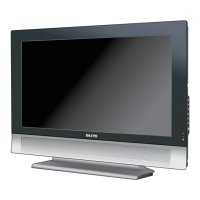
Sanyo LCD-32CA8Z - User Manual

Sanyo LCD-32CA8Z
40 pages
Print Icon
To Next Page IconTo Next Page
Loading...
Owners Manual
LCD TV
MODEL
LCD-32CA8Z
LCD-37CA8Z
LCD-42CA8Z
Inst. Manual - CA8Z.indd 1 6/27/2007 5:45:00 PM

Other manuals for Sanyo LCD-32CA8Z

Questions and Answers

  • K
    Kevin DonovanAug 10, 2025
    How to turn on Sanyo LCD TV?
    • W
      wrightjenniferAug 10, 2025
      First, ensure the LCD TV is plugged into the AC outlet. Then, press the ON/STAND-BY button located either on the side control panel or on the remote control. Check the POWER indicator; if it flashes, it indicates a problem with the TV.
  • W
    whitemariaAug 14, 2025
    What to do if Sanyo LCD TV remote control does not work?
    • R
      Rachel AndersonAug 15, 2025
      If your Sanyo LCD TV remote isn't working, start by checking the batteries. Ensure there are no obstructions between the remote and the TV's remote receiver. Also, make sure you're within the remote's operational range of 16.4 feet (5 meters). Finally, check if direct sunlight or strong artificial light is shining on the TV's infrared remote receiver; if so, eliminate the light source.
  • S
    Sonia FoxAug 19, 2025
    Why is there no sound on my Sanyo LCD TV?
    • S
      Scott RobertsAug 19, 2025
      If you're experiencing a lack of sound on your Sanyo LCD TV, first verify the audio cable connection from the audio input source. Then, adjust the audio source settings. Also, press the VOLUME (+) button and ensure the MUTE button is not activated.
  • W
    wnicholsAug 25, 2025
    What to do if there is no image on Sanyo LCD TV?
    • M
      mcknightbrianAug 26, 2025
      If your Sanyo LCD TV shows no image, first check the connection between any external equipment and the TV. Note that it may take a few seconds for the image to appear when turning the TV on. Ensure the selected system corresponds with the external or video equipment connected. Also, make sure the ambient temperature is within the operating range of 0°C to 40°C. If none of these steps resolve the issue, try turning the power off and then on again to restart the TV.
  • B
    Belinda MerrittAug 30, 2025
    How to fix abnormal color on Sanyo LCD TV?
    • M
      Michael WellsAug 30, 2025
      To correct abnormal colors on your Sanyo LCD TV, try adjusting the color settings. You can also try selecting a different color system.
  • S
    Sharon WhiteSep 3, 2025
    Why does my Sanyo LCD TV have tiny black or bright points?
    • S
      Steven DavidSep 3, 2025
      Dark or bright points of light (red, green, or blue) may appear on the screen. This is a characteristic of LCD panels, not a malfunction of the LCD TV. LCD panels are produced with very high accuracy technology. There is 99.99% or more dot pixel, but there is also 0.01 % or less of dot pixel lack or dot pixel that is constantly lighted. Regarding LCD panel characteristic, picture remain (look like a mirror) may occur when the screen is changed if it displays same screen for a long time. Changing the picture or turning off the power supply may recover it. Stripe patterns (moire, interference stripes) may also appear depending on the reflected picture.

Sanyo LCD-32CA8Z Specifications

General IconGeneral
BrandSanyo
ModelLCD-32CA8Z
CategoryOther
LanguageEnglish