EasyManua.ls Logo

Sanyo VPC-GH1EX - User Manual

Sanyo VPC-GH1EX
207 pages
Print Icon
To Next Page IconTo Next Page
Loading...
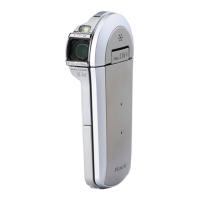
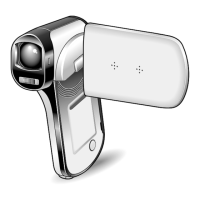
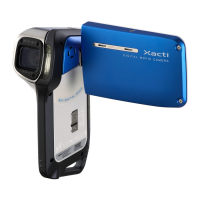
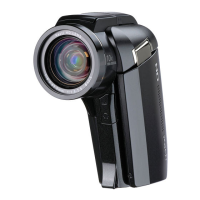
VPC-GH1EX
VPC-GH1GX
VPC-GH1PX
VPC-GH1TA
VPC-GH2
INSTRUCTION MANUAL
Dual Camera
Please read these instructions carefully before using the camera.
Make sure to read and understand the separate booklet “SAFETY MANUAL”.
Keep this manual in a safe place for later reference.
Important note
This manual explains how to safely operate the VPC-GH1EX, VPC-GH1GX,
VPC-GH1PX, VPC-GH1TA and VPC-GH2.
Any information regarding only one of these products will be labeled as such.

Table of Contents

Questions and Answers

  • W
    Wendy SheaSep 10, 2025
    How to unlock 'Image is protected' message on Sanyo VPC-GH1EX?
    • V
      virginiacraigSep 12, 2025
      If your Sanyo Camcorder displays the “Image is protected” message and you cannot delete the file, it means you're trying to delete a file protected from accidental erasure. Set the protect setting for the file to UNLOCK.
  • J
    Justin MurphySep 12, 2025
    What to do if image is not captured on Sanyo VPC-GH1EX Camcorder?
    • J
      Jonathan ReedSep 13, 2025
      If an image is not captured when you press the button on your Sanyo Camcorder, several issues could be the cause. If the power save function was activated, turn on the camera before shooting. If the camera was turned off, press the ON/OFF button to turn it on. Also, if the maximum number of images or video clip recording time has been reached, install a new card or delete unnecessary images.
  • J
    Jennifer RodriguezSep 15, 2025
    Why the audio guide does not sound on Sanyo VPC-GH1EX Camcorder?
    • A
      Alexander JeffersonSep 15, 2025
      If the audio guide does not sound on your Sanyo Camcorder, ensure that the audio guide setting is set to “ON.”

Sanyo VPC-GH1EX Specifications

General IconGeneral
Optical Zoom5x
Image StabilizerElectronic
MicrophoneStereo
Sensor TypeCMOS
Image FormatJPEG
Battery TypeLithium-Ion
Display Size2.7 inch
Connector TypeHDMI, USB
Supported Flash MemorySD/SDHC
LCD Screen Size2.7 inch
Video Resolution1920 x 1080
Video FormatMPEG-4
Storage MediaSD/SDHC
Optical Sensor Size1/2.3 inch

Related product manuals