EasyManua.ls Logo

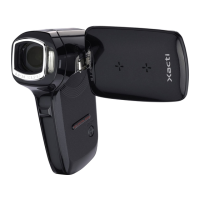
Sanyo Xacti VPC-CG9 - User Manual

Sanyo Xacti VPC-CG9
220 pages
Print Icon
To Next Page IconTo Next Page
Loading...
VPC-CG9EX
VPC-CG9
VPC-CG9GX
INSTRUCTION MANUAL
Digital Movie Camera
Please read these instructions carefully before using the camera.
Make sure to read and understand the separate booklet “SAFETY MANUAL”.
Keep this manual in a safe place for later reference.
Important note
This manual explains how to safely operate the VPC-CG9EX, VPC-CG9 and
VPC-CG9GX.
Any information regarding only one of these products will be labeled as such.

Table of Contents

Questions and Answers

  • J
    Jeffery ManningSep 10, 2025
    Why I cannot edit or rotate an image on my Sanyo Camcorder?
    • C
      clarketimothySep 10, 2025
      If you cannot edit or rotate an image on your Sanyo Camcorder, the protect mode might be enabled. Cancel the protect mode to allow editing.
  • M
    Matthew HarrisAug 22, 2025
    Why is my Sanyo Xacti VPC-CG9 image too dark?
    • D
      diana04Aug 23, 2025
      If your Sanyo Camcorder image is too dark, ensure that your finger or another object isn't blocking the flash. Hold the camera correctly, ensuring the flash isn't obstructed. If the subject is too far away, capture the image within the flash's operational range. If the subject is backlit, use forced flash mode. You can also try using the exposure compensation function, the spot light-measuring mode, or adjusting the ISO sensitivity setting if there is not enough light.
  • M
    martinezelizabethAug 25, 2025
    Why is my Sanyo Xacti VPC-CG9 image not in focus?
    • Z
      Zachary MooreAug 25, 2025
      If your Sanyo Camcorder isn't focusing correctly, it might be because the subject is too close. Ensure the subject is within the photographable range and select the correct focus setting. Also, hold the camera correctly and gently press the shutter button halfway to lock focus before fully pressing it to capture the image. If the lens is dirty, clean it carefully.
  • R
    Richard WilliamsAug 26, 2025
    What to do if the “Image is protected” message appears on my Sanyo Xacti VPC-CG9 and the file cannot be deleted?
    • E
      Eric WilliamsAug 27, 2025
      If your Sanyo Camcorder displays 'Image is protected' and you can't delete the file, it means the file is protected from accidental erasure. To delete it, change the protect setting for the file to UNLOCK.
  • S
    stacy56Aug 28, 2025
    Why Sanyo Xacti VPC-CG9 has no power?
    • A
      Ashley WebbAug 28, 2025
      If your Sanyo Camcorder has no power, first check the battery pack. Recharge it or replace it with a new one if it's dead. Ensure the battery pack is correctly inserted. If the battery pack is too hot, wait for it to cool down. Also, if the power save function is operating, simply turn the camera on again.
  • M
    Mary HamiltonAug 29, 2025
    Why is my Sanyo Xacti VPC-CG9 image too bright?
    • V
      Valerie RobinsonAug 29, 2025
      If your Sanyo Camcorder image is too bright, it might be because the forced flash mode is selected. Try selecting a different flash mode. If the subject was too bright, use the exposure compensation function. Also, check the ISO sensitivity setting and set it to the appropriate level.
  • T
    Tracy PalmerSep 18, 2025
    Why does the zoom movement stop momentarily on my Sanyo Xacti VPC-CG9 Camcorder?
    • T
      Tyler TorresSep 18, 2025
      When zooming in or out with your Sanyo Camcorder, if the zoom movement stops momentarily, it is likely because the optical zoom has reached its maximum magnification. Release the zoom switch and push it again to continue.
  • K
    Kathleen WalshSep 12, 2025
    Why is my Sanyo Camcorder video clip picture flickering?
    • R
      Robert SmithSep 12, 2025
      If your Sanyo Camcorder video clip picture is flickering, especially when filmed under fluorescent lighting, set the flicker-reduction setting to on.
  • R
    Ryan KnightSep 8, 2025
    Why is a part of the image missing on my Sanyo Xacti VPC-CG9 Camcorder?
    • M
      Michael BensonSep 8, 2025
      If a part of the image is missing on your Sanyo Camcorder, it's possible that the strap or a finger was blocking the lens. Ensure you hold the camera correctly and that nothing obstructs the lens.
  • N
    Nicole LeeSep 5, 2025
    Why is my Sanyo Camcorder beeping and I can't use the self-timer?
    • P
      Paul OwensSep 5, 2025
      If you're getting a warning tone (beep-beep-beep) and can't take a picture using the self-timer on your Sanyo Camcorder, it likely means the battery pack is low. Install a sufficiently recharged battery pack.

Sanyo Xacti VPC-CG9 Specifications

General IconGeneral
BrandSanyo
ModelXacti VPC-CG9
CategoryCamcorder
LanguageEnglish

Related product manuals