EasyManua.ls Logo

Sanyo Xacti VPC-CG65EX - User Manual

Sanyo Xacti VPC-CG65EX
206 pages
Print Icon
To Next Page IconTo Next Page
Loading...
INSTRUCTION MANUAL
Digital Movie Camera
Please read these instructions carefully before using the camera.
Make sure to read and understand the separate booklet “
SAFETY MANUAL”.
Keep this manual in a safe place for later reference.
Important note
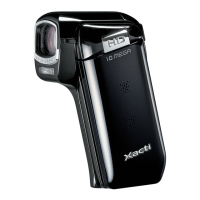
This manual explains how to safely operate the VPC-CG65EX, VPC-CG65,
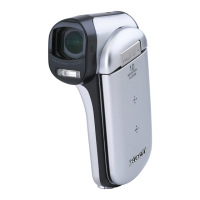
VPC-CG65GX and VPC-CG65PX.
Any information regarding only one of these products will be labeled as such.
VPC-CG65EX
VPC-CG65
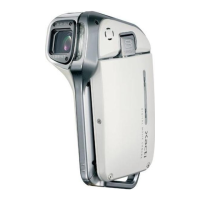
VPC-CG65GX
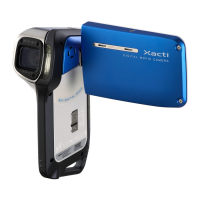
VPC-CG65PX

Table of Contents

Questions and Answers

  • T
    tsandersSep 23, 2025
    What to do if Sanyo Xacti VPC-CG65EX battery pack appears to be swollen?
    • D
      Danielle BarkerSep 23, 2025
      A swollen battery pack in your Sanyo Camcorder is a normal change that occurs with battery use and isn't a safety hazard. However, if the battery depletes quickly, it may be nearing the end of its service life, and you should replace it.
  • M
    Matthew GarciaAug 23, 2025
    What to do if the flash does not operate on Sanyo Xacti VPC-CG65EX Camcorder?
    • G
      Gregory MccormickAug 23, 2025
      If the flash on your Sanyo Camcorder isn't working, check if the flash off mode is selected. If it is, switch to automatic or forced flash mode. Also, ensure the battery pack isn't dead; recharge or replace it if necessary.
  • F
    fmossAug 25, 2025
    Why Sanyo Xacti VPC-CG65EX image is too dark?
    • M
      monicajohnsonAug 26, 2025
      If your Sanyo Camcorder images are too dark, several factors could be the cause. The flash may have been blocked, the subject might have been too far away, or the subject was lit from behind. Ensure nothing is obstructing the flash, move closer to the subject, or use forced flash mode. Also, consider adjusting the ISO sensitivity setting to allow more light.
  • T
    Tina McmahonAug 27, 2025
    What to do if Sanyo Xacti VPC-CG65EX image is not in focus?
    • J
      Jesse JensenAug 27, 2025
      If your Sanyo Camcorder images are blurry, the subject may be too close. Ensure the subject is within the photographable range and select the correct focus setting. Camera shake can also cause blurriness. Hold the camera steady and gently press the button halfway to lock focus before fully pressing it to capture the image. Lastly, a dirty lens can cause focusing issues, so clean the lens.
  • L
    Leah HernandezAug 27, 2025
    What to do if Sanyo Xacti VPC-CG65EX says 'Image is protected'?
    • B
      brittney91Aug 27, 2025
      The 'Image is protected' message on your Sanyo Camcorder means you're trying to delete data that's protected from accidental erasure. To delete the data, you'll need to change the protect setting to “UNLOCK”.
  • C
    Cory FletcherSep 18, 2025
    What to do if Sanyo Xacti VPC-CG65EX maximum video clip recording time has been reached?
    • A
      Ana LewisSep 18, 2025
      If your Sanyo Camcorder has reached the maximum number of images or video clip recording time, install a new card or delete unnecessary images.
  • B
    Brian HarrisSep 15, 2025
    Why I cannot edit image on Sanyo Xacti VPC-CG65EX?
    • M
      Monica RodriguezSep 15, 2025
      If you cannot edit or rotate an image on your Sanyo Camcorder, the protect mode is likely enabled. Cancel the protect mode to allow editing.
  • J
    James LuceroSep 16, 2025
    Why Sanyo Xacti VPC-CG65EX Camcorder audio guide does not sound?
    • L
      lorifullerSep 17, 2025
      If the audio guide on your Sanyo Camcorder isn't working, check if the audio guide setting is set to “OFF”. If so, set it to “ON.”
  • P
    Paul MaysSep 6, 2025
    What to do if Sanyo Xacti VPC-CG65EX does not capture image?
    • P
      pchanSep 6, 2025
      If your Sanyo Camcorder isn't capturing images when you press the button, make sure the power is turned on.
  • B
    brianedwardsSep 3, 2025
    What to do if Sanyo Camcorder has no playback image?
    • M
      Michael ShawSep 4, 2025
      If you're not seeing any playback image on your Sanyo Camcorder, make sure the camera is in playback mode. Press the REC/PLAY button to switch to playback mode.

Summary

Introduction and Camera Setup

Important Notes and Warnings

Key operational notes, safety warnings, and user advisories for camera use.

Battery and Card Installation

Procedures for installing the battery pack and SD memory card.

Powering On;Off and Mode Switching

How to turn the camera on/off and switch between shooting and playback modes.

Core Photography Operations

Recording Video Clips

Step-by-step guide on how to record video clips with the camera.

Capturing Still Images

Instructions for capturing still photographs using the camera's features.

Playback and Image Viewing

Steps for playing back recorded video clips and viewing still images.

Advanced Camera Settings

Focus, Zoom, and Exposure Control

Adjusting zoom, focus modes, light-measuring, and exposure for optimal image capture.

Image Quality and Scene Modes

Optimizing image quality, selecting scene modes, ISO, and white balance.

Video Clip Editing

Trimming, joining video clips, and extracting still images from video footage.

System Configuration and Management

Camera Settings Menu Navigation

Accessing and navigating the camera's option and recording menus.

Memory and File Management

Managing file numbers, formatting memory, and resetting camera settings.

Power Save and Display Options

Customizing operation sounds, post-view duration, and power save functions.

Connectivity, Printing, and Troubleshooting

Connecting to TV and Printing

Connecting to TV, direct printing, and print instruction setup.

Frequently Asked Questions

Answers to common questions regarding camera operation and common issues.

Technical Specifications

Detailed technical data for camera features, performance, and compatibility.

Sanyo Xacti VPC-CG65EX Specifications

General IconGeneral
BrandSanyo
ModelXacti VPC-CG65EX
CategoryCamcorder
LanguageEnglish

Related product manuals