EasyManua.ls Logo

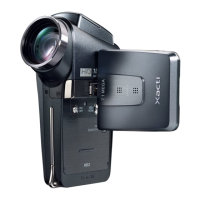
Sanyo Xacti VPC-C1EX - User Manual

Sanyo Xacti VPC-C1EX
176 pages
Print Icon
To Next Page IconTo Next Page
Loading...
INSTRUCTION MANUAL Digital Movie VPC
-
C1
Important note
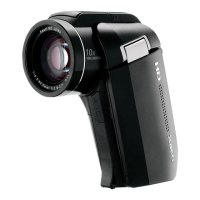
This manual explains how to safely operate the VPC-C1EX and
VPC-C1. Any information regarding only one of these products will
be labeled as such.
Please read these instructions carefully before using the camera. Make
sure to read and understand the section “USING YOUR CAMERA
SAFELY AND CORRECTLY” on pages 7 to 24. Keep this manual in a
safe place for later reference.
INSTRUCTION MANUAL
VPC-C1EX
VPC-C1
Digital Movie
Printed on recycled paper
1AG6P1P1704--
SX613/EX, U (1003KP-SY)
SANYO Electric Co., Ltd.
Printed in Japan
      !"#

Table of Contents

Questions and Answers

  • M
    marie27Aug 20, 2025
    How to fix a Sanyo Xacti VPC-C1EX with no power?
    • R
      Ryan StanleyAug 20, 2025
      If your Sanyo Camcorder has no power, the battery pack may be dead or not inserted correctly. Try recharging the battery pack or replacing it with a new one. Also, ensure the battery pack is correctly oriented when you reinsert it.
  • V
    Veronica McmillanAug 22, 2025
    Why doesn't the flash work on my Sanyo Xacti VPC-C1EX?
    • B
      Brenda JonesAug 22, 2025
      If the flash on your Sanyo Camcorder isn't working, it could be due to several reasons. The flash off mode might be selected, so set the flash to automatic or forced flash mode. Alternatively, the battery pack could be dead, requiring a recharge or replacement. Finally, check if the lamp mode Q is active and set it to a different mode.
  • B
    Brenda BallAug 25, 2025
    What to do if my Sanyo Xacti VPC-C1EX Camcorder image is too dark?
    • R
      Robert FloydAug 25, 2025
      If your Sanyo Camcorder images are too dark, several factors could be the cause. Ensure that your finger or another object isn't blocking the flash. Also, consider that the subject might be too far away, so capture the image within the flash's operational range. If the subject is lit from behind, use the forced flash mode. In cases of insufficient light, adjust the ISO sensitivity setting.
  • C
    Carrie WallsAug 27, 2025
    Why Sanyo Camcorder doesn't capture image when pressing the button?
    • H
      Henry ReedAug 27, 2025
      If your Sanyo Camcorder isn't capturing images when you press the still image shooting button or video clip recording button, it could be due to a few reasons. First, check if the power is on. If the power save function is active, press a button to turn on the camera, and if the shooting power is off, press the ON/OFF button. Also, the card might be full. If the maximum number of images or video clip recording time has been reached, install a new card. If the card is not full, erase unnecessary images or save them to separate media and then erase all images from the card.
  • A
    alyssaglassAug 28, 2025
    How to troubleshoot a blurry image on a Sanyo Xacti VPC-C1EX Camcorder?
    • O
      ohuffmanAug 28, 2025
      If your Sanyo Camcorder image is not in focus, it could be due to several reasons. The subject may be too close to the camera; select the correct focus setting. If the camera moved when the still image shooting button was pressed, hold it correctly and slowly press the button halfway to lock the focus before fully pressing it. Lastly, a dirty lens can cause blurriness, so clean the lens.
  • K
    Katherine AdkinsAug 29, 2025
    Why does my Sanyo Camcorder turn off by itself?
    • M
      Mrs. Christina GonzalezAug 30, 2025
      Your Sanyo Camcorder might be turning off by itself because the power save function is operating. To prevent this, simply press one of the operation buttons once.
  • J
    julie11Sep 1, 2025
    What does 'NO CARD' mean on my Sanyo Xacti VPC-C1EX Camcorder?
    • M
      mitchellnelsonSep 1, 2025
      The “NO CARD” message on your Sanyo Camcorder indicates that no card is inserted. To resolve this, turn off the power and insert a card.
  • J
    johnchangSep 2, 2025
    How to reduce noise in Sanyo Camcorder images?
    • G
      greerbrandiSep 2, 2025
      If there is noise in the captured image of your Sanyo Camcorder, it is possible that the ISO sensitivity setting is too high. Set the ISO sensitivity to a lower setting.
  • K
    Kathy KingSep 4, 2025
    Why is my Sanyo Xacti VPC-C1EX video clip picture flickering?
    • A
      Ashley WrightSep 4, 2025
      If your Sanyo Camcorder video clip picture is flickering, it's likely because the video clip was filmed under fluorescent lighting. To fix this, set the flicker- reduction setting to on.
  • J
    jamesdiazSep 6, 2025
    Why are the colors off in my Sanyo Camcorder indoor pictures?
    • E
      Erica BrownSep 6, 2025
      If the colors of the images captured indoors with your Sanyo Camcorder are not correct, it could be due to ambient lighting. Try capturing the image using the forced flash mode. Alternatively, the white balance setting might be incorrect, so set it correctly.

Sanyo Xacti VPC-C1EX Specifications

General IconGeneral
TypeDigital Camcorder
Optical Zoom5x
StorageSD card
Frame Rate30 fps
Video Resolution640 x 480
Battery LifeApprox. 60 minutes
BatteryLithium-Ion
Image Sensor1/2.5-inch CCD

Related product manuals