EasyManua.ls Logo

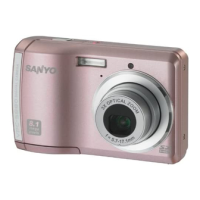
Sanyo Xacti Vpc-S880 - User Manual

Sanyo Xacti Vpc-S880
42 pages
Print Icon
To Next Page IconTo Next Page
Loading...
INSTRUCTION MANUAL
Digital Camera
Please read these instructions carefully before using the camera.
Keep this manual in a safe place for later reference.

Questions and Answers

  • J
    james51Jul 31, 2025
    What to do if my Sanyo Xacti Vpc-S880 doesn't shoot?
    • K
      Kelly WeaverJul 31, 2025
      If your Sanyo Digital Camera does not shoot when you press the shutter button, ensure you press the button all the way down. Also, check if the internal memory or memory card is full; if so, insert a new memory card or delete unwanted files. If the flash is charging, wait until the status LED stops blinking. Finally, verify that the memory card is not write-protected and remove the write-protection if it is.
  • R
    Robert Sanders Jr.Aug 7, 2025
    How to fix a Sanyo Xacti Vpc-S880 when the power does not come on?
    • A
      Ashlee OlsonAug 7, 2025
      If your Sanyo Digital Camera's power does not come on, make sure the batteries are loaded correctly. If they are, the batteries may be exhausted. Replace them with a new set.
  • C
    Carolyn HowardAug 14, 2025
    Why won't my Sanyo Digital Camera focus?
    • N
      Nicole WoodwardAug 14, 2025
      If your Sanyo Digital Camera won't focus even when set to auto focus, the lens may be dirty. Wipe it clean with a soft, dry cloth or lens paper. Alternatively, the subject may be too close; ensure the subject is within the effective focus range.
  • C
    Carl NguyenAug 22, 2025
    What to do if I cannot download images from my Sanyo Xacti Vpc-S880?
    • M
      Mrs. Erica Brandt MDAug 22, 2025
      If you cannot download images from your Sanyo Digital Camera, it may be due to insufficient free space on your computer's hard disk. Check if the hard disk has space for running Windows and if the drive for loading image files has a capacity at least that of the memory card inserted in the camera. Also, ensure the camera has a power supply by replacing the batteries with a new set.

Summary

INTRODUCTION

Camera Overview

Congratulations on your purchase of the new digital camera.

Included Camera Accessories

Lists common and optional product components included with the digital camera.

GETTING TO KNOW YOUR CAMERA

Camera Front View Layout

Identifies and labels buttons and key features located on the front of the camera.

Camera Rear View Layout

Identifies and labels buttons and key features located on the rear of the camera.

LCD Monitor Display Guide

Explains icons, indicators, and information displayed on the camera's LCD screen.

GETTING START

Camera Preparation Steps

Guide to attaching the camera strap, inserting batteries, and memory card.

Initial Camera Settings

Instructions for setting the correct date and time on the camera.

CAPTURE MODE

Capturing Still Images

Basic instructions for composing and taking photos with the camera.

Face Detection Focus Feature

How to use the face detection function for improved focusing in photos.

Using Scene Modes

Explains different scene modes for optimizing photos in various shooting conditions.

Panorama Mode Shooting

Instructions for capturing panoramic images by stitching multiple shots.

VIDEO MODE

Recording Video Clips

Guide on how to record video clips and limitations during recording.

Playing Back Video Clips

Instructions on how to view recorded video clips directly on the camera.

PLAYBACK MODE

Playing Back Still Images

How to navigate and view captured still images on the camera's LCD.

Thumbnail Image Display

How to view multiple images simultaneously for quick searching.

Red-eye Correction

Method to remove the red-eye effect from photos after they are taken.

Protecting Images from Deletion

How to set images to read-only to prevent accidental erasure.

Erasing Images

Procedures for deleting single or all images from the camera.

MENU OPTIONS

Capture Menu Settings

Basic settings for capturing still images, including size, quality, and color.

Video Menu Settings

Settings specific to recording video clips, such as size and color.

Playback Menu Settings

Options for managing and viewing captured images and videos.

Setup Menu Options

Camera's operating environment settings, including beep, date/time, and language.

TRANSFERRING FILES TO YOUR COMPUTER

Downloading Camera Files

Step-by-step guide to transfer images and video clips to a computer.

EDITING SOFTWARE INSTALLATION

SPECIFICATIONS

APPENDIX

Possible Number of Shots

Reference table for approximate number of shots based on memory capacity and image quality.

Troubleshooting

Connecting to a PictBridge Compatible Printer

Connecting Camera to Printer

Instructions on how to establish a direct connection between the camera and a PictBridge printer.

Printing Images Directly

Steps for printing images from the camera without using a computer.

Sanyo Xacti Vpc-S880 Specifications

General IconGeneral
BrandSanyo
ModelXacti Vpc-S880
CategoryDigital Camera
LanguageEnglish

Related product manuals