EasyManua.ls Logo

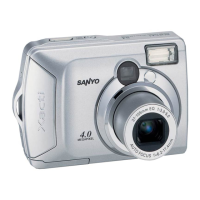
Sanyo Xacti VPC-S4 - User Manual

Sanyo Xacti VPC-S4
139 pages
Print Icon
To Next Page IconTo Next Page
Loading...
VPC-S4
INSTRUCTION MANUAL
Digital Camera
Please read these instructions carefully before using the digital camera. Make
sure to read and understand the section ā€œUSING YOUR DIGITAL CAMERA
SAFELY AND CORRECTLYā€ on pages 5 to 16. Keep this manual in a safe place
for later reference.
Important note
This manual explains how to safely operate the VPC-S4.

Table of Contents

Questions and Answers

  • J
    Joshua LynchJul 31, 2025
    How to fix a Sanyo Xacti VPC-S4 Digital Camera with no power?
    • E
      Edwin ScottJul 31, 2025
      If your Sanyo Digital Camera has no power, the batteries may be dead. Try replacing them with new ones. Also, check that the batteries have been inserted correctly, paying attention to the orientation. Finally, ensure that the battery compartment cover is fully closed.
  • P
    probinsonAug 10, 2025
    Why doesn't the flash work on my Sanyo Digital Camera?
    • M
      Mike JohnsonAug 10, 2025
      If the flash on your Sanyo Digital Camera isn't working, it could be due to several reasons. First, check if the flash is set to 'flash off' mode; if so, switch to automatic or forced flash mode. Another possibility is that you're not in still image shooting mode, so set the camera to that mode. Lastly, the batteries might be dead, so try replacing them.
  • J
    John HaneyAug 20, 2025
    What to do if my Sanyo Xacti VPC-S4 turns off by itself?
    • A
      Antonio FernandezAug 20, 2025
      If your Sanyo Digital Camera turns off by itself, it's likely due to the power save function. Simply turn the camera on again.

Summary

Instruction Manual Overview

Digital Camera

Manual for the Sanyo VPC-S4 Digital Camera, covering its operation and features.

Camera Operation Outline

Preparation Steps

Installing Batteries and Card

Guide on how to insert batteries and memory cards.

Shooting Guide

Changing Shooting Settings

How to adjust various camera settings for shooting.

Playback Guide

Viewing Images

How to view, magnify, and manage captured images.

Other Functions and Connections

Connecting to a Computer

Steps and information for transferring data to a PC.

Appendices

Troubleshooting Guide

Solutions for common problems encountered with the camera.

Specifications

Technical details and features of the digital camera.

Safe and Correct Camera Usage

Digital Camera Safety Precautions

Essential warnings and guidelines for safe camera operation.

Sanyo Xacti VPC-S4 Specifications

General IconGeneral
Digital Zoom4x
Optical Sensor Size1/2.5 inch
Sensor TypeCCD
Image Sensor1/2.5 inch CCD
Effective Pixels4.0 megapixels
Video Resolution640 x 480 pixels
Storage MediaSD card
Battery Type2x AA batteries

Related product manuals