EasyManua.ls Logo

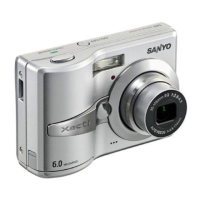
Sanyo VPC S6 - Xacti Digital Camera - User Manual

Sanyo VPC S6 - Xacti Digital Camera
171 pages
Print Icon
To Next Page IconTo Next Page
Loading...
VPC-S60EX
VPC-S60
INSTRUCTION MANUAL
Digital Camera
Please read these instructions carefully before using the camera.
Make sure to read and understand the separate booklet ā€œ
SAFETY MANUALā€.
Keep this manual in a safe place for later reference.
Important note
This manual explains how to safely operate the VPC-S60EX and VPC-S60.
Any information regarding only one of these products will be labeled as such.

Table of Contents

Other manuals for Sanyo VPC S6 - Xacti Digital Camera

Questions and Answers

  • A
    Andrew TaylorAug 20, 2025
    Why Sanyo Digital Camera has no power?
    • V
      vbrownAug 20, 2025
      Your Sanyo Digital Camera might not be turning on because the batteries are dead. In this case, insert new batteries. Another reason could be that the batteries have not been inserted correctly; reinsert the batteries, making sure to orient them correctly. Finally, ensure the battery/card cover is completely closed.
  • W
    webercherylAug 22, 2025
    How to fix a Sanyo VPC S6 - Xacti that won't turn on?
    • R
      Rhonda MurphyAug 22, 2025
      If your Sanyo Digital Camera isn't powering on, the battery might be dead. Try loading a new or fully charged battery. Also, make sure the battery is oriented correctly and that the battery cover is closed properly.
  • S
    Steven JohnsonAug 25, 2025
    How to fix Sanyo VPC S6 - Xacti Digital Camera not transferring files via USB?
    • K
      Kristina MillerAug 25, 2025
      If you cannot transfer files from your Sanyo Digital Camera over a USB connection, check that the USB cable is securely connected. Also, ensure that the USB driver is installed on your computer. Finally, verify that the camera is turned on.
  • M
    millerwilliamAug 26, 2025
    What to do if the flash does not operate on my Sanyo VPC S6 - Xacti?
    • A
      Anthony MurphyAug 26, 2025
      If the flash on your Sanyo Digital Camera isn't working, first check if the flash off mode is selected and set the flash to automatic flash mode or forced flash mode. Also, ensure that the batteries aren't dead; if they are, insert new batteries.
  • P
    Patrick LutzAug 27, 2025
    Why is the image too dark with my Sanyo VPC S6 - Xacti Digital Camera?
    • Z
      zsmithAug 27, 2025
      The image captured by your Sanyo Digital Camera may be too dark because the flash was blocked by a finger or other object. Hold the camera correctly, ensuring the flash is not obstructed. Also, the subject might be too far away, so capture the image within the flash's operational range. If the subject was lit from behind, use the forced flash mode. Additionally, you can use the exposure correction function or adjust the ISO sensitivity setting.
  • C
    craigmarkAug 29, 2025
    What to do if an image is not captured when pressing the shutter button on my Sanyo VPC S6 - Xacti?
    • K
      Kevin BennettAug 29, 2025
      If your Sanyo Digital Camera isn't capturing images when you press the shutter button, it may be because the maximum number of images that can be captured or the maximum video clip recording time has been reached. Install a new card. You can also erase unnecessary images or save images to separate media and then erase all images from the card.
  • A
    Amanda FoxAug 31, 2025
    How to fix noise in captured image with Sanyo Digital Camera?
    • J
      John GarciaAug 31, 2025
      If there is noise in the captured image with your Sanyo Digital Camera, it might be because the ISO sensitivity setting is too high. Set the ISO sensitivity to a lower setting.
  • M
    Maria WeissSep 2, 2025
    How to fix operation buttons that do not work on Sanyo VPC S6 - Xacti?
    • C
      Colin LeeSep 2, 2025
      If the operation buttons on your Sanyo Digital Camera do not work, it may be because your finger is touching the shutter button, and the focus lock is active. Remove your finger from the shutter button, and then use the operation buttons.
  • J
    Jennifer YoungSep 4, 2025
    Why does my Sanyo VPC S6 - Xacti Digital Camera make a warning tone when using the self-timer?
    • G
      Gloria LandrySep 4, 2025
      If your Sanyo Digital Camera is making a warning tone (beep-beep-beep) and you can't take a picture using the self-timer, it's likely because the batteries are consumed. Insert new batteries.
  • I
    ibarnettSep 6, 2025
    How to make digital zoom work on Sanyo VPC S6 - Xacti?
    • J
      Joshua SnyderSep 6, 2025
      If the digital zoom does not work on your Sanyo Digital Camera, check if the still image mode is set to k. Set the still image mode resolution setting to D or lower.

Summary

Getting Started and Setup

Install the battery

Instructions for inserting batteries into the camera.

Check Included Accessories

List and identification of included camera accessories.

Parts Names

Identifies key external components of the camera.

Install Batteries and Card

Guide for installing batteries and memory cards.

Core Camera Operations

Camera Handling and Focus

Guidance on camera grip, autofocus, and touch sensor.

Still Image Operations

How to capture and view still images.

Video Clip Operations

Instructions for recording and playing back video clips.

Advanced Features and Settings

Scene Mode Selection

How to select preset scene modes for optimal shooting.

Focus Range Adjustment

Setting and using autofocus and manual focus ranges.

Recording Menu Options

Overview of shooting settings like resolution, ISO, and white balance.

Playback Menu Options

Guide to playback settings like protect, rotate, and resize.

System, Troubleshooting, and Safety

System Map and Device Connections

Diagram showing camera connectivity to external devices.

Troubleshooting Common Problems

Solutions for common camera problems.

Safety Manual

Important safety warnings for using the camera and accessories.

Sanyo VPC S6 - Xacti Digital Camera Specifications

General IconGeneral
BrandSanyo
ModelVPC S6 - Xacti Digital Camera
CategoryDigital Camera
LanguageEnglish

Related product manuals