EasyManua.ls Logo

Sanyo Xacti VPC-C5 - User Manual

Sanyo Xacti VPC-C5
194 pages
Print Icon
To Next Page IconTo Next Page
Loading...
INSTRUCTION MANUAL
Please read these instructions carefully before using the camera. Make sure to read
and understand the section “USING YOUR CAMERA SAFELY AND CORRECTLY”
on pages 7 to 20. Keep this manual in a safe place for later reference.
Important note
This manual explains how to safely operate the VPC-C5EX, VPC-C5E,
VPC-C5, and VPC-C5GX.
Any information regarding only one of these products will be labeled as such.
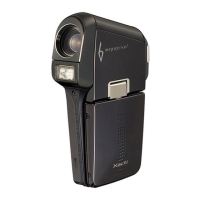
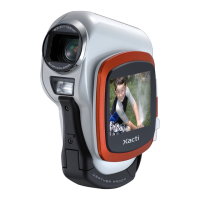
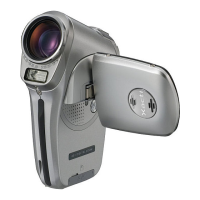
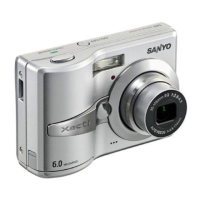
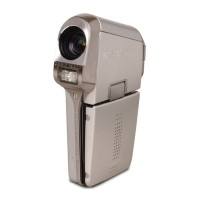
Digital Movie Camera
VPC-C5EX
VPC-C5E
VPC-C5
VPC-C5GX

Table of Contents

Questions and Answers

  • J
    John MillerAug 20, 2025
    Why is my Sanyo Digital Camera not recharging in the docking station?
    • S
      Steven WoodAug 20, 2025
      If your Sanyo Digital Camera isn't recharging in the docking station, it may be because a battery pack is set in the AC adapter/charger. The battery pack in the AC adapter/charger recharges first. To speed up the recharging of the battery pack in the camera, set it in the AC adapter/charger.
  • T
    Taylor CastanedaAug 22, 2025
    Why is my Sanyo Xacti VPC-C5 battery pack not charging in the AC adapter?
    • X
      xsnyderAug 22, 2025
      If your Sanyo Digital Camera battery pack isn't recharging in the AC adapter/charger, ensure it is correctly oriented as indicated. Also, check that the power cord of the AC adapter/charger is connected correctly. If using the docking station, make sure the camera is securely connected by pushing down on it.
  • G
    Gregory JacksonAug 25, 2025
    How to fix Sanyo Xacti VPC-C5 when it has no power?
    • J
      jeremy16Aug 25, 2025
      If your Sanyo Digital Camera has no power, it could be due to several reasons. First, the battery pack might be dead, in which case you should recharge it or replace it with a new one. Another possibility is that the battery pack hasn't been inserted correctly; try reinserting it, ensuring it's properly oriented. Lastly, check that the battery compartment cover is fully closed.
  • J
    julie46Aug 26, 2025
    Why doesn't the flash operate on my Sanyo Xacti VPC-C5 Digital Camera?
    • D
      Deanna KellerAug 27, 2025
      If the flash on your Sanyo Digital Camera isn't working, it could be because the flash off mode is selected. To resolve this, set the flash to automatic flash mode or forced flash mode. Alternatively, the battery pack might be dead, so try recharging it or replacing it with a new one.
  • D
    Daniel SantosAug 28, 2025
    What to do if the image is too dark on my Sanyo Xacti VPC-C5 Digital Camera?
    • R
      rjohnstonAug 28, 2025
      If your images are too dark, there are several potential causes. The flash might have been blocked by a finger or other object, so ensure you hold the camera correctly and the flash isn't obstructed. The subject may have been too far away, so try capturing the image within the flash's operational range. If the subject was lit from behind, use the forced flash mode. Also, consider adjusting the ISO sensitivity setting if there isn't enough light.
  • J
    John JonesAug 29, 2025
    How to get a clearer image on my Sanyo Xacti VPC-C5?
    • S
      sarah88Aug 29, 2025
      If your Sanyo Digital Camera images are not in focus, the subject might be too close to the camera; select the correct focus setting for your needs. Another reason might be that the camera moved when the still image shooting button was pressed. Hold the camera correctly and slowly press the button halfway to lock focus, then fully press to capture. Finally, check if the lens is dirty and clean it if necessary.
  • H
    holtsamanthaAug 31, 2025
    Why my Sanyo Digital Camera doesn't take a picture when I press the button?
    • R
      Raymond GarrisonAug 31, 2025
      If your Sanyo Digital Camera isn't capturing images when you press the shooting button, ensure the power is turned on. If the power save function is active, press one of the buttons to turn on the camera. If the shooting power is off, press the ON/OFF button to turn it on.
  • L
    lisajonesSep 2, 2025
    What to do if my Sanyo Xacti VPC-C5 Digital Camera won't take pictures?
    • J
      jordannatashaSep 2, 2025
      If your Sanyo Digital Camera isn't capturing images, it could be because the maximum number of images or video clip recording time has been reached. To fix this, install a new card or erase unnecessary images. Alternatively, save images to separate media and then erase all images from the card.
  • J
    John GallagherSep 4, 2025
    Why doesn't the digital zoom work on my Sanyo Xacti VPC-C5?
    • A
      Amanda CortezSep 4, 2025
      If the digital zoom on your Sanyo Digital Camera isn't working, check if the still image mode is set to k and the digital zoom setting is set to “OFF”. If so, set the still image mode to s and the digital zoom setting to “ON.”
  • J
    Jason NealSep 6, 2025
    What does 'NO CARD' mean on my Sanyo Digital Camera?
    • B
      Breanna SanchezSep 6, 2025
      If the “NO CARD” message appears on your Sanyo Digital Camera, it means no card is inserted. Turn off the power and insert a card to resolve this.

Summary

Outline of Camera Operation

Setup Procedures

Steps for initial camera setup, including battery and card installation.

Shooting Guide

Instructions for turning on the camera and capturing images.

Playback Guide

Steps for playing back recorded images and video clips.

Shooting Settings Overview

Playback Settings Overview

Page 1 Basic Settings

Covers basic playback adjustments like volume and brightness.

Page 2 Advanced Settings

Covers advanced playback options like rotating and editing images.

Camera Settings

Safe Camera Usage

Camera Safety Precautions

General safety warnings and precautions related to camera operation.

Li-ion Battery Pack Safety

Dangers and precautions associated with the Li-ion battery pack.

Correct Camera Usage

Battery Charging

Connect Charger and Insert Battery

Steps for connecting the charger and inserting the battery.

Installing Battery and Card

Install Battery Pack

Steps for opening the cover and inserting the battery.

Install SD Card

Steps for opening the cover and inserting the SD card.

Camera Power Management

Turning Camera On and Off

Basic procedures for powering the camera on and off.

Capturing Images

Recording Video Clips

Detailed steps for recording video clips.

Capturing Still Images

Detailed steps for capturing still photographs.

Basic Shooting Functions

Exposure Correction

Viewing Images

Viewing Video Clips

Shooting Settings Details

Image Quality Settings

Scene Select Function

Flash Settings

Motion Compensation (Image Stabilizer)

Focus Range Settings

White Balance Adjustment

Playback Settings

Editing Video Clips

Camera Settings Options

Card Formatting

Formatting SD Memory Cards

Instructions for formatting SD memory cards before initial use.

Resetting Camera Settings

Connecting Devices

Direct Printing

Troubleshooting Camera Issues

Power Related Problems

Solutions for common power issues like no power or auto shut-off.

Picture Taking Tips

Sanyo Xacti VPC-C5 Specifications

General IconGeneral
BrandSanyo
ModelXacti VPC-C5
CategoryDigital Camera
LanguageEnglish

Related product manuals