EasyManua.ls Logo

Sanyo XM150 - User Manual

Sanyo XM150
149 pages
Print Icon
To Next Page IconTo Next Page
Loading...
Owners Manual
¹
Projection lens is optional.
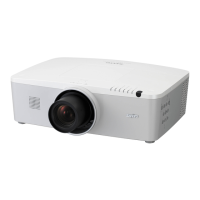
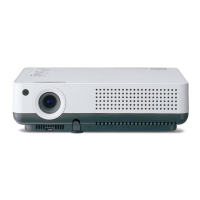
Multimedia Projector
MODEL PLC-XM100
PLC-XM150
PLC-XM100L
¹
PLC-XM150L
¹
Network Supported
Refer to the Owner's Manual below for
details about network function.
Ƒ Network Set-up and Operation

Table of Contents

Other manuals for Sanyo XM150

Questions and Answers

  • R
    Robert VasquezAug 12, 2025
    What to do if my Sanyo XM150 has no power?
    • K
      Kevin ThompsonAug 12, 2025
      If your Sanyo Projector isn't powering on, here are a few things to check: * Ensure the power cord is securely plugged into the AC outlet. * Wait for the POWER indicator to stop blinking before attempting to turn the projector on again. * Check the WARNING TEMP indicator; the projector may not turn on if it's blinking. * Make sure the Key lock function is unlocked. * Verify that the filter cartridge is properly inserted. * Check the projection lamp.
  • S
    Sarah WrightAug 16, 2025
    What to do if my Sanyo XM150 Projector has no image?
    • W
      William GonzalezAug 16, 2025
      First, check the connection between your computer or video equipment and the projector. Ensure that the input signal is correctly output from your computer, as some laptops may require setting adjustments for monitor output when connected to the projector. Note that it can take about 30 seconds for an image to appear after turning on the projector. Also, verify that the selected system corresponds with your computer or video equipment and select the correct input source again through the menu. Make sure the temperature is within the projector's operating range (41°F–104°F [5°C–40°C]).
  • J
    jpayneAug 20, 2025
    How to troubleshoot a Sanyo XM150 that has no power?
    • K
      Kayla ScottAug 20, 2025
      First, ensure the projector's power cord is securely plugged into the AC outlet. If the power indicator is blinking, wait until it stops before attempting to turn the projector on again. Check the WARNING TEMP indicator; the projector will not turn on if it's blinking. Also, make sure that the Key lock function is unlocked, the filter cartridge is correctly inserted, and the projection lamp is working.
  • B
    Bradley EatonAug 23, 2025
    Why does a PIN code dialog box appear at start-up on my Sanyo XM150?
    • K
      Kelly HicksAug 25, 2025
      The PIN code lock feature is enabled. Enter the correct PIN code, which is either the default “1234” or a custom code you previously set.
  • M
    Megan ForbesAug 27, 2025
    What to do if the initial display is not shown on my Sanyo Projector?
    • R
      Richard MedinaAug 27, 2025
      Ensure that 'Off' or 'Countdown Off' is not selected in the Display function settings.
  • S
    Shari CobbAug 31, 2025
    Why is the initial display on my Sanyo XM150 Projector not the default one?
    • A
      Amanda MoralesAug 31, 2025
      Verify that 'User' or 'Off' is not selected in the Logo select function.
  • W
    Whitney WatsonSep 3, 2025
    What does it mean when an icon other than the Lamp mode icon appears when I press the input button on my Sanyo XM150?
    • P
      Patrick MillerSep 4, 2025
      This indicates the Filter warning icon is displayed.
  • A
    Alan ReyesSep 7, 2025
    What does it mean when an icon other than Input mode or Lamp mode icon appears on my Sanyo XM150 Projector?
    • S
      Samantha SmithSep 8, 2025
      This indicates the Lamp replacement icon or the Filter warning icon is displayed.

Sanyo XM150 Specifications

General IconGeneral
Display TypeLCD
Lamp Life2000 hours
Lamp Life (economy mode)3000 hours
Display TechnologyLCD
Input PortsVGA

Related product manuals