EasyManua.ls Logo

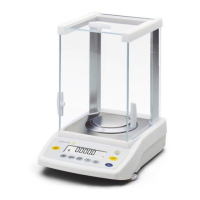
Sartorius U 4100 - User Manual

Sartorius U 4100
18 pages
Print Icon
To Next Page IconTo Next Page
Loading...
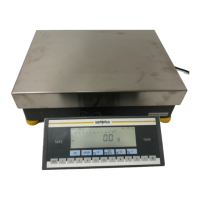
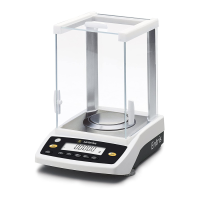
Sartorius Universal.
U 4100, U 4100 S,
U 4800 P, U 6100,
U 5000 D, U 6100 D,
U 6100 S.
Electronic Precision Balances

Questions and Answers

  • C
    catherine20Aug 7, 2025
    Why is the weight readout obviously wrong on my Sartorius U 4100?
    • M
      Mrs. Ashley Baxter MDAug 7, 2025
      If the weight readout on your Sartorius Scales is obviously wrong, it could be due to several reasons. First, the balance may not have been calibrated; in this case, you should calibrate the balance. Second, ensure that you tare the balance before weighing. Finally, check the air bubble of the level indicator and level the balance if the air bubble is not within the circle.
  • A
    Anna WilliamsAug 12, 2025
    What to do if the weight readout changes constantly on my Sartorius U 4100?
    • M
      Melissa McdanielAug 12, 2025
      If the weight readout on your Sartorius Scales changes constantly, or the message “BUSY” remains on the display, it could be due to unstable ambient conditions, excessive vibration, drafts, or the sample not having a stable weight. To resolve this, try setting up the balance in another area. You can also access the menu to adjust the code for your weighing environment.
  • C
    Christopher MunozAug 15, 2025
    How to troubleshoot no segments appearing on the weight display of Sartorius Scales?
    • C
      christophermaddenAug 16, 2025
      If no segments appear in the weight display of your Sartorius Scales, it could be due to a lack of voltage or the AC adapter not being plugged in. Check the current supply and ensure the AC adapter is properly plugged in.
  • J
    jamiebrowningAug 20, 2025
    What does “CE” mean on my Sartorius Scales weight display?
    • P
      Patricia SmithAug 20, 2025
      If the weight display on your Sartorius Scales shows “CE”, it could be because the Cal key was not pressed when the display read zero, or the balance is loaded. Try pressing the tare control or unloading the balance.
  • K
    Kelly WarrenAug 25, 2025
    Why does the code “CC” remain on the display of my Sartorius Scales?
    • M
      Matthew MurphyAug 25, 2025
      If the code “CC” does not disappear from the display of your Sartorius Scales, it may be because the balance is not ready to calibrate, is still in the warmup phase, or is affected by drafts or vibration. Allow the balance to warm up for at least 30 minutes after plugging in the AC adapter. You can also set the appropriate code by accessing the menu of the operating program.
  • J
    Joshua JacksonAug 29, 2025
    What does “H” mean on the weight display of my Sartorius U 4100?
    • S
      Savannah HarrisonAug 29, 2025
      If the weight display on your Sartorius Scales shows “H”, this indicates that the load exceeds the capacity of the balance. Unload the balance to resolve this issue.
  • S
    Sydney MorrisSep 2, 2025
    What to do if my Sartorius U 4100 Scales display shows “L” or “CH 2”?
    • O
      oleeSep 2, 2025
      If the weight display shows “L” or “CH 2” on your Sartorius Scales, the pan may not be in place. Make sure the pan is correctly positioned.

Sartorius U 4100 Specifications

General IconGeneral
Maximum Capacity4100 g
Readability0.1 g
CalibrationExternal
DisplayLCD
Pan Size190 mm
Power SupplyAC Adapter
Weighing Unitsg, kg, lb, oz
InterfaceRS232

Related product manuals