RIO Bravo User Guide / Revision 6 / Page 12 of 19
Input Channel Configuration
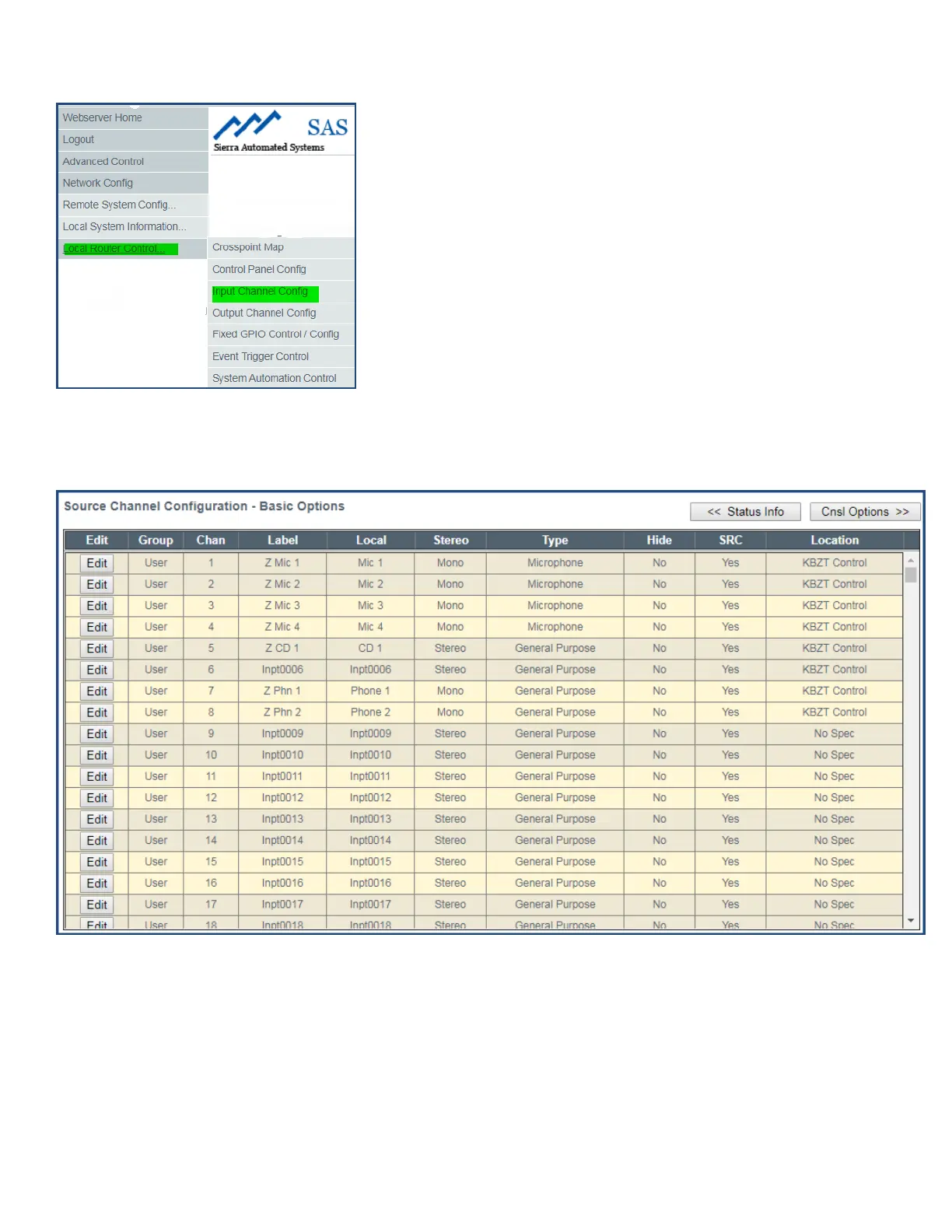
Figure 13: User Menu
From User Menu (shown in Figure 12), click Local Router Control and then select Input Channel Config to
get a table similar to Figure 13 below:
Figure 14: Input Channel Configuration
There are four types of Input Channels available to the user:
224 User - 92 Mix Bus - 64 Network - 64 Effect
You can choose the Type of Input displayed from Channel Type drop down or by scrolling down the table.
These are shown under the column labeled Group:



 To Next Page