EasyManua.ls Logo

Saswell SAS6000UTK-7-WIFI - Battery Location; Battery Replacement

Saswell SAS6000UTK-7-WIFI
42 pages
Print Icon
To Next Page IconTo Next Page
To Previous Page IconTo Previous Page
Loading...
9
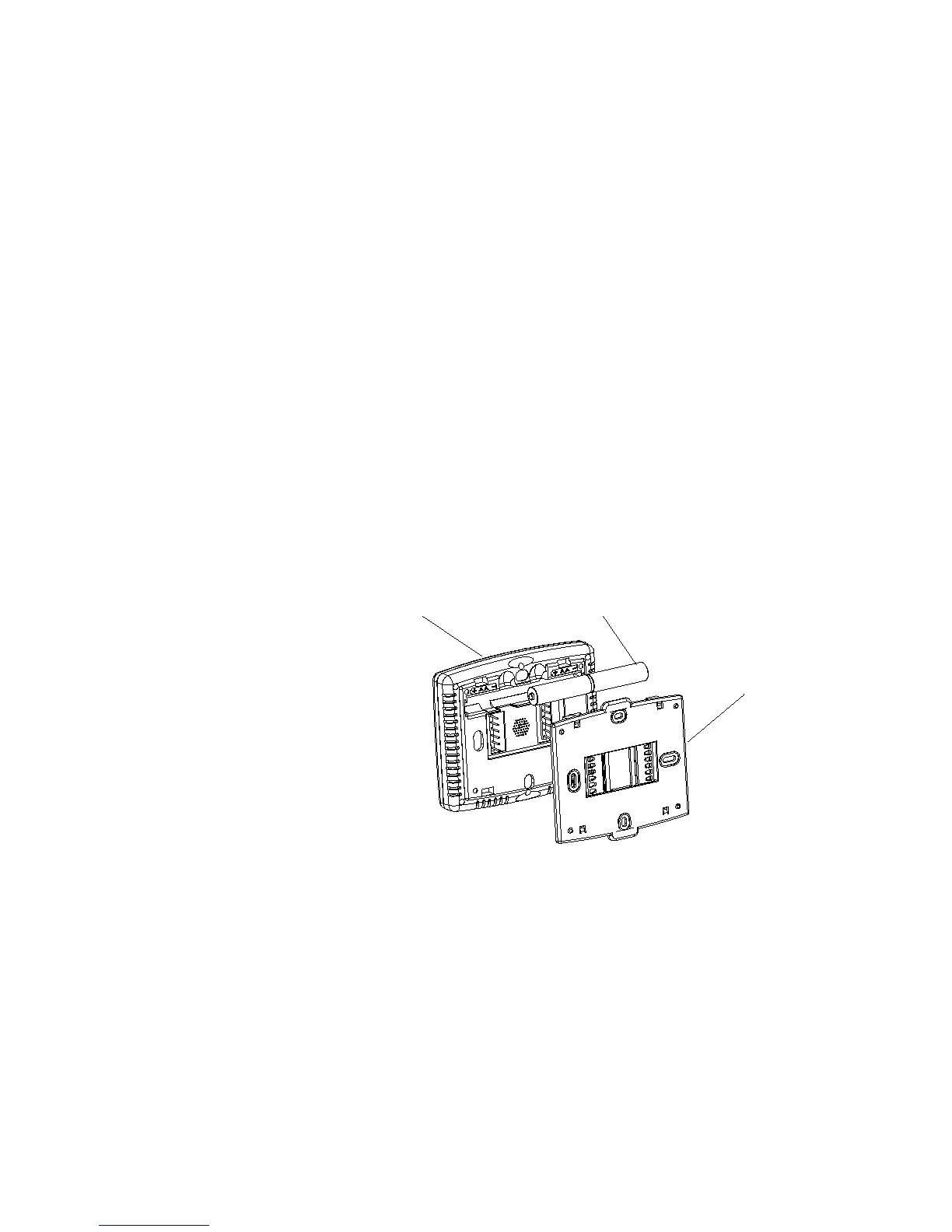
Battery Location
Batteries are optional (to provide backup power) if your thermostat was wired to run on AC power when installed.
Battery replacement
Install fresh batteries immediately when the Low Batt warning begins flashing. The warning flashes about 60 days
before batteries are depleted. Even if the warning does not appear, you should replace batteries once a year, or before
leaving home for more than 1 month
To replace batteries, set system to OFF, remove thermostat from wall and install the batteries in the rear along the
top of the thermostat. (See figure 4)
Figure 4
Front Panel
2 AA Batteries
Base

Other manuals for Saswell SAS6000UTK-7-WIFI

Related product manuals