EasyManua.ls Logo

Saswell SAS6000UTK-7-WIFI - Adjust Program Schedules; Setting Heating;Cooling Schedules

Saswell SAS6000UTK-7-WIFI
42 pages
Print Icon
To Next Page IconTo Next Page
To Previous Page IconTo Previous Page
Loading...
34
Adjust program schedules
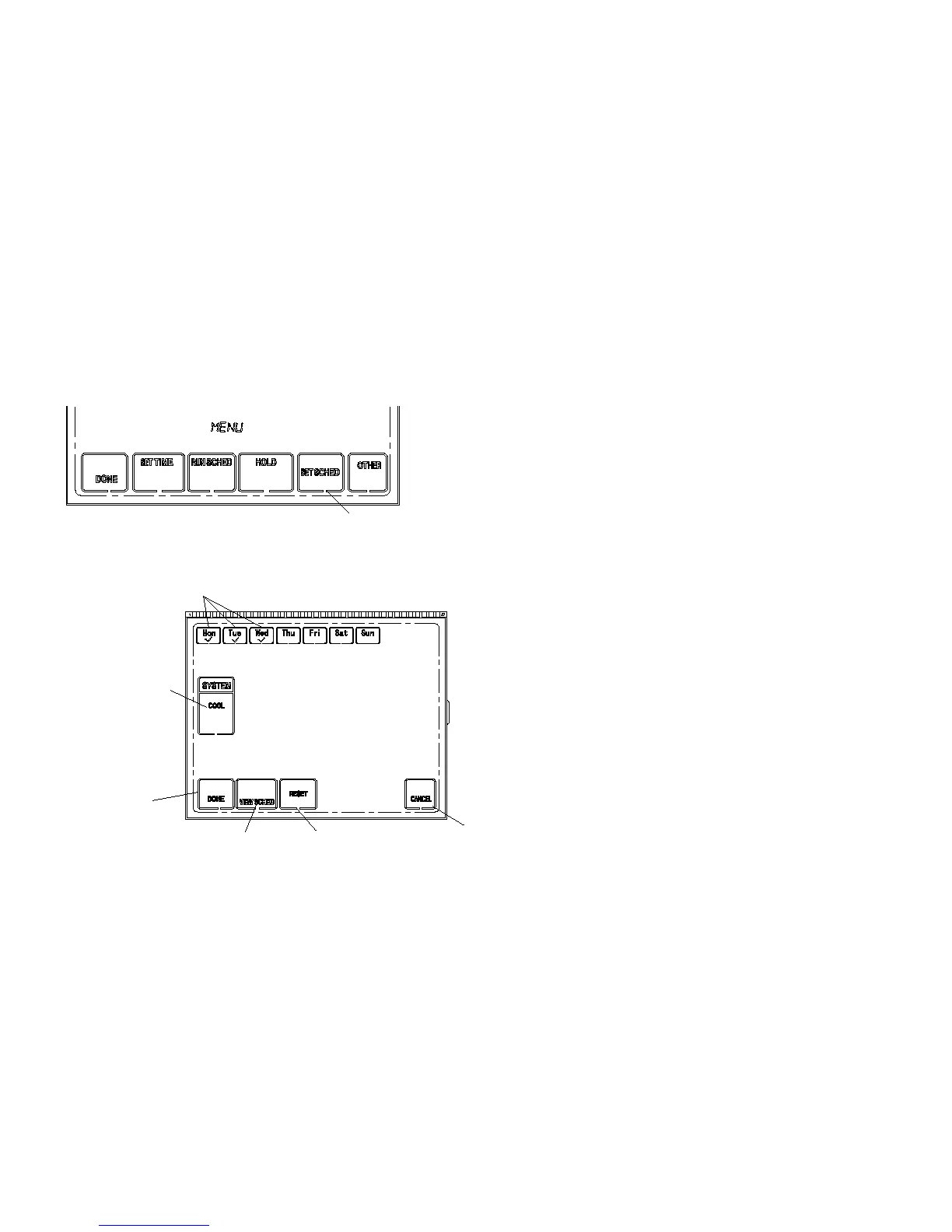
Press MENU button to display main menu button. Press
SET SCHED to enter set program mode.
Select days to set program schedule. It can be a single day
of the week or a group of days of the week
Select HEAT or COOL for program setting by pressing
system button.
To view preset schedule, press VIEW SCHED button.
Press SET SCHED
to set program
Select HEAT or
COOL for program
set
Press VIEW SCHED
to view preset program
Press RESET
to resume factory
difault program setting
Press CANCEL
to cancel setting
and exit
Press DONE
to confirm and
exit
Select day(s) to set program schedule

Other manuals for Saswell SAS6000UTK-7-WIFI

Related product manuals