42
Advanced thermostat settings
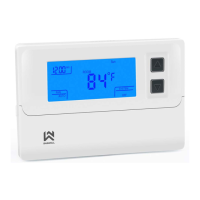
The thermostat also has advanced thermostat settings for further customization of the device to your wishes and
demands. You can enter the advanced settings by turning off the thermostat. The screen should show OFF. Then hold
the middle menu button (button description 3) for 5 seconds. The screen will be turned on and the display will show CL
and a small gear icon will appear on the bottom. That means that you’re now in the advanced settings and you’re
editing the first setting.
You move around the menu by short pressing the middle menu button and change the value by pressing the or
button. Settings are saved by short pressing the ON/OFF button. If you don’t press any button for more than 20
seconds, the device will also save the settings by itself.
(Shown below,
near the gear
on
display
(in brackets is the factory
default value)
Temperature display correction.
Thermostat is factory-set to the correct temperature display,
but you still have the option of adjusting the display by
Maximum setting of heating temperature in degrees °C.
With this option, you can limit the heating temperature that
can be set using the thermostat.



 To Next Page
 Loading...