
 Need help?
Do you have a question about the Saswell T21STK-0 and is the answer not in the manual?
Lists power supply, terminal load, temperature range, accuracy, dimensions, and color of the thermostat.
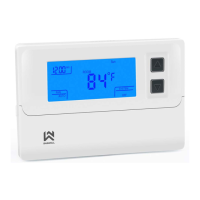
Details the thermostat's LCD display, heat/cool storage, simultaneous display, fan control, and indicators.
Covers crucial warnings for safe installation and operation, including power disconnection and voltage limits.
Provides step-by-step instructions for safely removing the existing thermostat and its wiring.
Guides users through mounting the thermostat base, connecting wires, and installing batteries.
Explains how to set the fan switch for different heating system types like electric or gas.
Details how the thermostat operates on battery power, including backlight behavior and low battery indicators.
Presents a visual guide to the typical wiring connections for heat/cool and heat pump systems.
Identifies and explains the various icons and indicators shown on the thermostat's LCD screen.
Describes the functions of the thermostat's physical controls, including buttons and system switches.
Outlines the procedures for testing the fan's ON and AUTO operational modes.
Details steps to test the heating system and interpret the 'Heat On' display status.
Provides instructions for testing the cooling system and understanding the 'COOL On' display status.
Instructions for setting the desired temperature and managing system on/off states.
Guides users through setting the current hour, minutes, and day of the week on the thermostat.
Explains how to check the filter's operational time and reset the filter change reminder.
Explains the FA (fast) and SL (slow) settings for cooling cycle differentials.
Explains the FA (fast) and SL (slow) settings for heating cycle differentials.
Details options for selecting heating system types: gas, oil, electric, or heat pump.
Covers options for NO backlight, timed backlight, or continuous backlight display.
Allows setting the duration for the filter change reminder alarm.
Options to select °F/°C display and recalibrate the room temperature reading.
Sets the delay time to protect the compressor from short cycling.
Summarizes configuration menu options including cycles, system type, and backlight settings.
 General
| Type | Digital Thermostat |
|---|---|
| Power Source | Battery |
| Power Supply | 2 x AA Batteries |
| Temperature Range | 5°C to 35°C |
| Display | LCD |
| Backlight | Yes |
| Mounting | Wall Mount |
| Programmable | Yes |












 To Next Page