10 SATEL CA-4v1
access code 3 not pre-programmed
access code 4 not pre-programmed
service code 12345
zones bypassed none
zones delayed 1
24 hour zones 4
exit delay time 5 seconds
entry delay time 10 seconds
alarm time at OUT1 5 seconds
alarm time at OUT2 10 seconds
Activating sequence: 9.#.. ...
Arm/Disarm status information
If arm/disarm status can be signaled with the OUT2
output, default setting may be changed using
function 8. Normally, the output signals an alarm
after the alarm time being programmed (from 001 to
998 seconds). If value 000 or 999 is entered, the
function of the output is to signal arm/disarm status.
• Value 000 means that OUT2 will set the
voltage to 0V (relative to the COM terminal)
when the panel is armed.
• Value 999 means that OUT2 will set the voltage to 12V when the panel is armed.
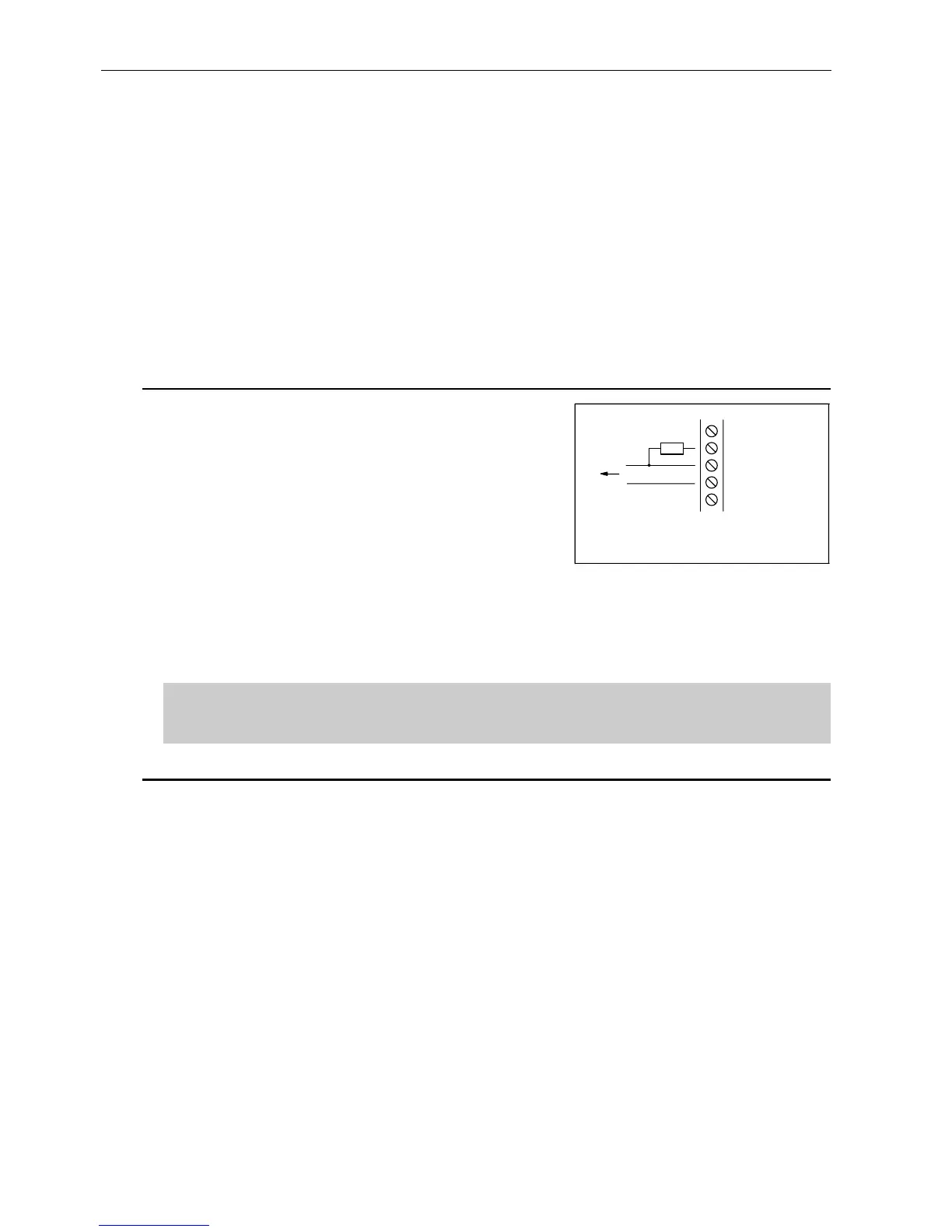
The bias resistor (for example 1kΩ), that limits the input current from terminal +OUT2,
must be connected to the output.
Activating sequence: 8.#.. ...
Example: programming of the armed mode signaling (while in armed
mode the OUT2 will be set to 12V)
9.9.9.
Resetting the panel
If the user forgets the access codes, entering service mode is possible through the
following procedure:
1. disconnect the net and battery power supply sources,
2. short the JP1 RESET jumper pins (see figure 1),
3. connect the power supply,
4. after three short beeps in the keypad remove the JP1 jumper from the pins,
5. call function 9 to restore manufacturer settings and program the remaining
parameters (using service functions 2 through 8).
+OUT2
-OUT2
COM
OUT2
R
Figure.6 Example of connection
the bias resistor to OUT2



 To Next Page