6 CA-6 SATEL
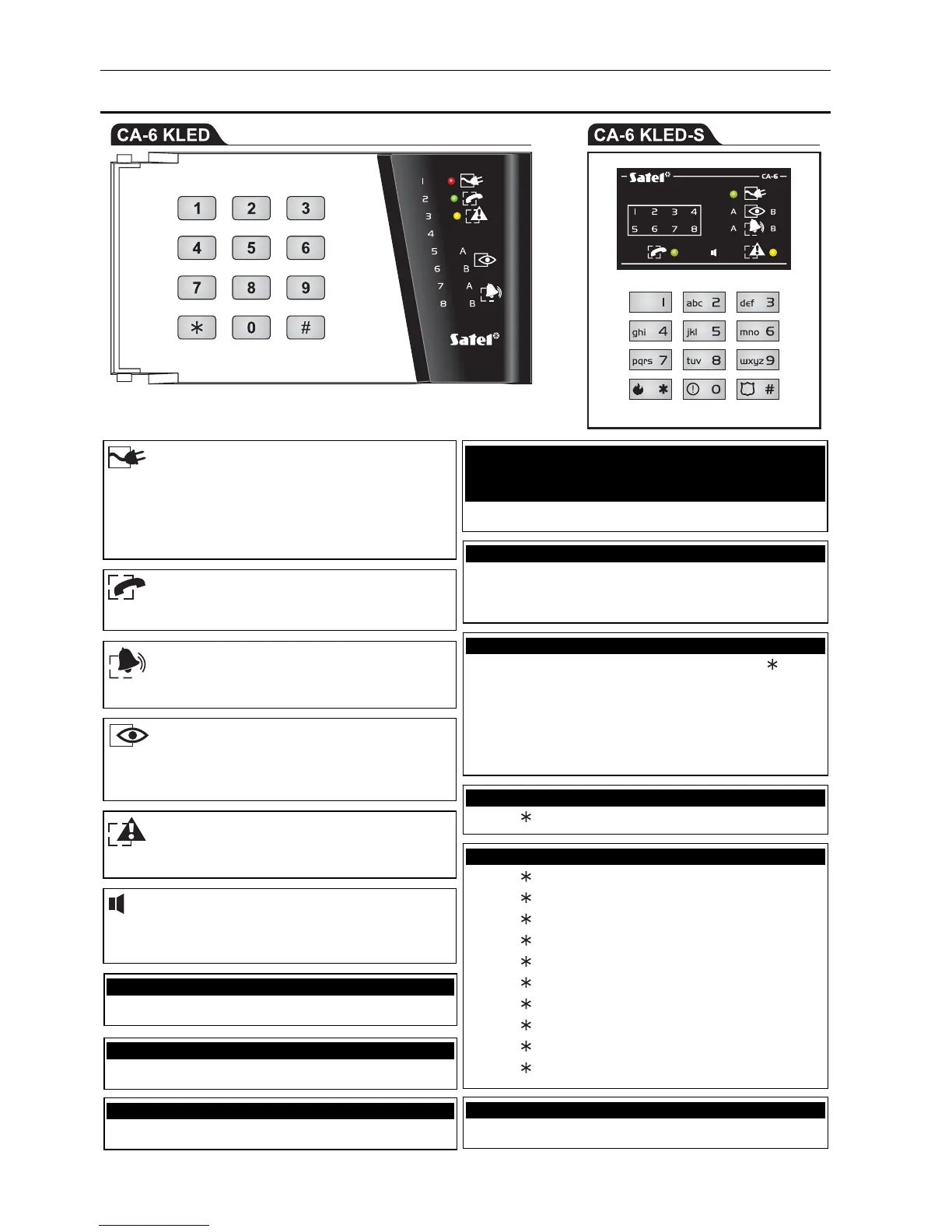
10. Quick keypad operating instructions
illuminated – partition armed
blinking – exit delay countdown
blinking – trouble
blinking – alarm
the LED illustrates the functioning of the buzzer in
the keypad
Arming
Disarming
Alarm clearing
[CODE]#
Quick arming
0# - both partitions
1# - partition A
2# - partition B
Triggering the alarm from keypad
fire alarm - press and hold down the
key
for approx. 3 sec.
panic alarm - press and hold down the # key for
approx. 3 sec.
auxiliary alarm - press and hold down the 0 key for
approx. 3 sec.
Viewing alarm log
press and hold down the 5 key for approx. 3 sec.
Viewing trouble log
press and hold down the 6 key for approx. 3 sec.
Viewing current troubles
press and hold down the 7 key for approx. 3 sec.
Enabling/disabling the CHIME signal
press and hold down the 8 key for approx. 3 sec.
Entering the user menu
[CODE]
Starting the user functions
[CODE]
1 – Change own code
[CODE]
2 – Add user
[CODE]
3 – Erase user
[CODE]
4 – Bypass zones
[CODE]
5 – Arming silent
[CODE]
6 – Set time
[CODE]
7 – MONO outputs activate
[CODE]
8 – BI outputs switch
[CODE]
9 – Supply reset
[CODE]
0 – Telephone DOWNLOADING start
illuminated – 230 V AC mains and battery power
OK
blinking – low battery
extinguished – 230 V AC power failure
illuminated – control panel occupies telephone line



 To Previous Page