FUNCTIONAL DESCRIPTION
15
NOTES:
• Service functions, which reset the system to the factory settings, cause the event
“Reset to factory defaults”. The number transmitted in the Ademco Contact ID
format inform, which settings are reset (0 – control panel settings reset, 1 – reset
of codes). Clearing of the event memory is transmitted with a separate code.
• Event “RAM memory error” informs on error(s) in the settings memory that is
backed-up with a 3.6V battery. If the settings are stored in the FLASH memory,
detection of this error forces “Panel restart” that will be followed by “Data restore”.
• “Control Panel Restart” appears at each power supply connection.
• Control panel CA-64 allows a monitoring test of two types: transmitting the event
“Periodical reporting Test” either every day at a specified time or after a
programmed time period from the last communication with the station (it is
possible to activate the both types simultaneously). Additional transmission may
be initiated with the user function, when the code “Manual reporting test” is
programmed.
• Checking communication with the station is facilitated with the function “Test of
Station XX” (in the user function menu “Tests”), accessible after station phone
numbers, system event identifier and “Reporting Test” code have been
programmed. Calling of this function initiates monitoring, where the control panel
informs on current transmission phase and test result at the keypad.
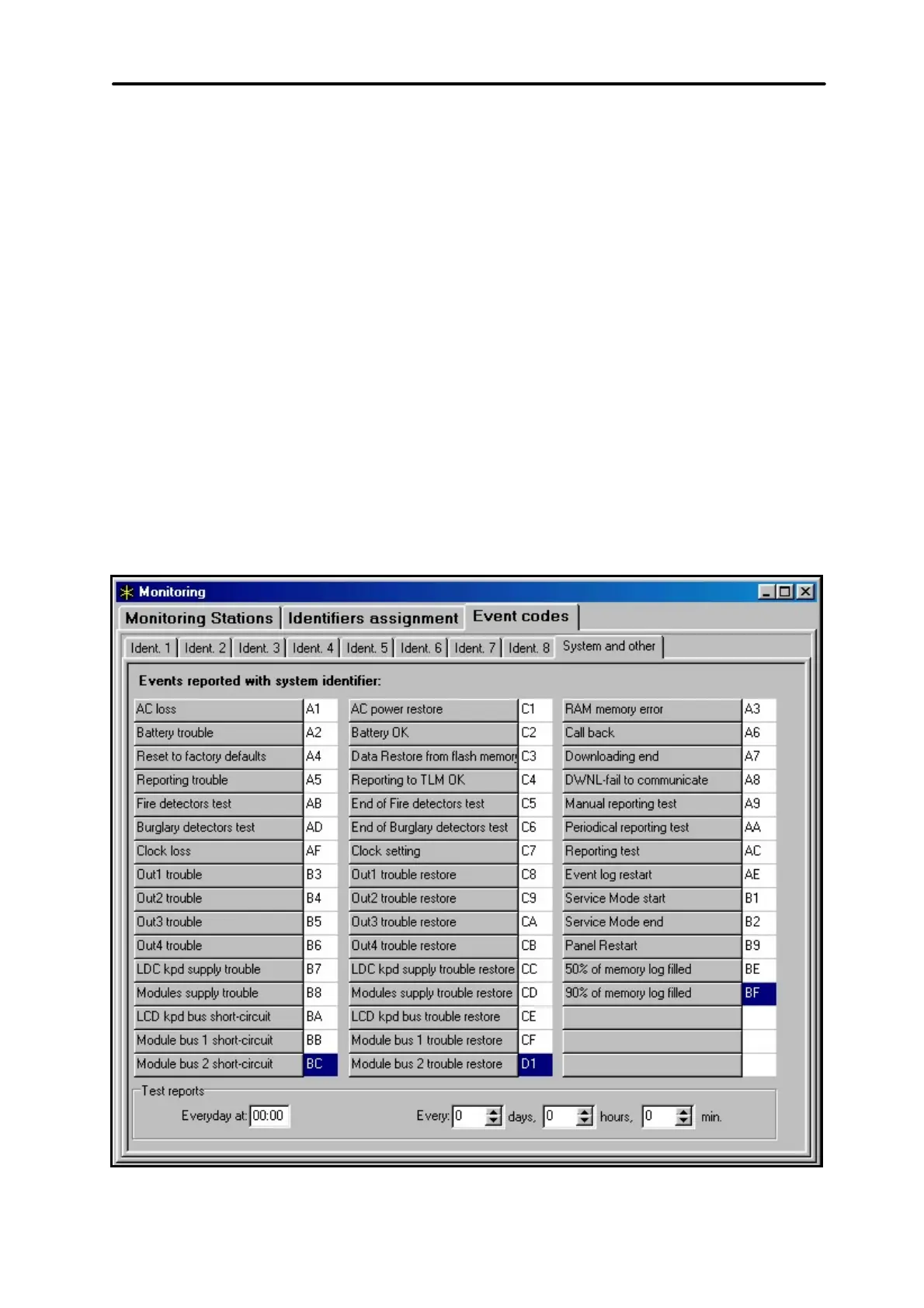
Fig. 8. System event codes.
NOTE:
Event codes shown in Figures 7 and 8 are examplary only and are shown
here as an example of programming. The codes are programmed according
to recommendations of the monitoring station.



 To Next Page