17 / 37
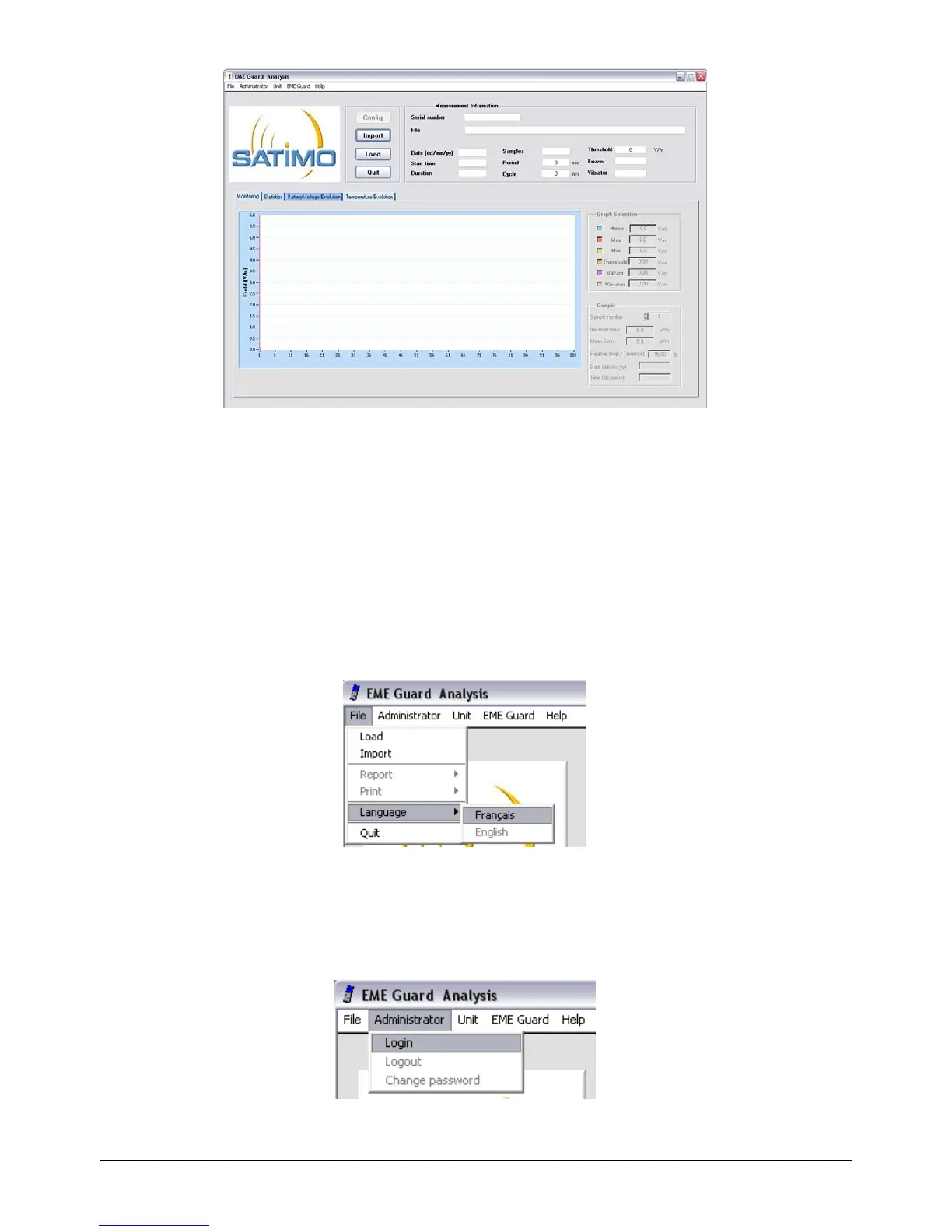
Figure 5 : Main screen of the EME Guard Analysis V2.0 software
This screen enables four functions:
Ö Configure: to configure the dosimeter using a USB connection.
Ö Import: to transfer the measurements recorded in the dosimeter’s internal memory
using a USB connection.
Ö Load: to load one measurement file and to display all the information it contains on
the screen
Ö Quit: to quit the software.
The language can be changed at any moment through the submenu Language of the
menu File present in the menu bar of the main window. The language change will only
become effective on the next opening of the application.
Figure 6 : Choice of language menu
3.2 LOGGING IN AS ADMINISTRATOR
Only the administrator can access configuration of the device for modification or display.
Figure 7 : Administrator menu


 To Next Page