32 / 37
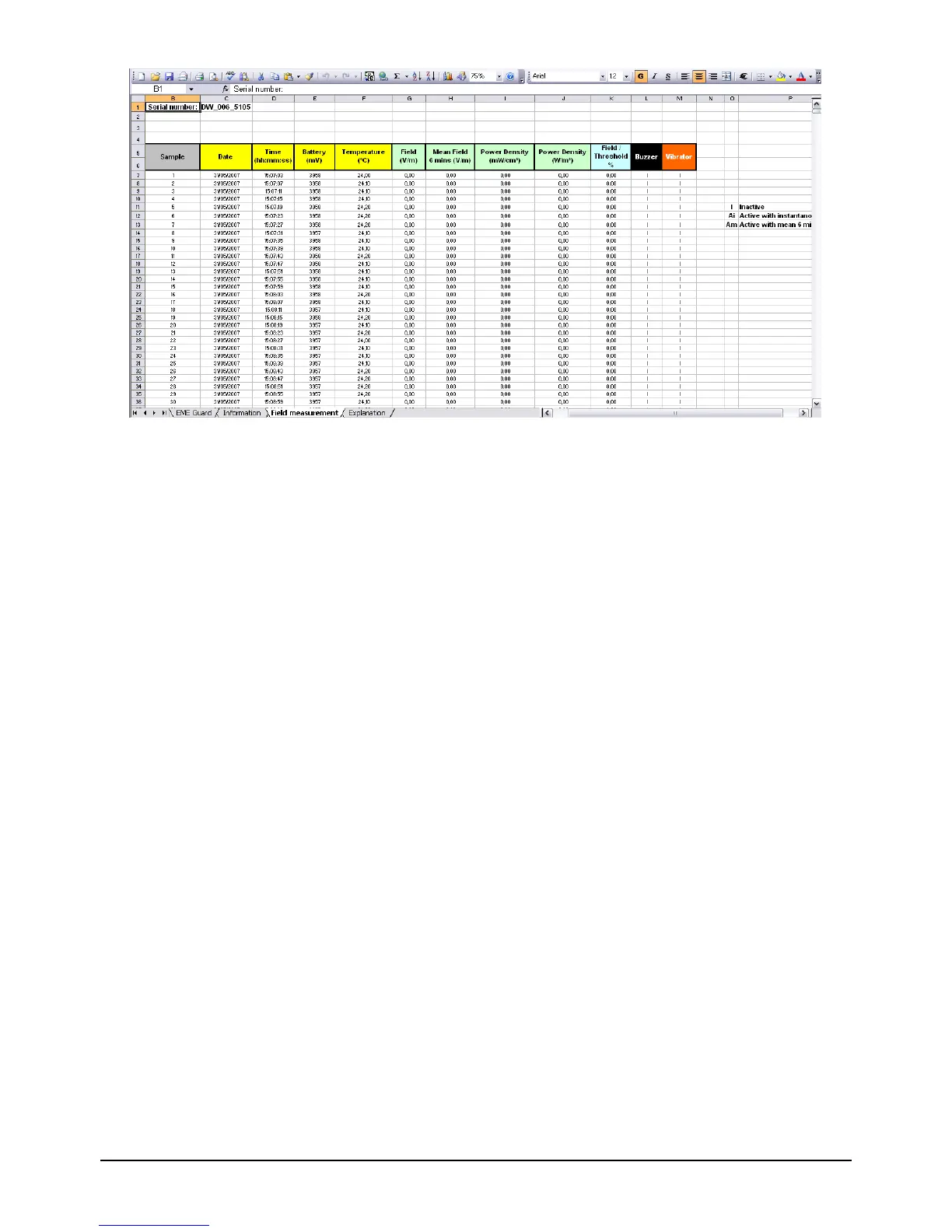
Figure 35 : Excel report of measurement file
This Excel report facilitates information processing, graph creation, printing and the
calculation of complex functions.
Creation of Excel File:
- Open the measurement file and select File Ö Report Ö Excel Report. This opens the
Windows save file window.
- Choose the name and location in which the measurements are to be saved. By default,
the file is placed in the folder Rapports_Excel in the work folder and will have the same
name as the measurement file (if the opened measurement file is « mesure1.bin »,the
Excel file created will have the name « mesure1.xls »).
NB :
- Each time the Excel Report menu is selected, a new Windows Save File window is
opened, even if the .xls file has already been created. Thus several Excel files for one
measurement file could possibly be created.
- Once created , it is always possible to access the Excel files directly through the Excel
application.


 To Next Page