EasyManua.ls Logo

SattControl SattCon OP45 - Display Contrast; Unjacking the Screw Terminals

Default Icon
58 pages
Print Icon
To Next Page IconTo Next Page
To Previous Page IconTo Previous Page
Loading...
.
.
-.
.
.
.
15.3
~att~on.0~45,
Display
~ontriit
...
.
.
.
.
1
......
......
.....
.
.
.
.
.
.
.
.
.
.
. .
.
.
.
.
,
....
:
.
The
co&ras
is
,e+sily
adjusted iia
apotentiprne~~f
withthe
hilpof
a
small
.
.
....
i
.
.
,
..
. .
.
.
. .
.
.
....
...
...
kkwdriver.'
.
.
.
.
.
.
. .
. .
...
. .
. .
.
.
.
.
.
'
...
.
.
.
.
..'.
.Re.move the protective cbvcr.
.
.:
..
.
.
.
-.
.....
.
.
.
.
. .
...
...
...
. .
..
.
.'i
.
Adjust the potentiometer R39.
.
:
'
..
.
...
. .
...
.
:
.
.
...
.
.
.
.
..
,
. .
. .
.
,
.
.
.
.
.
.
...
15.4
Unjacking
the screw Terminal
. .
...
. .
...
.
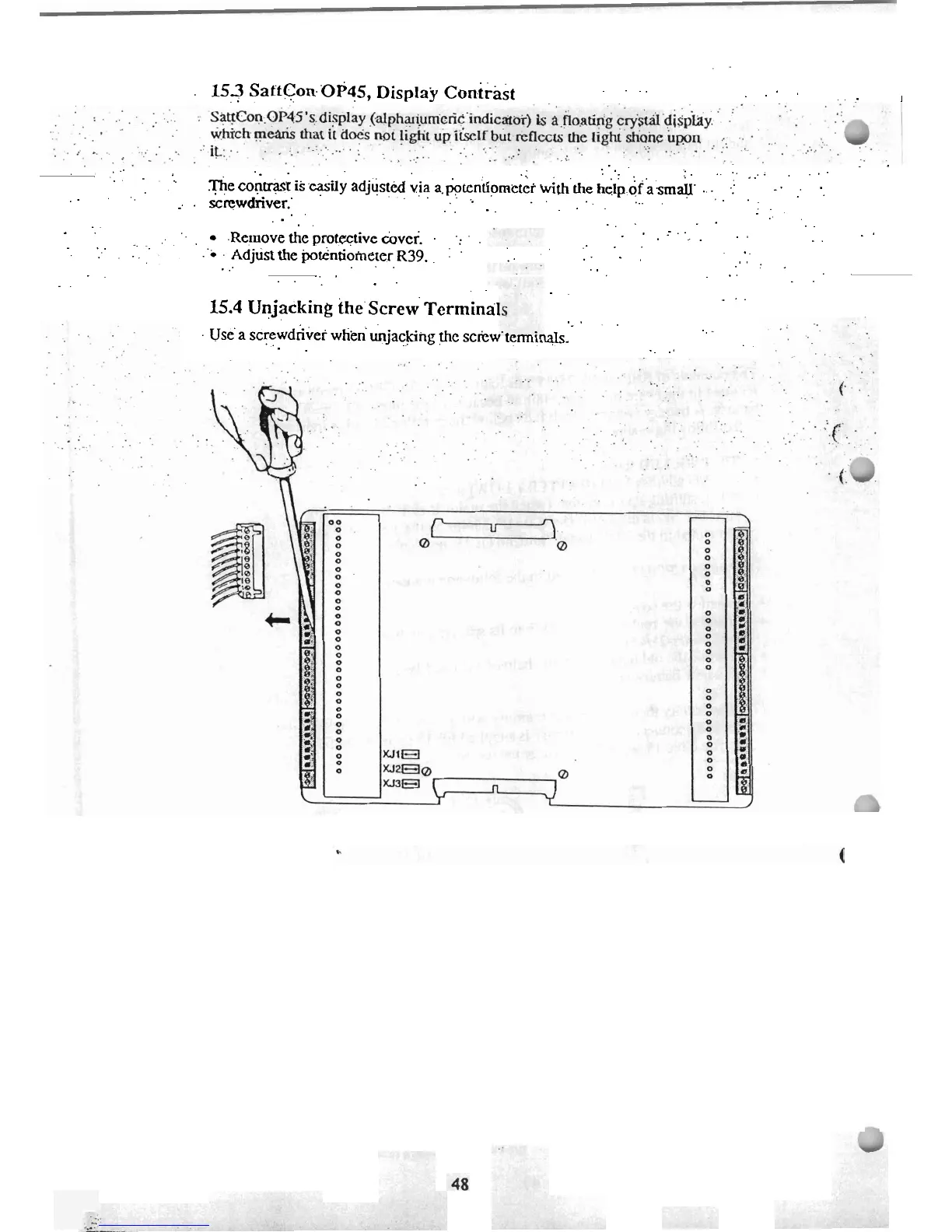
Use'a screwdriver wtienunjackifig
thc
sckw
~arl~lals.
. .
. .
.
.
.
.

Related product manuals