FC-BA-e-1410 15
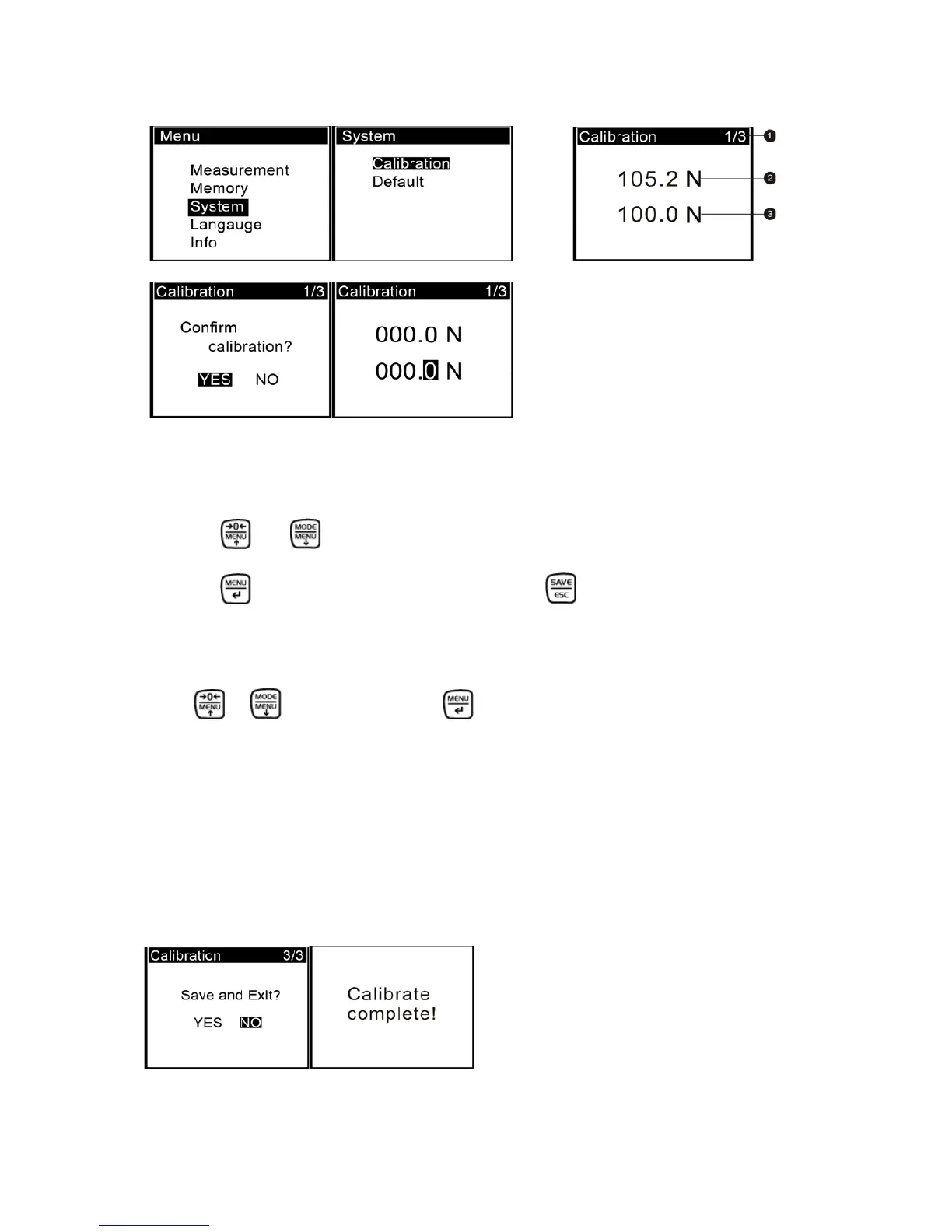
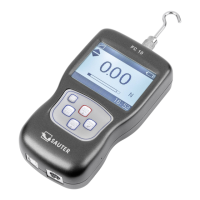
❸Enter Calibration interface, as shown in Fig 5-1.
Calibration interface is shown in
Fig 5-2
❹ Load a standard force. Now the value in standard input area is just equal to the
current measured value. Wait a moment for the force stabilization.
❺ Press and to input the standard force value.
❻ Press to enter the next calibration. Pressing can interrupt the calibration.
When the 3 times calibration had been finished or been interrupted, a confirm win-
dow will pop up for asking you "Save and Exit" (YES) or “Save and Exit” (NO), (Fig 5-
3a)
Press or to select, then press .
If "YES" is selected, "Calibrate complete!" is displayed, see 5-3(b).
5.4 Troubleshooting
If the force gauge in use processes such as errors, please accord to the following
way for troubleshooting, see table 5-3. Do not disassemble the gauge by yourself to
repair. If you cannot resolve the fault yourself, please contact our company.
5-3(a) 5-3(b)
Fig. 5-3
(a) (b)
(c) (d)


 To Next Page