FC-BA-e-1410 9
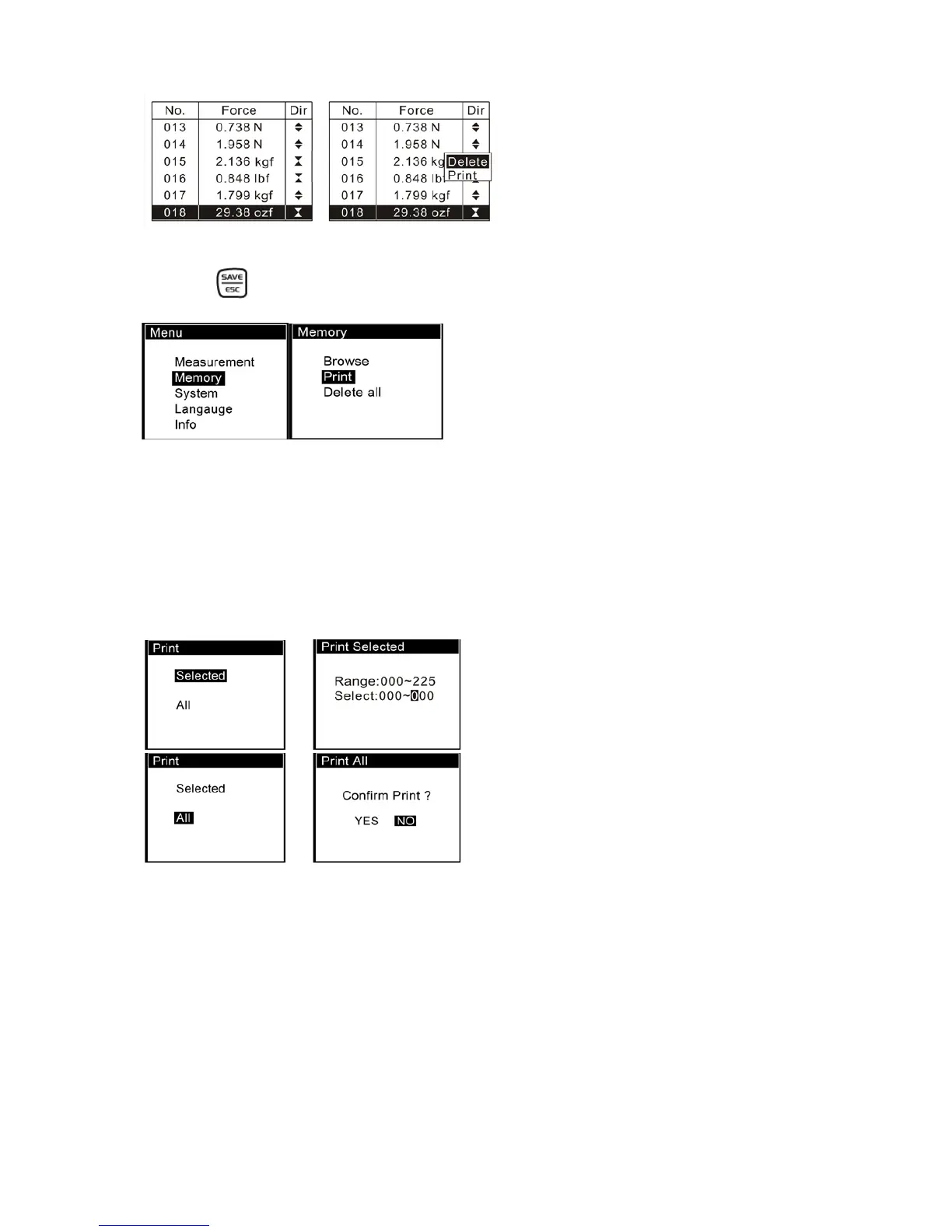
If you select Delete, a confirm window will appear to ask you confirm.
Or press to exit.
3.3.2 Print
You can print the data in memory with mini-printer; see (Fig 3-5)
Enter Print, select Selected or All.
If Selected is chosen, enter the range of number will be needed.
If All is selected, a confirm window will appear to ask you confirm.
See Fig 3-6


 To Next Page