Pro Audio 4 Deployment Guide
Copyright © 2016 Savant Systems, LLC
3.! Savant Pro Audio 4 Overview
3.1.! Box Contents and Specifications
Refer to the Quick Reference Guide for this product located on the Savant Customer Community
for
Box Contents and Specifications.
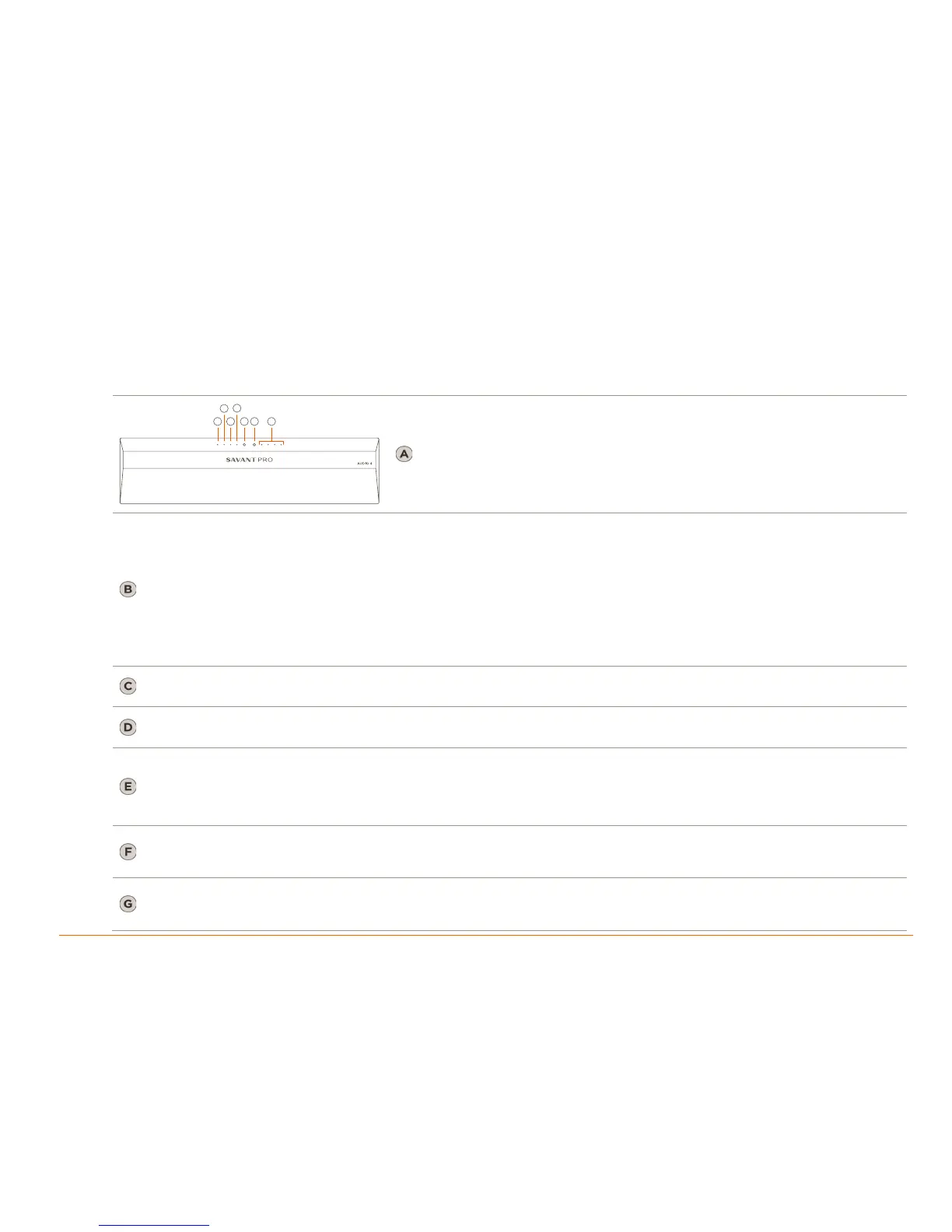
3.2.!Front Panel
Green: System has power and is operating normally.
Red: System is in standby mode. In standby mode, most of the controller
circuitry is powered down.
Off: System is not receiving power.
Green Blinking: Embedded system is ready, but no communication has been established with the host.
Green: Host has established communications with the embedded system.
Red Blinking: Embedded firmware is running, but has not received a DHCP IP Address.
Red: Host has determined the firmware needs to be updated, but a problem occurred during the process that will initiate a reset.
Amber Blinking: Embedded system has a valid link-local IP Address and is connecting to the host.
Amber: Host is updating the embedded firmware.
Off: Embedded processor is resetting, or is powered up, and is booting the embedded firmware.
Hardware Failure: If a hardware failure occurs, the status LED indication will be interrupted every three seconds with a solid red
indication. For example, if the LED is blinking green when a hardware failure occurs, the LED will alternate between blinking green
and solid red at three-second intervals.
Green: RS-232 serial port activity.
Off: No RS-232 serial port activity.
Green: IR port signal activity.
Off: No IR port activity.
On: Fully enables all internal power rails and processor.
Off: Disables most internal power rails and processor, but not internal AC/DC power supply.
Hold On/Off button for about 5 seconds to place into standby mode. The Power LED turns red.
Hold On/Off button for about 1 second to take system out of standby mode. The I/O power switch on the back of unit must be On
(I) to enable this function. To turn the power off for the entire system, press the I/O power switch on the rear panel to Off (O).
Resets the network.
Hold Reset Button for 5 seconds while powered On to clear network settings. Status LED will blink Red rapidly when reset is
complete.
Red: Protection mode has been enabled to protect a zone / channel; Typically indicates thermal protection, clipping or over
current.
Off: Protection mode has not been enabled.


 To Next Page