EasyManua.ls Logo

SawStop ICS31230 - User Manual

SawStop ICS31230
108 pages
Print Icon
To Next Page IconTo Next Page
Loading...
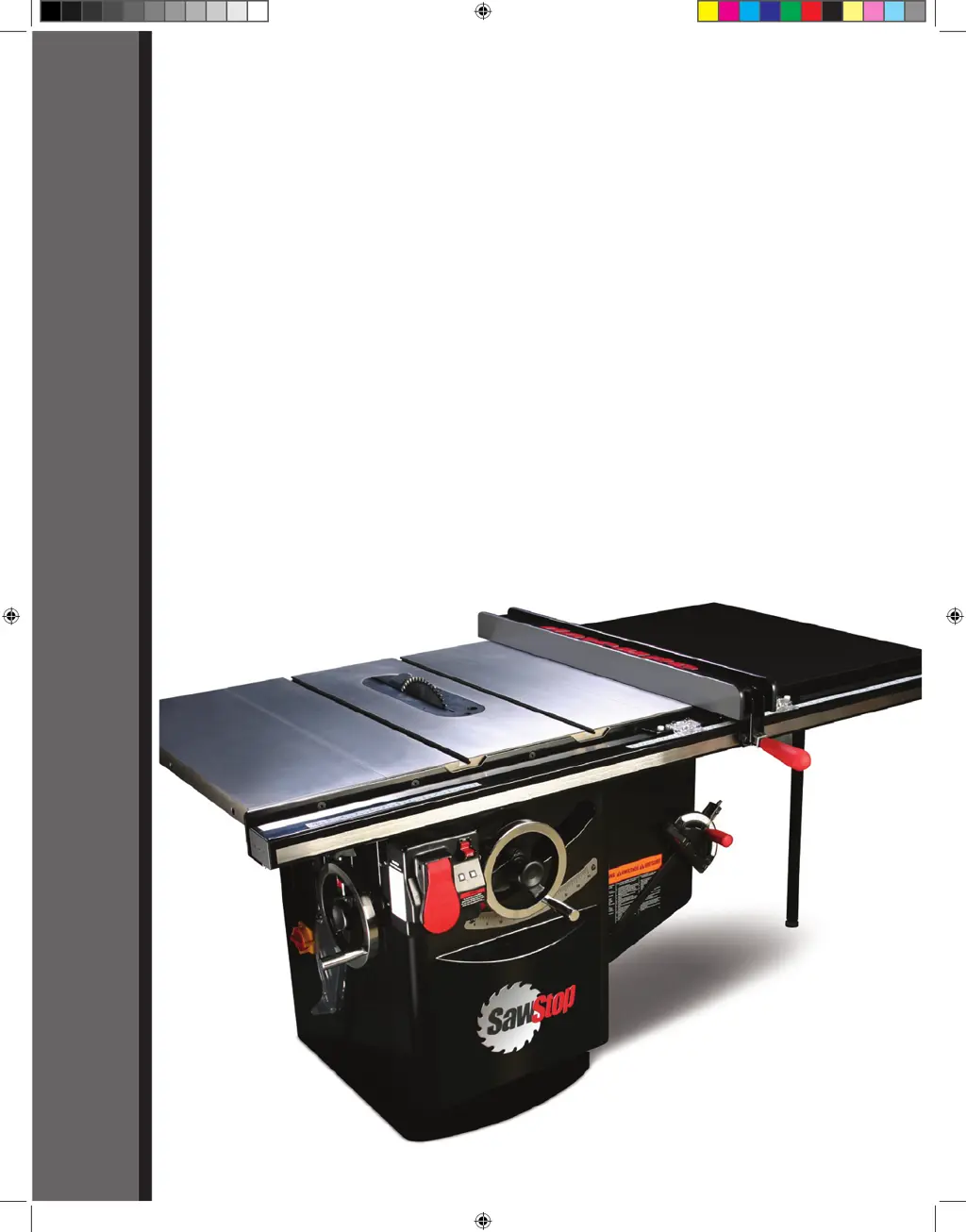
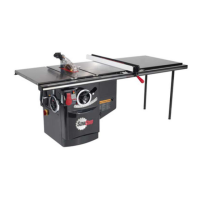
10” INDUSTRIAL CABINET SAW
Models ICS31230, ICS31240-50, ICS51230, ICS53230, ICS53415-50,
ICS53480, ICS53600, ICS73230, ICS73480, ICS73600
OWNER’S MANUAL
SawStop
®
Industrial Cabinet Saw Rev. 2 Ma1 1 3/9/2010 8:38:29 AM

Table of Contents

Questions and Answers

  • E
    Emily KleinSep 12, 2025
    Why did my SawStop ICS31230 Saw motor stop during use without brake activation?
    • C
      Cindy MyersSep 12, 2025
      The motor may have stopped unexpectedly because the Start/Stop paddle was bumped. Ensure it is in the OFF position and restart the saw. The material being cut may be overloading the safety detection system, especially with green or wet wood, so try different wood or cut in Bypass mode. The system may have detected an error, so consult the System Status Codes. There also may have been a temporary loss of electrical power, so ensure the electrical supply is on and the correct voltage is supplied. Check that the belt access door and motor cover are closed and the interlock switches are actuated. Finally, the cartridge may be defective, so try a different brake cartridge.
  • J
    John JohnsonSep 9, 2025
    What to do if my SawStop ICS31230 motor won't start and the LEDs are off?
    • C
      Christopher BrownSep 9, 2025
      If the motor won't start and both LEDs are off, there may be no power to the saw. Ensure the electrical supply is on and the correct voltage is supplied. Also, check that the disconnect switch is turned to ON, and that a brake cartridge is installed and not defective. For 415V, 480V and 600V saws, check the fuse in the side of the contactor box.
  • B
    belinda05Sep 8, 2025
    Why does my SawStop ICS31230 Saw motor start slowly?
    • V
      Veronica WardSep 8, 2025
      If the motor on your SawStop Saw starts slowly or doesn't reach full speed: * **Voltage Supply:** Ensure the correct voltage is being supplied to the saw. * **Line Rating:** Verify the electrical supply line is correctly sized for the required voltage and current.
  • R
    robert24Aug 22, 2025
    Why won't my SawStop ICS31230 Saw motor start when the LED is on?
    • A
      Amber SmithAug 23, 2025
      If your SawStop Saw motor won't start but at least one LED is lit, it could indicate: * **System Error:** The safety system has detected an error. Refer to the System Status Codes to identify the problem and solution. * **Defective Cartridge:** The brake cartridge might be faulty. Try a different cartridge. * **Overheated Motor:** The motor may have overheated and tripped the thermal overload switch. Wait 10 minutes and try starting it again.
  • B
    Brian HowellSep 6, 2025
    How to fix inaccurate cuts on my SawStop Saw?
    • M
      Michelle SnyderSep 6, 2025
      If your SawStop Saw isn't making accurate 45° or 90° cuts: * **Tilt Limit Stops:** Adjust the tilt limit stops. * **Tilt Angle Indicator:** Adjust the tilt angle indicator. * **Miter Gauge:** Adjust the miter gauge. * **Miter Slots:** Align the miter gauge slots to the blade.
  • M
    Ms. Dawn HarrisSep 5, 2025
    What to do if the blade hits the brake pawl on my SawStop ICS31230 Saw?
    • T
      Thomas JenkinsSep 5, 2025
      If the blade hits the brake pawl during installation on your SawStop Saw: * **Brake Position:** The brake position might be too close to the blade. Turn the brake positioning bolt counter-clockwise until there's about 1/16 to 1/8 inch of clearance. * **Blade Size:** Ensure you're using the correct blade size: a 10-inch diameter blade with a standard brake cartridge, or an 8-inch dado set with a dado cartridge.
  • M
    Michael LittleSep 3, 2025
    Why does my SawStop Saw vibrate so much?
    • R
      Richard ThompsonSep 4, 2025
      If your SawStop Saw is vibrating excessively, check the following: * **Blade Condition:** The blade may be damaged or unbalanced. Replace it. * **Surface Level:** The floor may be uneven. Move the saw to a level surface. * **Bearings:** The bearings might be worn. Replace them. * **Belts:** The belts could be worn. Replace them.
  • C
    Carlos HornSep 2, 2025
    Why are the cuts not even and clean with my SawStop Saw?
    • L
      Lindsay RiceSep 2, 2025
      If your SawStop Saw's cuts aren't even or clean, consider these factors: * **Blade Sharpness:** The blade may be dull. Replace or sharpen it. * **Blade Condition:** The blade could be coated with pitch, gum, or other materials. Clean or replace it. * **Blade Type:** Ensure you are using the correct blade for the material and type of cut.
  • A
    Amy WilliamsSep 1, 2025
    Why can't I install the brake cartridge in my SawStop Saw?
    • L
      Lisa BrowningSep 1, 2025
      If you're unable to install the brake cartridge in your SawStop Saw: * **Alignment:** Ensure the mounting holes in the cartridge align with the pivot and positioning pins. * **Obstructions:** Check for debris on the pivot or positioning pins, or in the cartridge mounting holes. Clean if necessary. * **Blade Interference:** The blade might be interfering with the brake pawl. Adjust the brake positioning bolt to increase clearance.
  • A
    Ana DickersonAug 31, 2025
    Why is the material binding when rip cutting with my SawStop Saw?
    • B
      Brittney Brown DDSAug 31, 2025
      If the material binds when making a rip cut on your SawStop Saw: * **Rip Fence Alignment:** Ensure the rip fence is properly aligned with the blade. * **Material Condition:** The material may be warped. Try using a different piece. * **Feed Rate:** The feed rate might be too high. Try cutting at a slower pace. * **Spreader/riving knife Alignment:** Check that the spreader or riving knife is correctly aligned with the blade.

SawStop ICS31230 Specifications

General IconGeneral
ModelICS31230
Motor Power3 HP
Voltage230V
Arbor Diameter5/8 inches
Maximum Depth of Cut at 90 Degrees3-1/8 inches
Maximum Depth of Cut at 45 Degrees2-1/4 inches
Maximum Rip Capacity (Left of Blade)12 inches
Safety SystemSawStop Safety System
Amps13 A
No-Load Speed4, 000 RPM
Max Cut Depth at 45°2-1/4 inches
Dust Collection Port Size4 inches
Blade Diameter10 inches
Phase1-Phase
Table Size27 x 40 inches

Related product manuals