7
...
a. b. c. d.
POWER SUPPLY VIA MAINS
POWER SUPPLY VIA BATTERY
INTEGRATED THERMAL PRINTER
E
very IPC range indicator is equipped with a specific power cable or charger, depending on the model.
The only exceptions are the specific models for explosive atmospheres, in which case refer to the specific manual. The safety stan-
dards in force must be respected when connecting the unit to the 110/240V mains, including the use of a “clean” line with no distur-
bances or interferences caused by other electronic equipment. The power-on LED (if available) on the front panel comes on if the
instrument is powered correctly. If there is an internal rechargeable battery, it is charged automatically.
The printer is usually in STAND-BY and is only powered by the weight indicator when it is time to print in order to ensure the battery
holds it charge longer.
Once printing is complete, the printer automatically goes back into STAND-BY.
How to manually switch on the printer
Go into the configuration menu and enable the on.prin function (see page 49)
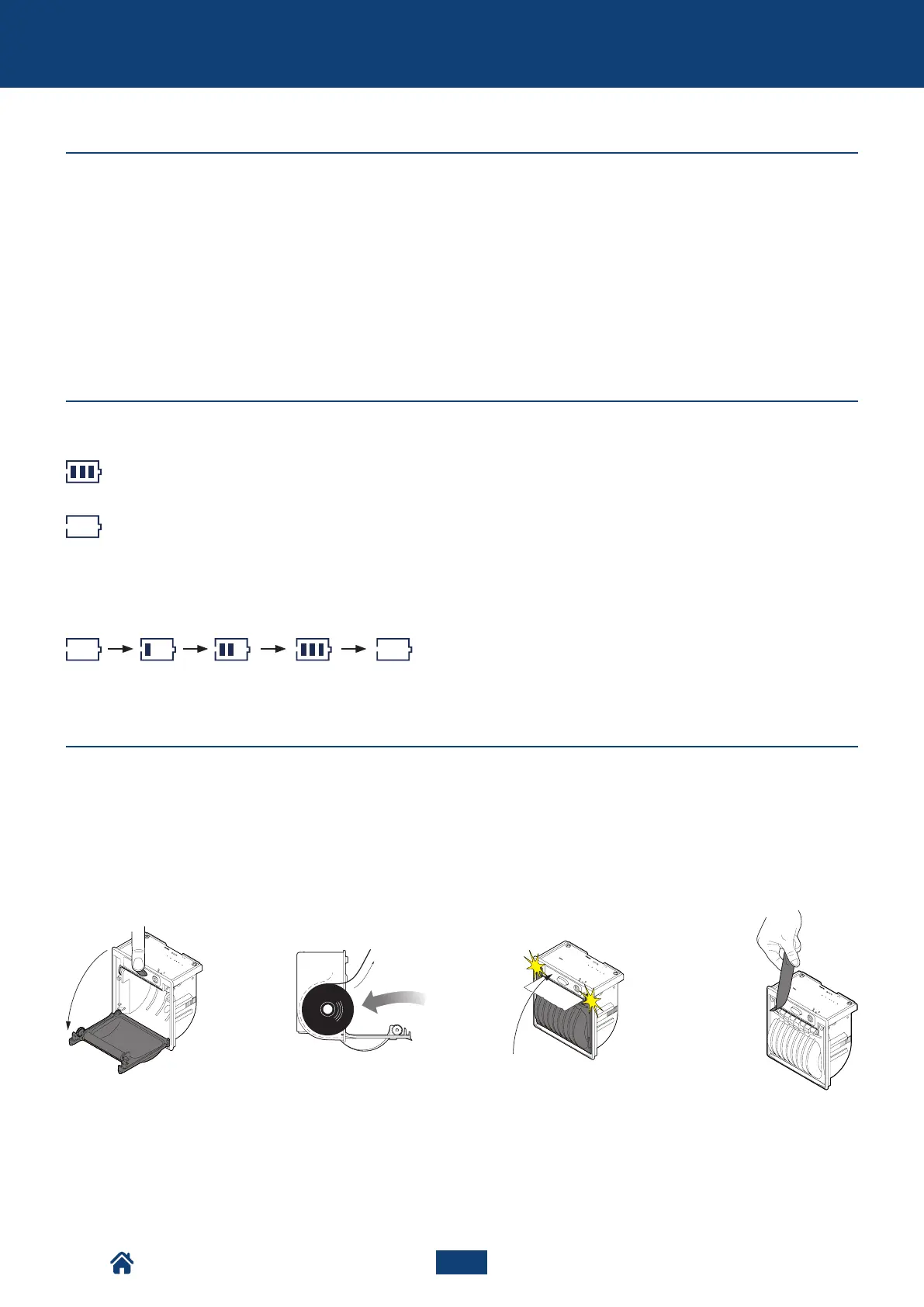
How to replace the roll
The LoW.bAtt message precedes automatic instrument switching off.
Internal battery charge level indicator
Battery charging indicator
Charged battery
Low battery
Open the door by pres-
sing the centre button.
Put the roll in, keeping the
thermal surface facing
outward.
Close the door by pres-
sing on both sides.
Remove the excess
paper.
Main features of the scale
NU2-IPC20_50-E-0918



 To Next Page