3404/2018
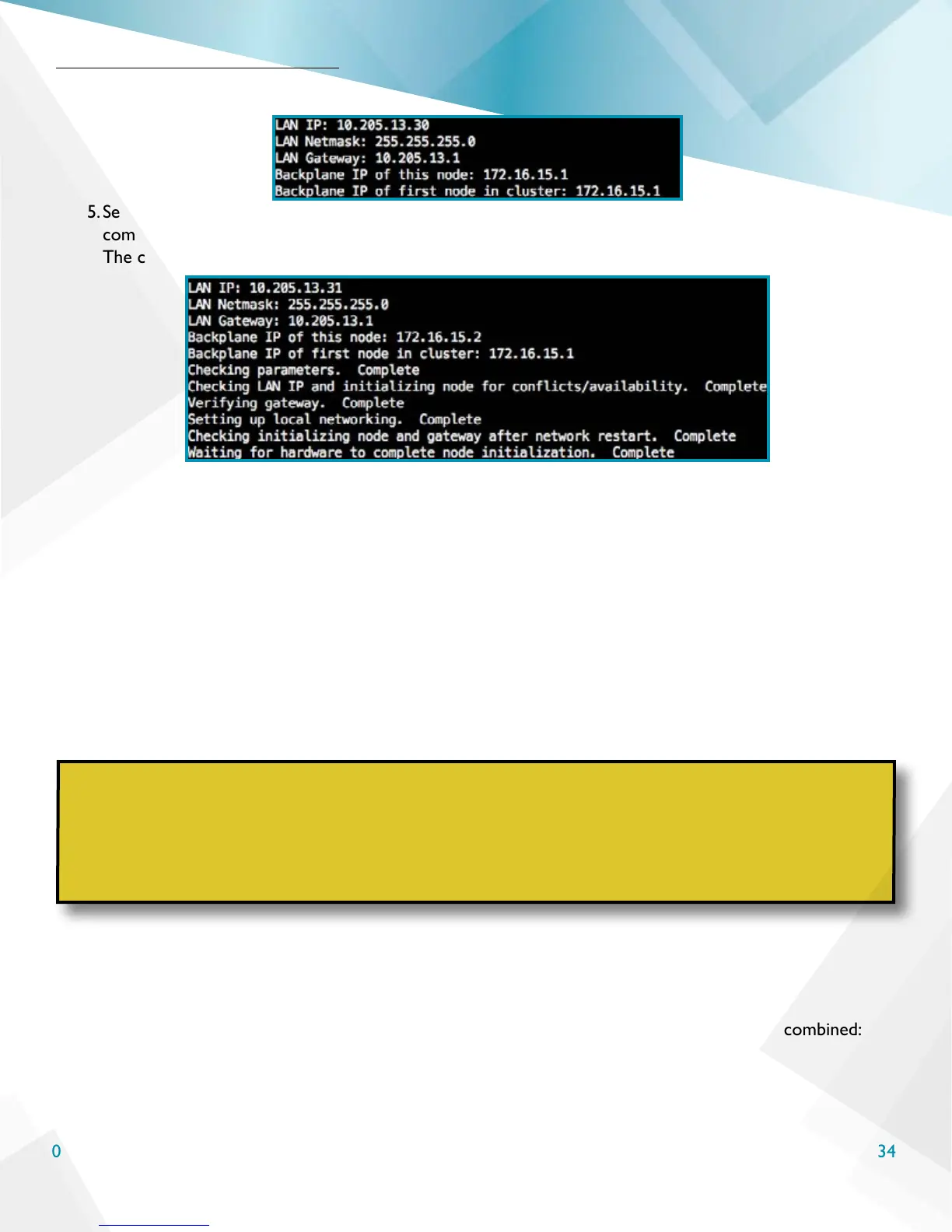
the rst node’s IP conguration.
5. See the below image for the complete IP verication checks. The node conguration process is
complete when it either returns to the command line or the output says Entering forwarding state.
The conguration process generally takes 3-5 minutes.
Common Conguration Troubleshooting
Here are some common troubleshooting steps for node conguration issues.
• Verify the node IPs were typed correctly.
• Verify the chosen LAN and Backplane IP for the node conguration are not already in use elsewhere on
the network
• The LAN and Backplane IPs must be on separate networks. The Backplane IP cannot be a publicly
routable IP and cannot be in the assigned LAN IP network.
You can use the following commands to re-initialize and/or bypass some network verication if needed for a
test environment.
1. If the node initialization failed for any reason use this command to re-congure the node:
REINITIALIZE=yes sudo scnodeinit
2. If a LAN gateway is not accessible or not responding to ICMP requests, use this command:
BYPASS_NETWORK_CHECK=yes sudo scnodeinit
3. As used here, the options to re-congure a node and bypass LAN network checks can be combined:
BYPASS_NETWORK_CHECK=yes REINITIALIZE=yes sudo scnodeinit
Node Conguration
WARNING
ScaleCare Support advises against bypassing the built-in network checks unless this is for
a test or lab environment and/or ScaleCare Support has specically advised bypassing the
checks as part of a troubleshooting process. Use of the bypass command outside of these
instances has the potential to lead to networking issues within the initialized HC3 nodes and
system that may require ScaleCare Support intervention and/or a system reset.



 To Next Page