3504/2018
System Initialization
Making a HC3 system
Prior to initializing the system ensure all nodes have been successfully congured.
In order to initialize your system you must have serial or graphical console access to the physical nodes. Serial
access is VT100 at 115,200 baud. Any standard VGA monitor and USB keyboard will work as a graphical
console and are recommended.
Initialization Checklist
Ensure all nodes have been congured before initializing the system. The following is a check list to verify
before beginning:
• Ensure all nodes have been congured with the proper IP information successfully.
Initialize the System
All installations should be scheduled at least 24 hours in advance. The installation specialist assisting you will
provide the necessary credentials during the scheduled installation time.
All system initialization is done from the command line using a monitor and keyboard. Systems are congured
in a top-to-bottom conguration, with the top node in the rack being the designated “rst” node. The “rst
node” classication has no bearing on system operations outside of the installation conguration.
1. Hook the monitor and keyboard to the top node in the system. Log in to the node using the provided
credentials.
2. If you are utilizing the SNS conguration run the command to initialize the single node: sudo
singleNodeCluster=1 scclusterinit
3. You may be prompted for a password. Use the same password as the node login.
4. If you are utilizing the cluster conguration, this command will initialize a system comprised of all the
previously congured nodes: sudo scclusterinit
5. You may be prompted for a password. Use the same password as the node login.
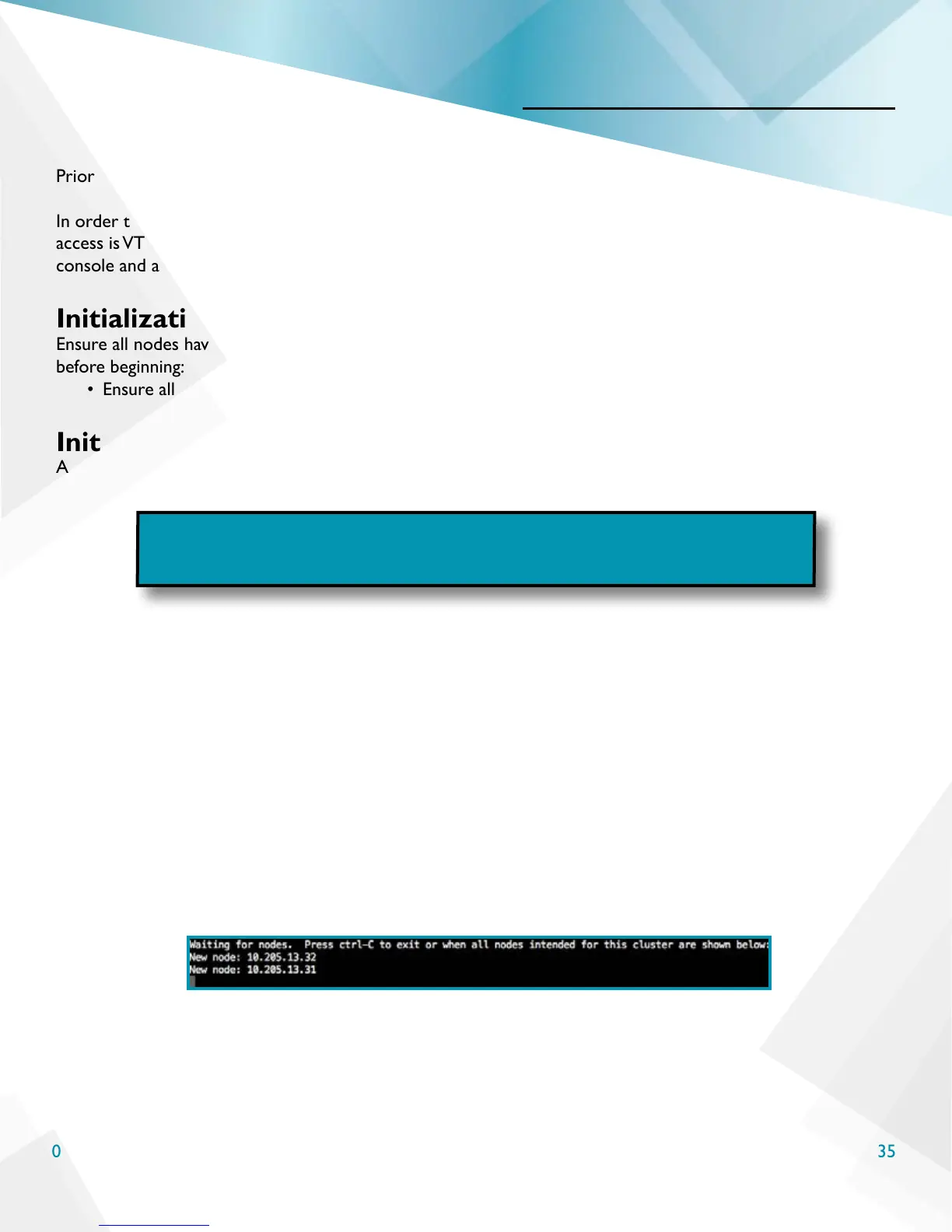
6. Congured nodes will be listed on the screen. Verify all nodes that were congured are displayed on the
list for system initialization, as seen below. If utilizing the SNS conguration only the single node will
be shown.
7. When all nodes are shown follow the prompt and press ctrl+c to proceed.
NOTE: It is now possible to deploy a Single Node System (SNS). The
commands provided below are applicable to a single node or multiple node
installation. Choose the proper option for your conguration.
6



 To Next Page