Error Codes
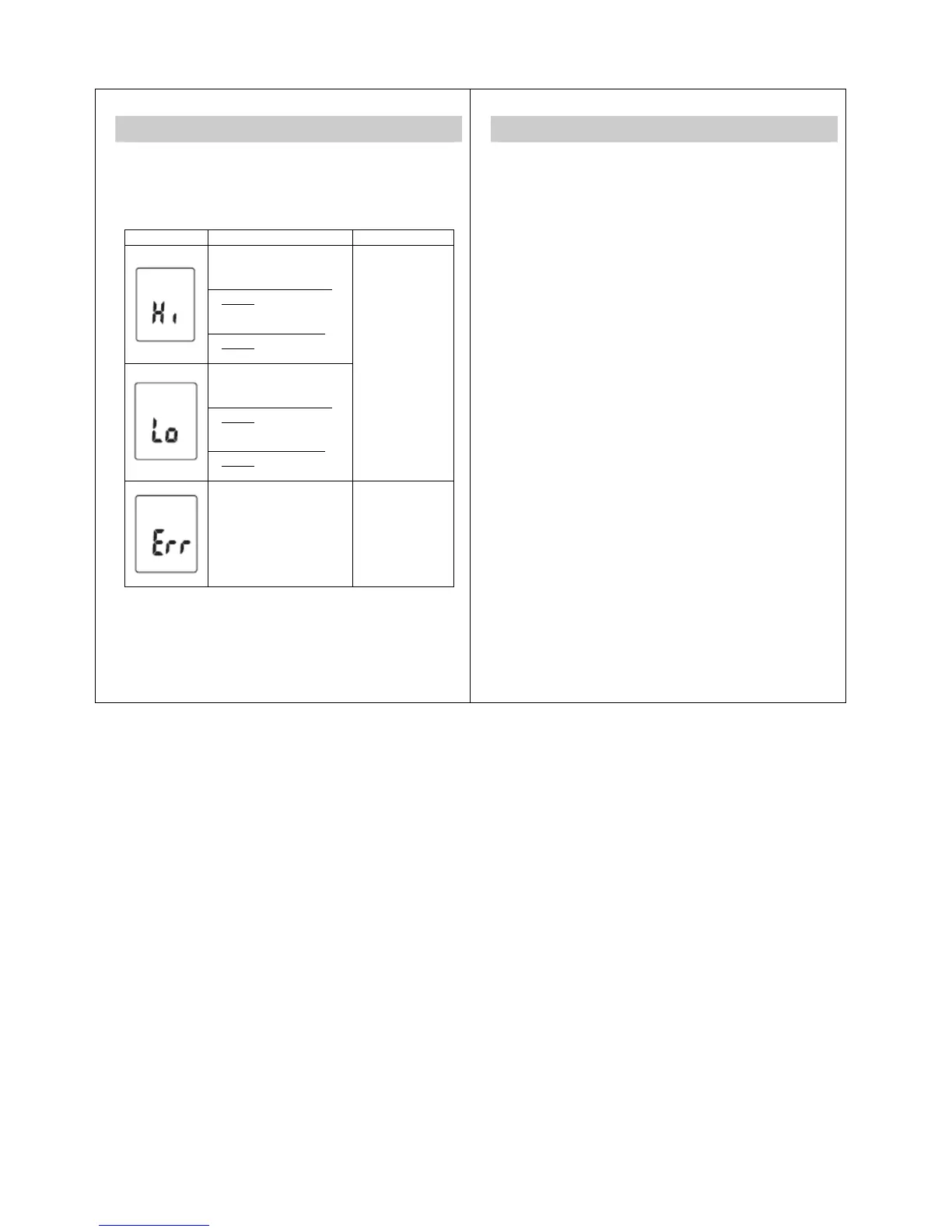
When a malfunction or incorrect temperature measurement
occurs, an error message will appear as described below
(comes with backlight).
LCD Display Cause Solution
The temperature measured
is higher than
1. Human thermometer
mode:
42°C (107.6°F)
2. Object temperature
mode:
100°C (212.0°F)
The temperature
measured is lower than
1. Human thermometer
mode:
35°C (95°F)
2. Object temperature
mode:
10°C (50°F)
Operate the
thermometer only
between the
specified
temperature
ranges. If
necessary, clean
the sensor tip. In
the event of a
repeated error
message, contact
your retailer or
Customer
Services.
The operating temperature
is not in the range
15°C~35°C (59°F~95°F)
Operate the
thermometer only
between the
specified
temperature
ranges.
17
Operating the Bluetooth function
What You Need
TS42B Bluetooth IR Ear Thermometer
An Android device with Android version 4.3 or above and
hardware support for Bluetooth 4.0.
An iOS device with iOS version 5 or above and hardware
support for Bluetooth 4.0. All devices Apple released since
the iPhone 4S (including the 4S) do, the older ones don’t.
Note:
Please refer to the instruction manual of your smart phone
for how to activate the Bluetooth function.
Set Up Process
1. Download an app which supports Bluetooth 4.0 from
the iTune App Store or Google Play.
2. Enable Bluetooth on your mobile device.
3. Open the app and activate the scan function.
4. Turn on the TS42B.
5. The app should automatically detect your TS42B. Tap
the TS42B that is showed in the device list.
6. Your TS42B is now successfully connected to your
mobile device. Every temperature reading will be
transfer to your mobile device automatically.
18


 To Next Page