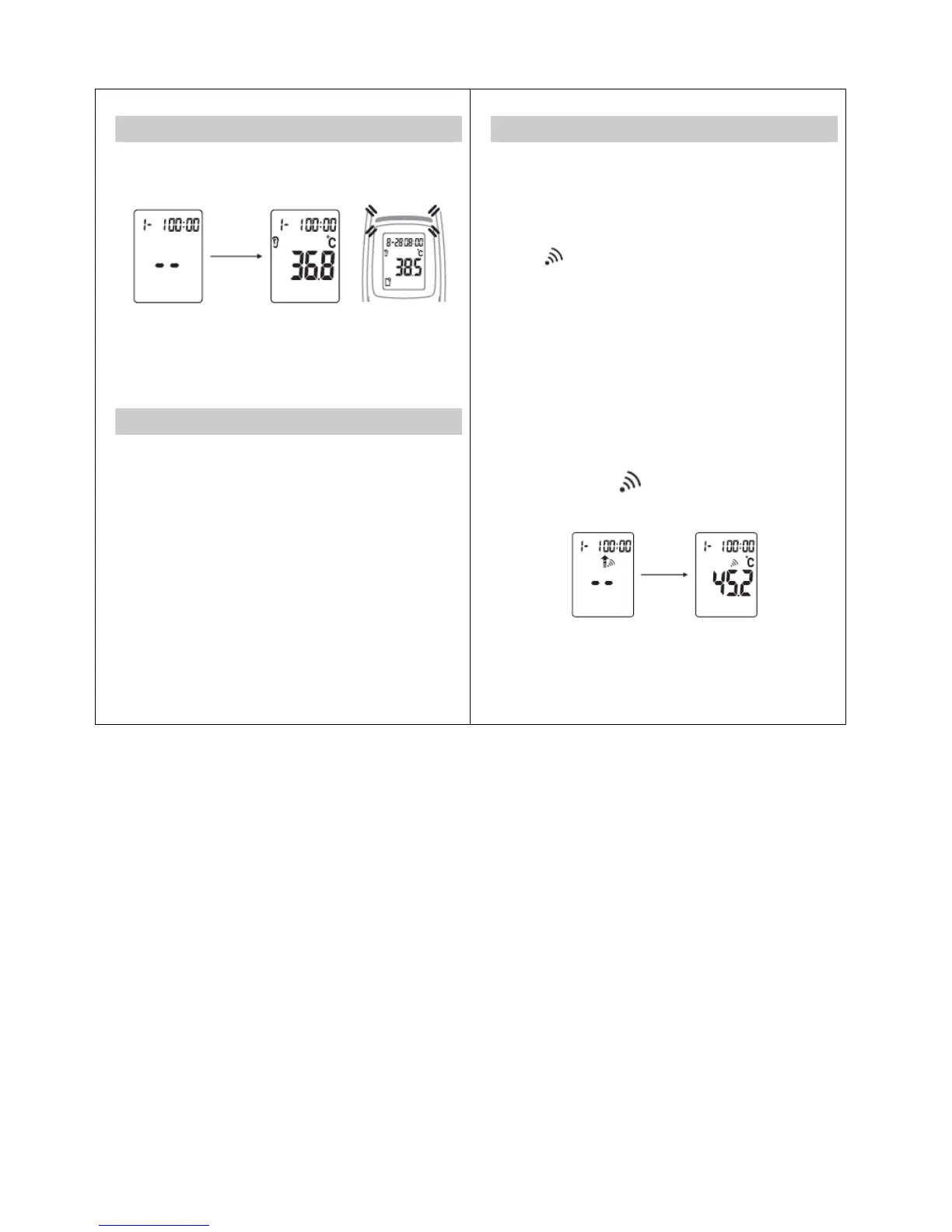
Measuring Body Temperature in the Ear
5. Release the button. The end of the measuring time is
signaled with a short beep and the measured value
appears on the display.
NOTE: Fever Alarm: Only in Human Mode
≧38°C: LED light Red
If the temperature measurement is 38°C or above,
meanwhile the backlight and alert light (RED) will light for 3
sec and then the voice pronouncing.
Clinical accuracy validation method
TS42B is an adjusted mode clinical thermometer
the validated information for clinical accuracy in each
adjusted mode are:
GroupA1: cb=-0.01°C, L
A
=0.18, σ
r
=±0.08°C
GroupA2: cb= 0.06°C, L
A
=0.22, σ
r
=±0.08°C
GroupB : cb=-0.01°C, L
A
=0.20, σ
r
=±0.07°C
GroupC : cb=-0.01°C, L
A
=0.18, σ
r
=±0.07°C
cb: CLINICAL BIAS
L
A
: LlMITS OF AGREEMENT
σr:CLINICALREPEATABILITY
13
Measuring Object/Liquid Temperature
1. Press the Power button for 1 second to switch the
thermometer on. Following a successful self test, the
device emits two short beeps.
2. Then press the “Memory” and “SET” buttons
simultaneously for 3 seconds to switch to the “Object
Scan Mode ”.
The
symbol appears in the display.
3. Point the sensor tip towards the object or liquid
(maintaining a distance of 3 cm), then take one press on
Forehead mode button or Ear mode button to take a
measurement (never immerse in liquids).
4. After the measurement process is complete, there
comes a short beep and the measured value appears on
the display.
5. Please note that the displayed temperature is the
measured and not the adapted surface temperature. It is
not the same as the temperature.
6. To switch back to the thermometer mode, press the
“Memory
”
and
“
SET
”
buttons simultaneously for 3
seconds until the
“
”
symbol disappears and there is
a short beep.
14


 To Next Page