13
Using the MENU button
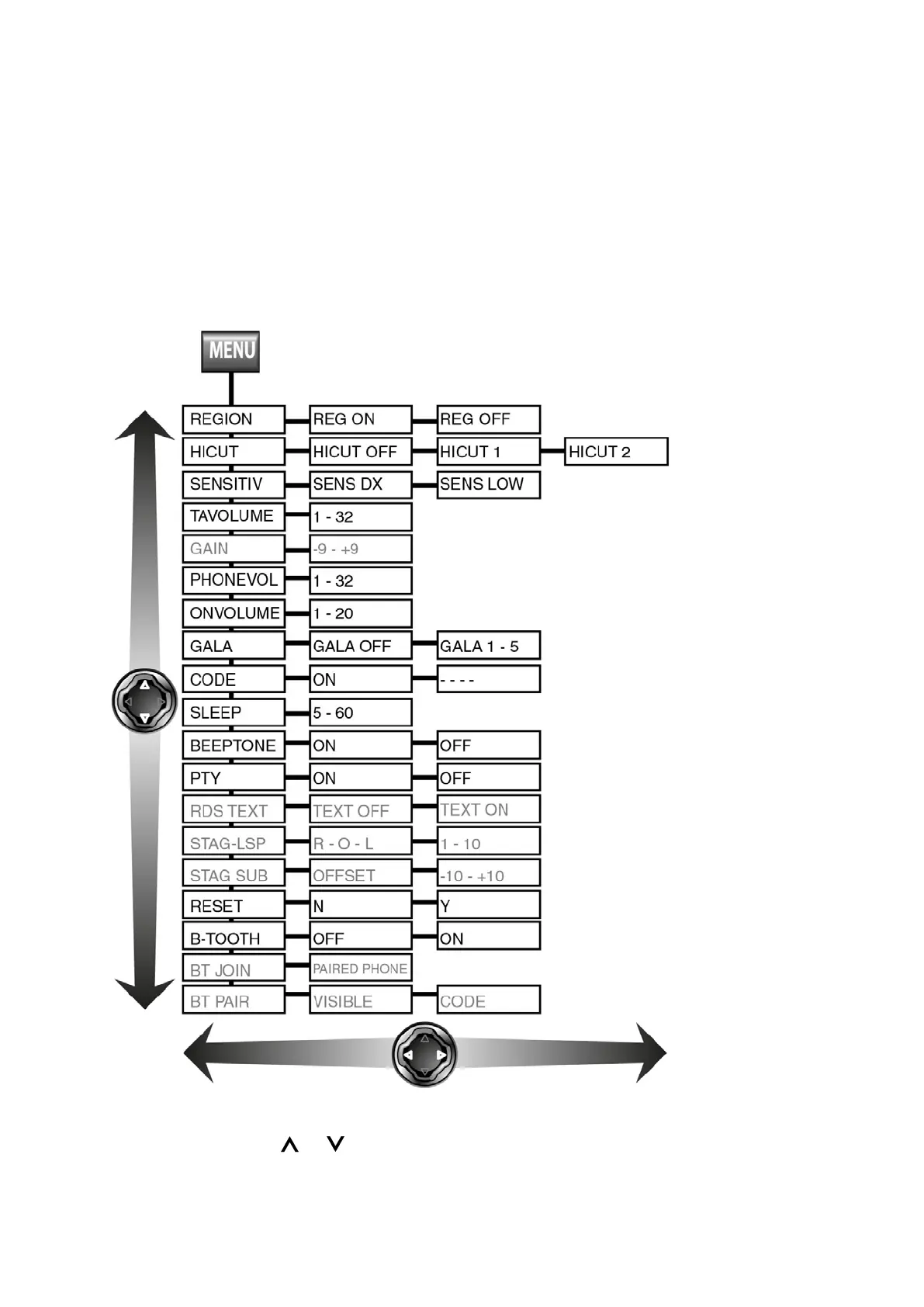
Press the MENU button (6) to open the Radio Medium main menu. You can change
Radio Medium settings in the menu. Use the up and down arrows on the rocker
button to browse through the menu. Use the right and left arrows to select options.
When you are satisfied with your selection, press the down arrow to come to the next
menu line or press MENU to save the setting(s) and exit the menu.
Use Rocker Buttons or (7) to navigate the Radio Medium menu.



 To Next Page