2
Overview
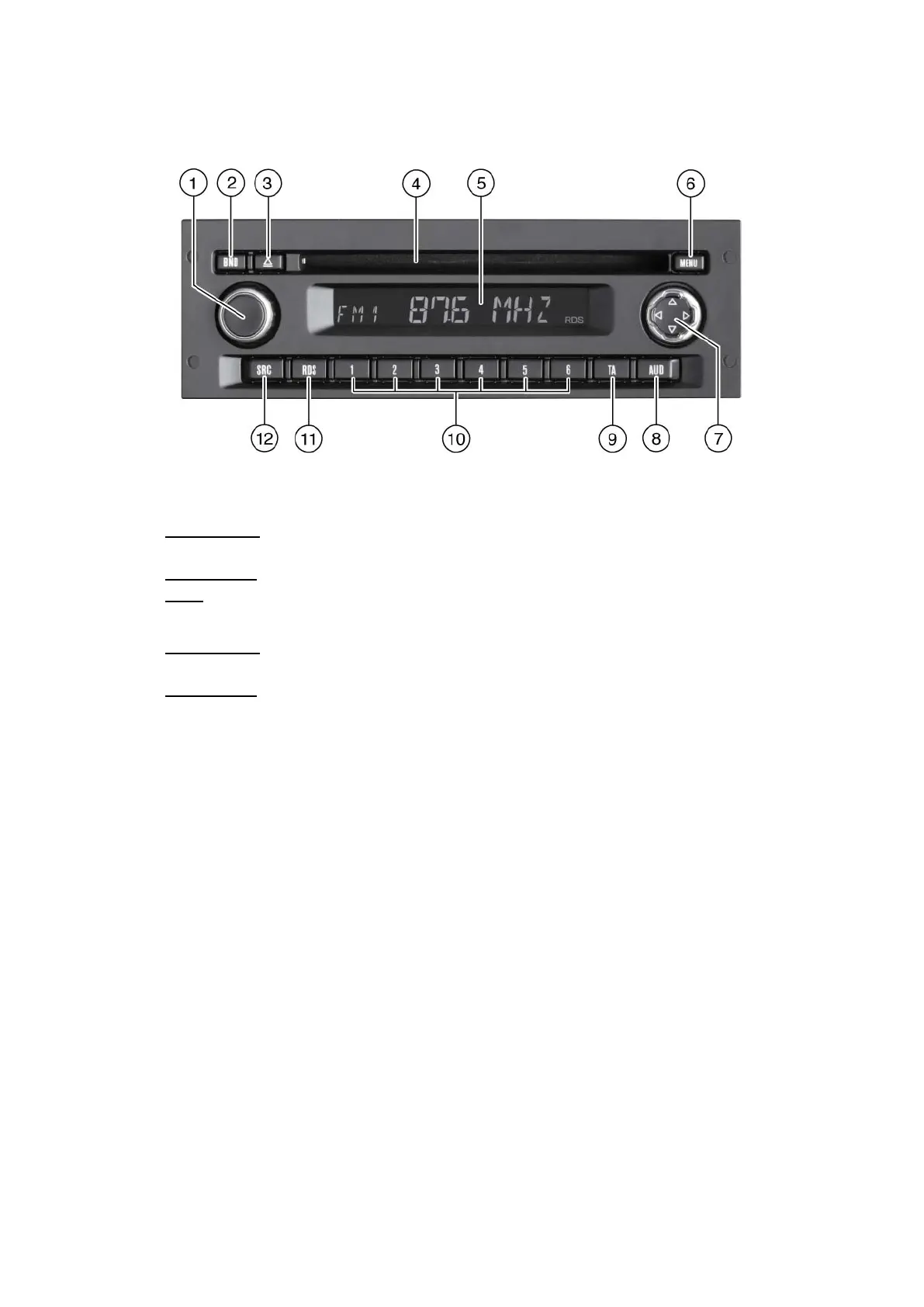
(1) Left multi-function button
Volume control, ON/OFF button
Short press: Switch on Radio Medium
While in operation: Turn off sound (Mute)
Long press: Switch off Radio Medium
Turn
(2) BND
: Adjust volume
Short press: Select memory bank or waveband
Bluetooth active: answer the phone or make a call
Long press
(3) Eject CD
: Start Travelstore function
(4) CD compartment
(5) Display
(6) MENU
Open main menu
Bluetooth active: reject or end a call
(7) Right multi-function button. Browse menus.
(8) AUD
Open sound properties menu
(9) TA
Activate/Deactivate traffic information priority
Cancel current traffic message
(10) Keypad 1 - 6, buttons change function according to what you are listening to
(11) RDS
Activate/Deactivate RDS function



 To Next Page