Advanced Sample Sessions 6–15
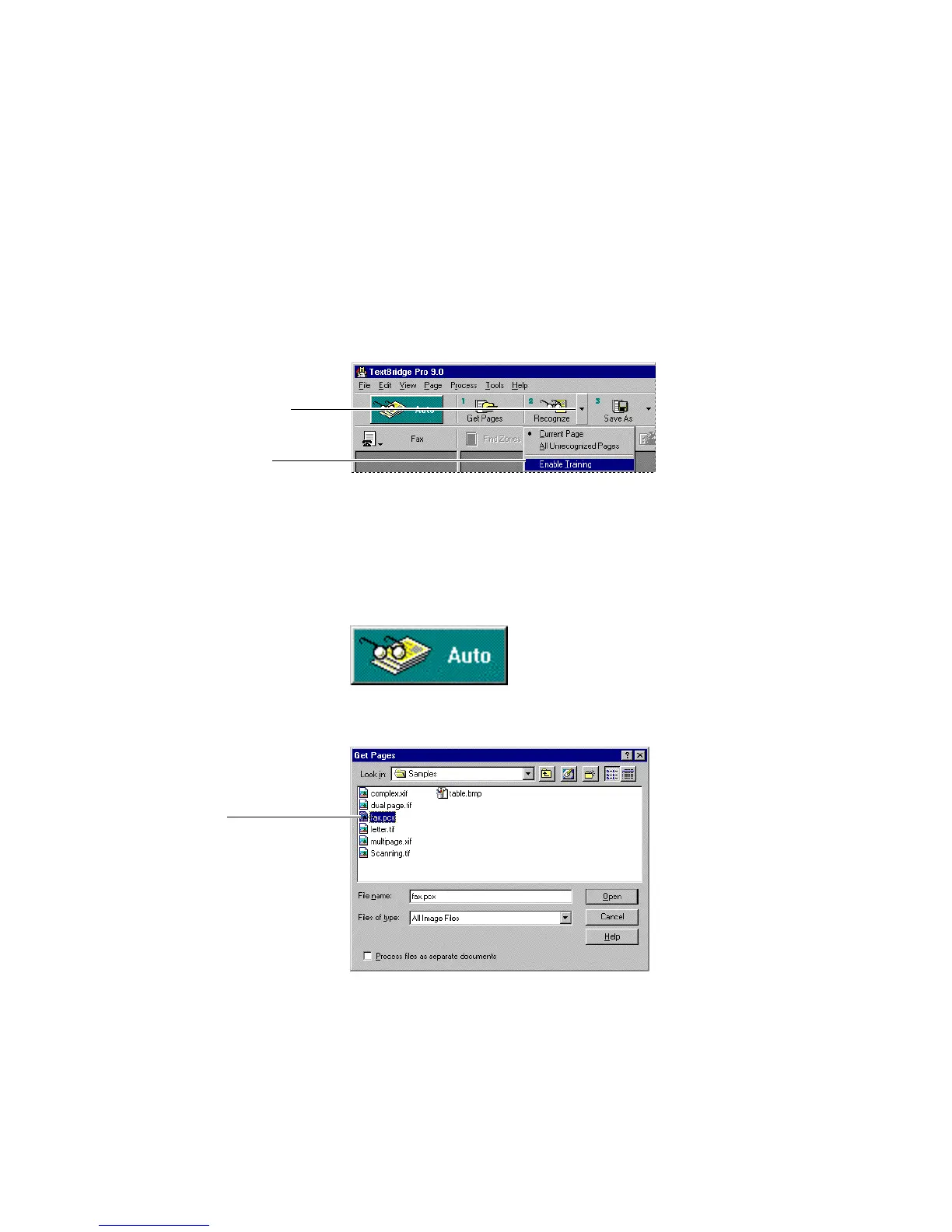
2. Enable training.
Click the drop down arrow on the Recognize button and select
Enable Training (Figure 6–11).
Click the Recognize drop
down arrow
Select Enable Training
Figure 6–11. Enable training
☞ This “sticky” setting remains in place for all subsequent
documents until you disable training.
3. Click the Auto button.
The Get Pages dialog box appears (Figure 6–12).
Select fax.pcx
Figure 6–12. Get Pages dialog box



 To Next Page