1. Basic Operations
1.1 Button Explanation
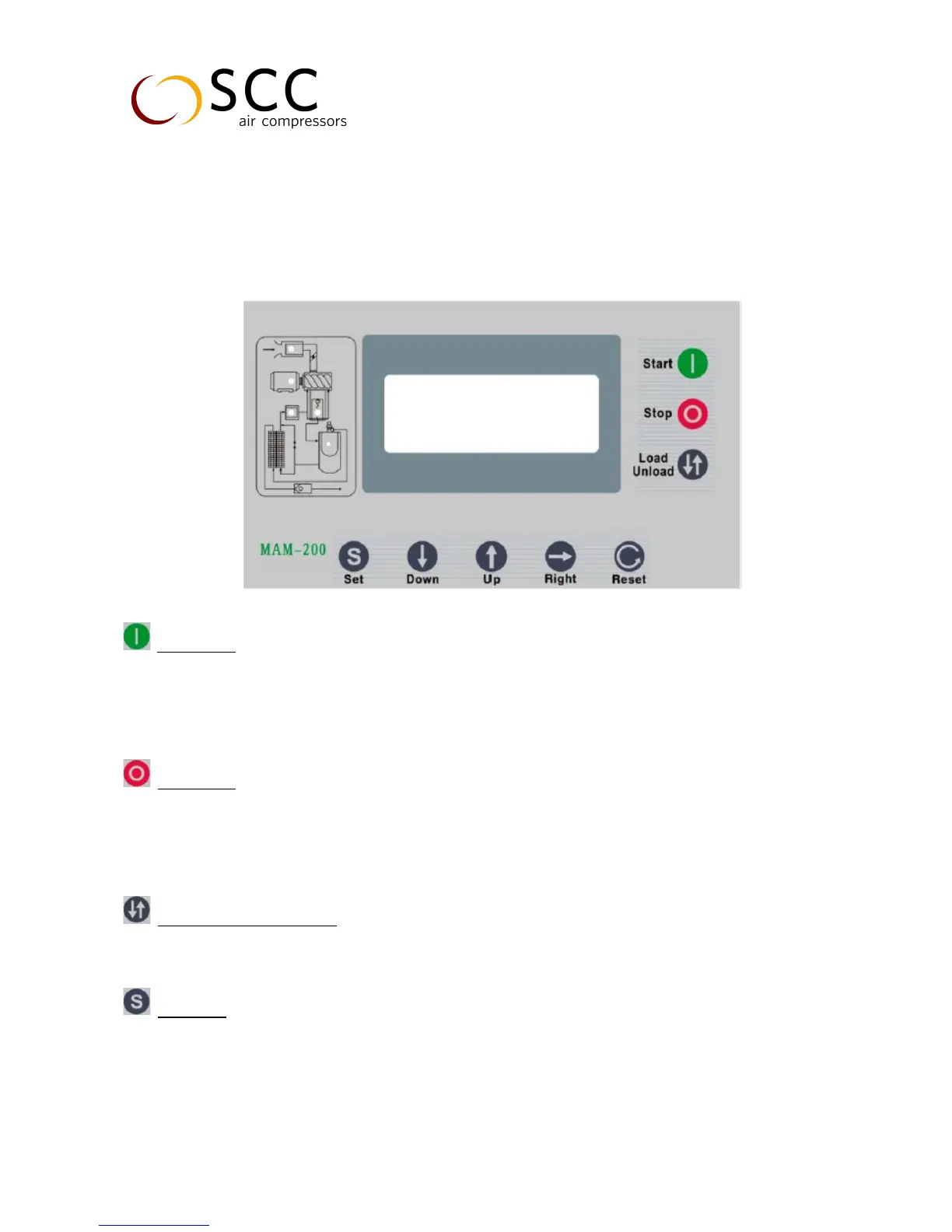
Start button
When compressor is at stop status, press this button to start the compressor
When compressor is set as main (No. 1) in block mode, press this button to start the compressor and activate
block mode function at the same time
Stop button
When the compressor is at running status, press this button to stop the compressor
When compressor is set as main (No. 1) in block mode, press this button to stop compressor and block mode
as well
Loading / Unloading button
When the compressor is at running status, press this button to load or unload
Set button
When the compressor is at setting mode, press this button after modification to confirm and save the
modified data
Press this button after input password to verify the password


 To Next Page