1.3 Operating Parmeter and Menu
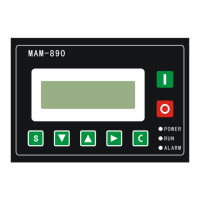
Press or to move the cursor to “RUN PARAMETER”, then press to switch to secondary menu:
Move the cursor to “HOST, FAN CURR”, press to switch to secondary menu:
Press to return to the prevorious menu or main menu. If no operation at the current menu for 120seconds,
controller will automatically return to the main menu and turn off the back light simultaneously.
According to above method, use move down button , move up button , enter button ,
and return button to check TOTAL RUN TIME, THIS RUN TIME, VSD PARAMETER,
MAINTENANCE PARAMTER, FAULT RECORD, PROD DATE, SERIAL NUMBER, THIS FAULT and returnto previous
menu.
1.4 Calendar
Check and set time of controller
HOST、FAN CURRENT


 To Next Page