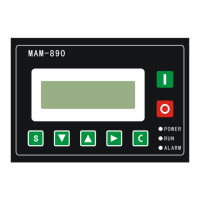
In this menu the first data bit of password blinking, press or to modify the first bit of password.
Press move the cursor to the next data bit, modify the second data bit of password in accordeance with the above.
Modify the the third and fourth data of password in sequence, press to confirm the input data and the menu will
switch to the following menu after verification.
The upper right corner with “*”
indicates the system verification
of the password
In the menu above press , the first data of LOADING P start to blink, user can press or to modify the
present data in accordance with the above method. Press to move to next data bit and modify the target data in
sequence. When finished press to confirm and save the data. Other CUSTOMER PARAMETER share the similar way for
modification.


 To Next Page