- 8 -
www.SCEPTRE.com
SCEPTRE E248 HDTV User Manual
Attaching or Removing the Stand
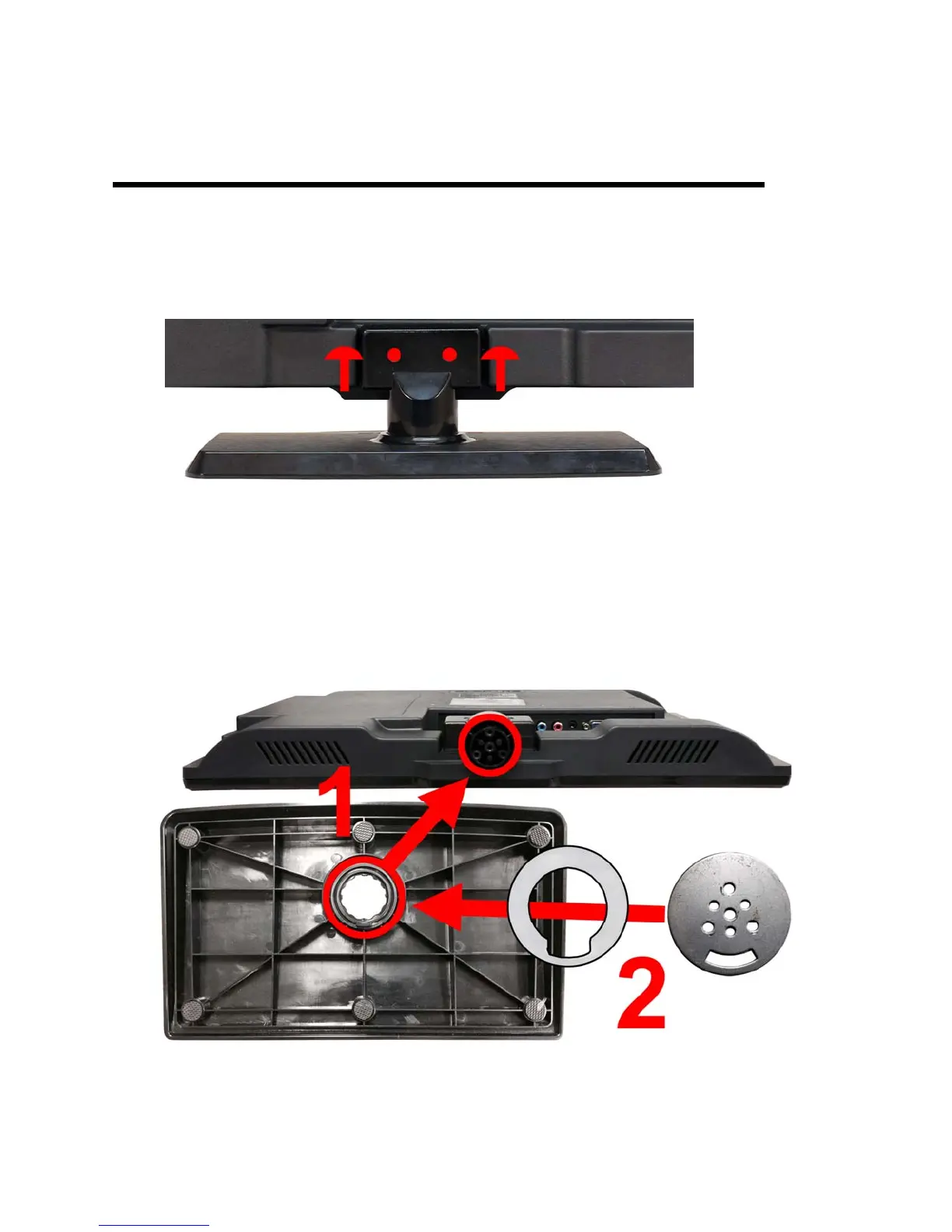
1. To remove the stand completely, look at the back of the TV near the neck and
unscrew the 2 screws shown in the picture and the neck along with the base
should come off.
2. To attach the base plate, lay the display unit flat on a table. Afterwards attach the
base to the neck, and then insert the plastic o-ring to the bottom of the base as
indicated in the picture below. Finally, place the metal plate to over the plastic o-
ring.



 To Next Page