EasyManua.ls Logo

Schaerer SCA - User Manual

Schaerer SCA
76 pages
Print Icon
To Next Page IconTo Next Page
Loading...
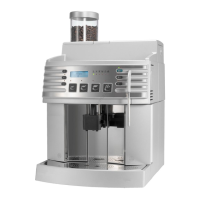
Schaerer Coffee Art
Schaerer Coffee Art Plus
Operating instructions
V04/01.2012

Table of Contents

Questions and Answers

  • D
    Danielle HuntAug 14, 2025
    Why is my Schaerer SCA not producing milk foam?
    • D
      David RodriguezAug 14, 2025
      If your Schaerer Coffee Maker isn't producing milk foam, start by checking if the milk container is filled. If it is full, the milk system might be clogged, so perform the daily cleaning routine.
  • J
    jonathan88Aug 17, 2025
    Why is my Schaerer SCA Coffee Maker not dispensing milk?
    • A
      Angel FordAug 17, 2025
      If your Schaerer Coffee Maker isn't dispensing milk, first check if the milk container is filled. If the container has milk, the milk system may be clogged. Try performing the daily cleaning routine to resolve this.
  • A
    amendozaAug 21, 2025
    What to do if my Schaerer Coffee Maker shows a water flow error?
    • T
      taylorbarberAug 21, 2025
      If you're getting a water flow error on your Schaerer Coffee Maker, first ensure that the stopcock is open, then press the beverage field again. Also check the brewing unit, water system, and grinder mixture for any clogs. Make sure the grind level isn't too fine.
  • B
    brianna38Aug 25, 2025
    What does steam heating timeout mean on my Schaerer Coffee Maker?
    • M
      Michael BakerAug 25, 2025
      If your Schaerer Coffee Maker shows a steam heating timeout, it means the set temperature of the steam boiler was not reached within 4 minutes after the machine was switched on. Try switching the machine off and back on.
  • D
    Daniel ColeAug 27, 2025
    What does hot water heating timeout mean on my Schaerer Coffee Maker?
    • B
      Brittney WatsonAug 27, 2025
      If your Schaerer Coffee Maker displays a hot water heating timeout, the set temperature of the hot water boiler was not reached within 4 minutes after the machine was switched on. Try switching the machine off and back on.
  • G
    garciatylerAug 31, 2025
    What does coffee heating timeout mean on my Schaerer SCA?
    • J
      James MilesAug 31, 2025
      If your Schaerer Coffee Maker displays a coffee heating timeout, it means that the set temperature of the coffee boiler was not reached within 4 minutes after the machine was switched on. Try switching the machine off and back on.
  • S
    stevencastroSep 3, 2025
    What to do if the milk system is disabled on my Schaerer SCA?
    • K
      Keith GardnerSep 3, 2025
      If the milk system is disabled on your Schaerer Coffee Maker, it might be because the steam temperature has fallen to 115 °C. Wait until the temperature has been reached again. If this is not the case, try switching the machine off and then back on.
  • D
    Dr. Ryan FisherSep 6, 2025
    What does 'Left G overloaded' mean on my Schaerer SCA Coffee Maker?
    • J
      johnpottsSep 6, 2025
      If your Schaerer Coffee Maker displays 'Left G overloaded', it means the left grinder is overloaded. Check the grinder for any foreign objects.
  • S
    Samantha ContrerasSep 10, 2025
    What does 'Right G overloaded' mean on my Schaerer SCA Coffee Maker?
    • J
      janejensenSep 10, 2025
      If your Schaerer Coffee Maker displays 'Right G overloaded', it indicates that the right grinder is overloaded. Check the grinder for any foreign objects.

Summary

Introduction and Product Overview

Safety

Crucial warnings to prevent injury and health hazards during operation.

Signs and symbols

Visual indicators for safety and operational information.

Product description

Defines the machine's designed applications and limitations.

Options and accessories

Describes optional equipment like cup warmers and cooling units.

Technical data

Lists detailed technical specifications for different models.

Installation and Setup

Initial use

Instructions for initial setup and commissioning by a technician.

Power supply

Requirements for electrical connection, voltage, and protection.

Water connection; draining

Instructions for connecting water supply and drainage.

Operation

Check before switching on

Essential checks before powering on the coffee machine.

Filling and connecting

Procedures for filling beans, water, and milk.

Dispensing

General guidance on dispensing beverages.

Emptying

Procedures for emptying the grounds container and waste water tank.

Display messages

Explains common display messages and their causes/solutions.

Cleaning

Cleaning products

Lists recommended cleaning products and their uses.

Daily cleaning

Step-by-step guide for daily cleaning of the machine.

Weekly cleaning

Step-by-step guide for weekly cleaning tasks.

Programming and Settings

Product buttons

Setting parameters for individual beverage buttons.

System settings

Adjusting system-wide settings like language and time format.

Machine timer

Configuring automatic switch-on and switch-off times.

Troubleshooting

Malfunction with display message

Guidance on diagnosing and resolving errors indicated by display messages.

Malfunction without display message

Steps for troubleshooting issues not shown on the display.

Water Quality and Safety

Water values

Specifications for water hardness, pH, and chlorine content.

User risks

Hazards related to electricity, heat, and moving parts during operation.

Risk of machine damage

Warnings about improper handling that can cause machine damage.

Liability

Operator responsibilities

Outlines the operator's responsibilities for machine maintenance and safety.

Schaerer SCA Specifications

General IconGeneral
BrandSchaerer
ModelSCA
Voltage220-240 V
Frequency50/60 Hz
TypeAutomatic
GrinderIntegrated
Milk SystemIntegrated

Related product manuals