
EasyManua.ls Logo

Schaerer Siena 1 - User Manual

Schaerer Siena 1
42 pages
Print Icon
To Next Page IconTo Next Page
Loading...
44 User manual SI 2 - EN
www.schaerer.com Version 02 / 06.2005 / REWE
ON / OFF button
Cleaning /
plus button
Siena 2:
Hot water /
minus button
Programming
button
2x button
Coffee powder /
preselection
button
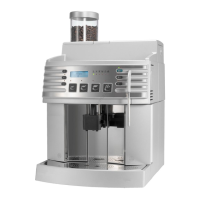
Grounds container
Malfunction/brew unit
Decalcifying
Bean container empty
Water tank empty
Temperature
* Illustration: Standard configuration
Indicator symbols:
Bean container
(with lid)
Cup plate
Control panel
(see below)
Display
Grounds container
Foam head
(refer to page 53)
Siena 1: Beverage outlet
Drip tray
Drip grid
Insert for
coffee powder
(cleaning tablet)
Service door
(2 parts)
Siena 1:
Hot water/steam
outlet
Siena 2:
Hot water outlet
Water tank
Milk tube
Swivel
Brew unit
* Illustration: Siena 2
Espresso Coffee Double
espresso
Double
coffee
Siena 1 Button allocation:
Siena 2 Button allocation: Espresso Coffee Cappuccino Macchiato
Siena 1:
Coffee jug /
minus button
Siena 1: Rotary dial
Steam / hot water
The position differs between
Siena 1 and Siena 2.
=

Table of Contents

Other manuals for Schaerer Siena 1

Questions and Answers

  • A
    Anna PalmerSep 9, 2025
    Why is my Schaerer Siena 1 Coffee Maker pump so loud?
    • L
      Laura FowlerSep 9, 2025
      If the Schaerer Coffee Maker pump is making loud noises or the indicator light is on, it could be due to air in the system because the water tank wasn't properly inserted. To resolve this, bleed the device by pressing the hot water button for about 6 seconds or turn the rotary dial to the [ Hot water ] position.
  • S
    Stephanie RoseAug 23, 2025
    How to fix a Schaerer Coffee Maker that does not switch on?
    • M
      Mary DavisAug 23, 2025
      If your Schaerer Coffee Maker isn't switching on, there are several potential causes. First, ensure the power plug is securely connected. Next, check that the main power switch on the left-hand side is set to 'ON'. Also, verify the fuses. Additionally, make sure the brew unit is properly inserted and that the door is completely closed.
  • K
    Kristin CollinsAug 25, 2025
    Why does my Schaerer Siena 1 Coffee Maker (Siena 2) milk foam have large bubbles?
    • D
      Dana PorterAug 25, 2025
      If the milk foam from your Schaerer Coffee Maker (Siena 2) has large bubbles, the milk may be too warm. Always keep milk refrigerated at an optimal temperature of 3°C to 5°C. You should also check the milk nozzle.
  • A
    Aaron ChurchAug 27, 2025
    What to do if my Schaerer Siena 1 Coffee Maker (Siena 2) has no milk foam?
    • R
      rodriguezkaitlynAug 27, 2025
      If your Schaerer Coffee Maker (Siena 2) isn't producing milk foam, the milk nozzle might be clogged. Insert a brush into the milk nozzle.
  • D
    Daniel CaseyAug 28, 2025
    What to do if Schaerer Siena 1 buttons not working?
    • M
      mckinneyjohnAug 28, 2025
      If your Schaerer Coffee Maker doesn't react when you press the buttons, it could be due to several reasons. The operating temperature might not have been reached yet, indicated by the indicator light. Alternatively, a rinse or cleaning program might be in progress, shown by the flashing cleaning button. Another indicator might also be flashing or lit up, indicating a different issue that needs to be resolved first.
  • M
    Matthew YoungAug 29, 2025
    Why can't I insert or pull out the brew unit on my Schaerer Siena 1?
    • J
      james24Aug 29, 2025
      If the brew unit of your Schaerer Coffee Maker cannot be pulled out or inserted, it is likely not in its basic position. Close the service door and switch on the device. While inserting the brew unit, use the multi-tool adjusting knob to turn it slightly to the left or right, as the carrier position may be incorrect.
  • B
    Brandon SheppardSep 18, 2025
    What to do if Schaerer Siena 1 does not react to buttons?
    • W
      wilsonnancySep 18, 2025
      If your Schaerer Coffee Maker isn't responding to button presses, it could be because the operating temperature hasn't been reached yet, so wait until it is. Alternatively, a rinse or cleaning program might be in progress; wait for it to complete. If another indicator is flashing or lit, rectify the fault or remove the cause.
  • L
    laurawilliamsonSep 19, 2025
    What to do if there is no milk foam on Schaerer Siena 2?
    • R
      Robert DeleonSep 22, 2025
      To fix the issue of no milk foam in your Schaerer Siena 2, insert a brush into the milk nozzle, as the milk nozzle is likely clogged in the milk container.
  • M
    martinmarvinSep 7, 2025
    Why is the milk foam too cold on my Schaerer Siena 2 Coffee Maker?
    • J
      Jerry BowersSep 7, 2025
      If the milk foam from your Schaerer Siena 2 Coffee Maker is too cold, the milk nozzle might be defective or the wrong diameter nozzle has been fitted.
  • H
    Heather MartinSep 4, 2025
    Why is my Schaerer Siena 2 Coffee Maker not making milk foam?
    • E
      emily27Sep 4, 2025
      If your Schaerer Siena 2 Coffee Maker is not producing milk foam, the milk nozzle in the milk container might be clogged. Insert a brush into the milk nozzle to clear the blockage (refer to page 60).

Schaerer Siena 1 Specifications

General IconGeneral
BrandSchaerer
ModelSiena 1
CategoryCoffee Maker
LanguageEnglish

Related product manuals









