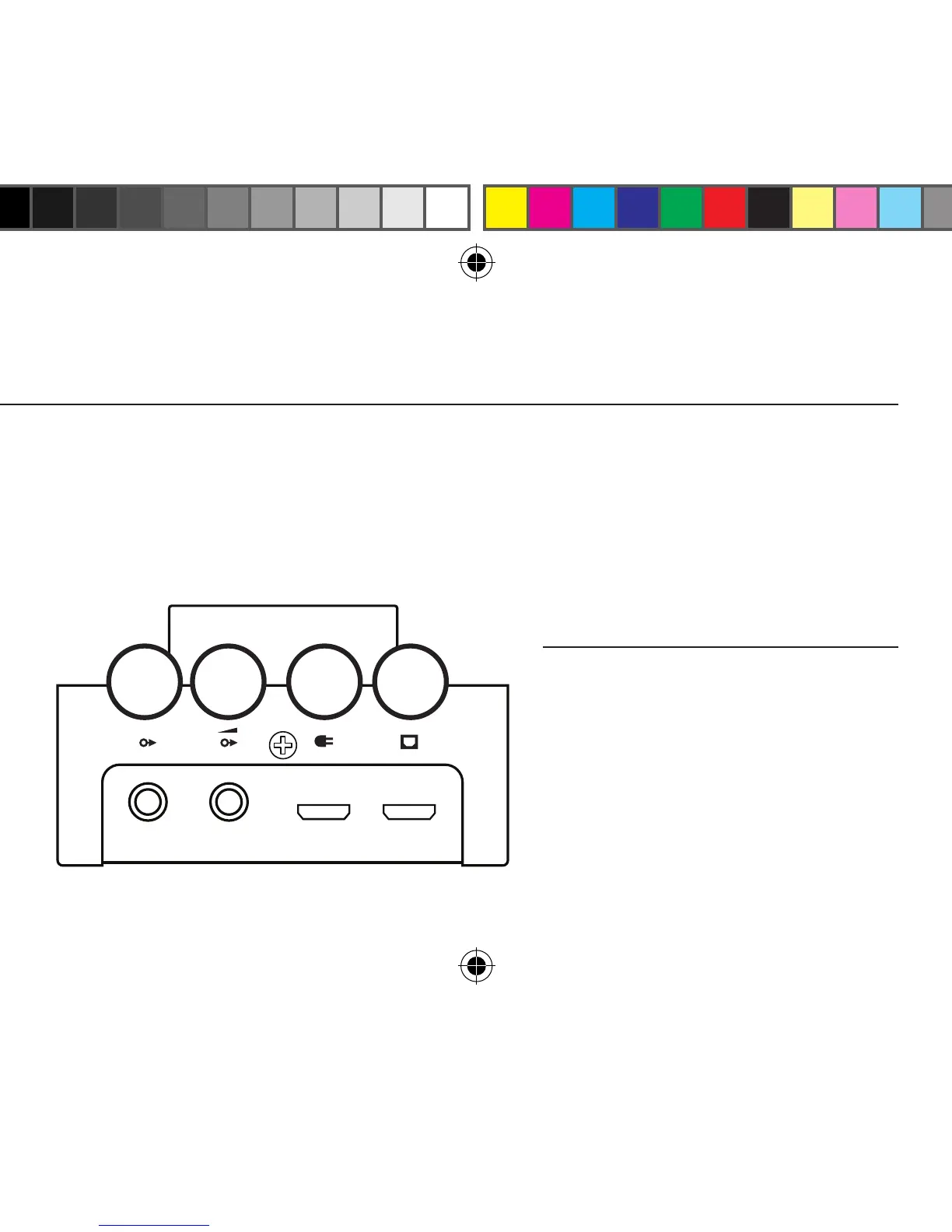
6 USB Power Input. If you get a “this device draws too much power” error, or if your computer
doesn’t “see” the Fulla, connect this input to a source providing 5V DC at 500mA or above with a
micro USB cable. Your phone charger may work just ne (if it uses micro USB connectors, that is.)
7 USB Power and Data Input. Connect this to your computer or other USB source using the provided
micro USB cable, or with another USB 2.0-rated, high-quality micro USB cable.
Select “I’m Fulla Schiit” in Control Panel/
Sound Devices (PC) or in System Prefs/
Sound (Mac.)
Play some music (some music players will
have to be set to “I’m Fulla Schiit” too.)
That’s it! No drivers, no buttons, no pain.
Just bountiful, healing music.
4 5 6 7
FULLA 2 OPeRATION
fulla 2 manual.indd 3 10/20/16 4:41 PM


 To Next Page