Need help?
Do you have a question about the Schiit SYS and is the answer not in the manual?
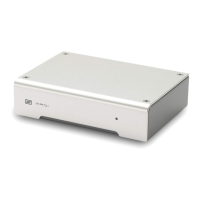
Connect one source to SYS' "IN 1" RCA jacks using RCA cables.
Connect a second source to SYS' "IN 2" RCA jacks using RCA cables.
Connect SYS' “OUT” RCA jacks to your powered monitors or power amplifier.
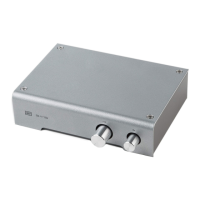
Select “IN 1” or “IN 2” with the pushbutton switch to choose sources.
Control the volume using the front-panel knob.
Use for external volume control from a DAC or other fixed-output source.
 General
| Type | Passive Preamp |
|---|---|
| Inputs | 2 x RCA |
| Weight | 1 lb |
| Outputs | 1 x RCA |
| Power Supply | Passive, no power supply needed |
| Dimensions | 5 x 3.5 x 1.25 inches |

 To Next Page