EndoPilot
*related to the additional module “CoPilot” - 14 - 609 2201 v12 www.schlumbohm.de
3. - 6. Functions Start Menu
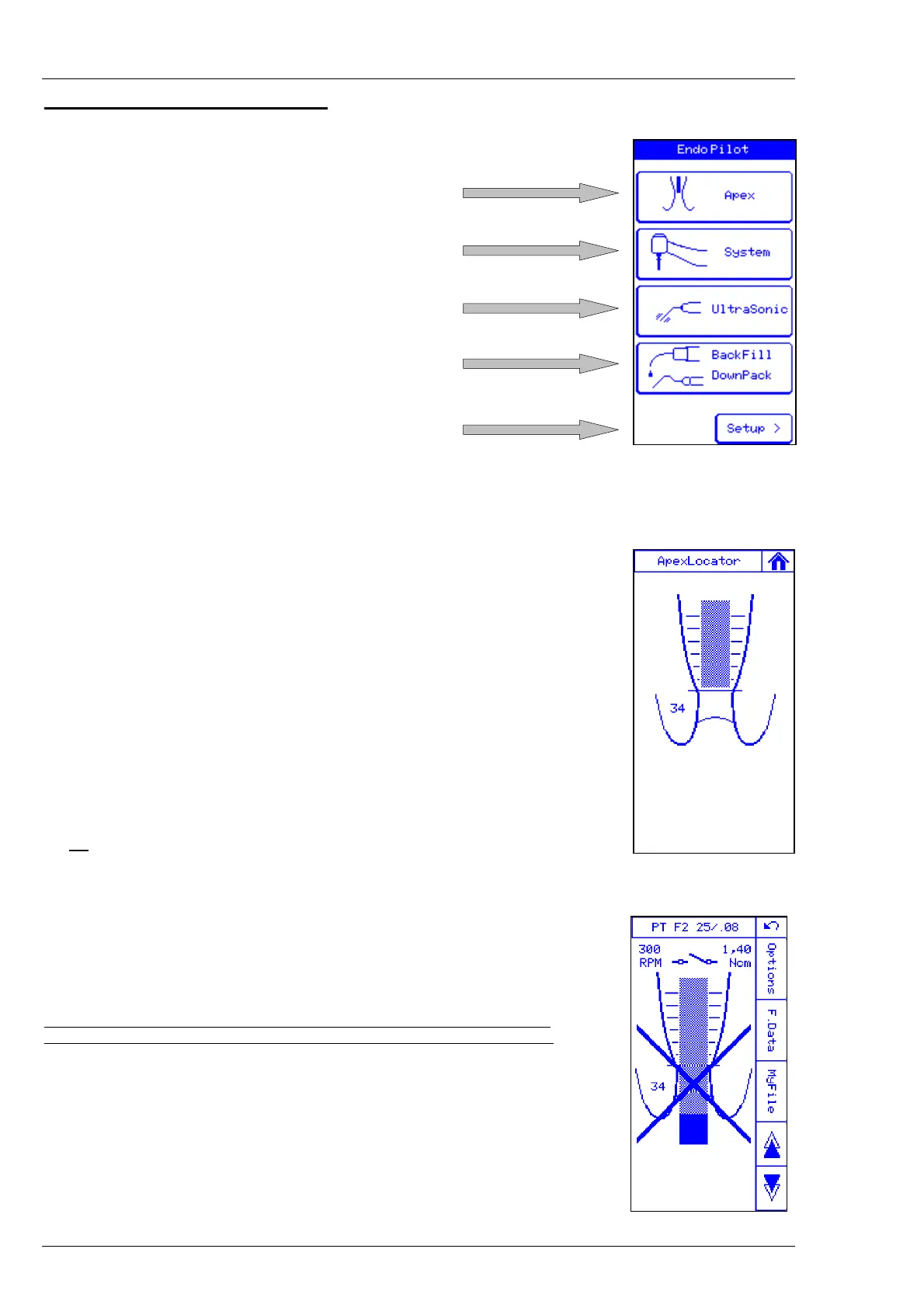
3 Manual root length measurement
4 Motor system for NiTi files
6 Ultrasonic function
5.2 BackFill-Gun
5.1 DownPack hand piece
Next menu
3. Manual Root Length Measurement
In this menu, you can probe the canal manually, that means by a file lead by hand.
For this purpose, the lip clip (4c) as well as the file clamp (4b) are used.
The horizontal line determines the position in the root canal where the "Auto-stop"-function
is reached when using the mechanic preparation. The setting can be stored either
directly at the display by moving the line (short tip of the finger) or also comfortably
by pushing the foot switch.
With this function, it is, for example, possible to transfer an X-ray verified position
of a pilot instrument onto the screen.
The setting of the line is stored until the device is switched off.
If the device is switched on again, the line is re-set to a standard value.
Parallel to the graphic display, a value (here 34) is also shown, this is the length
of the line in the display, however NO indication of millimetres. This number is only for a
better orientation.
Do not
put the measuring cables on electrically conducting surfaces, this could lead to
induction of separate source voltages.
ATTENTION: If the file gets in touch with the lip clip, this will cause a short-circuit.
With this short-circuit, you may test the function of the display and the Apexlocator.



 To Next Page