EasyManua.ls Logo

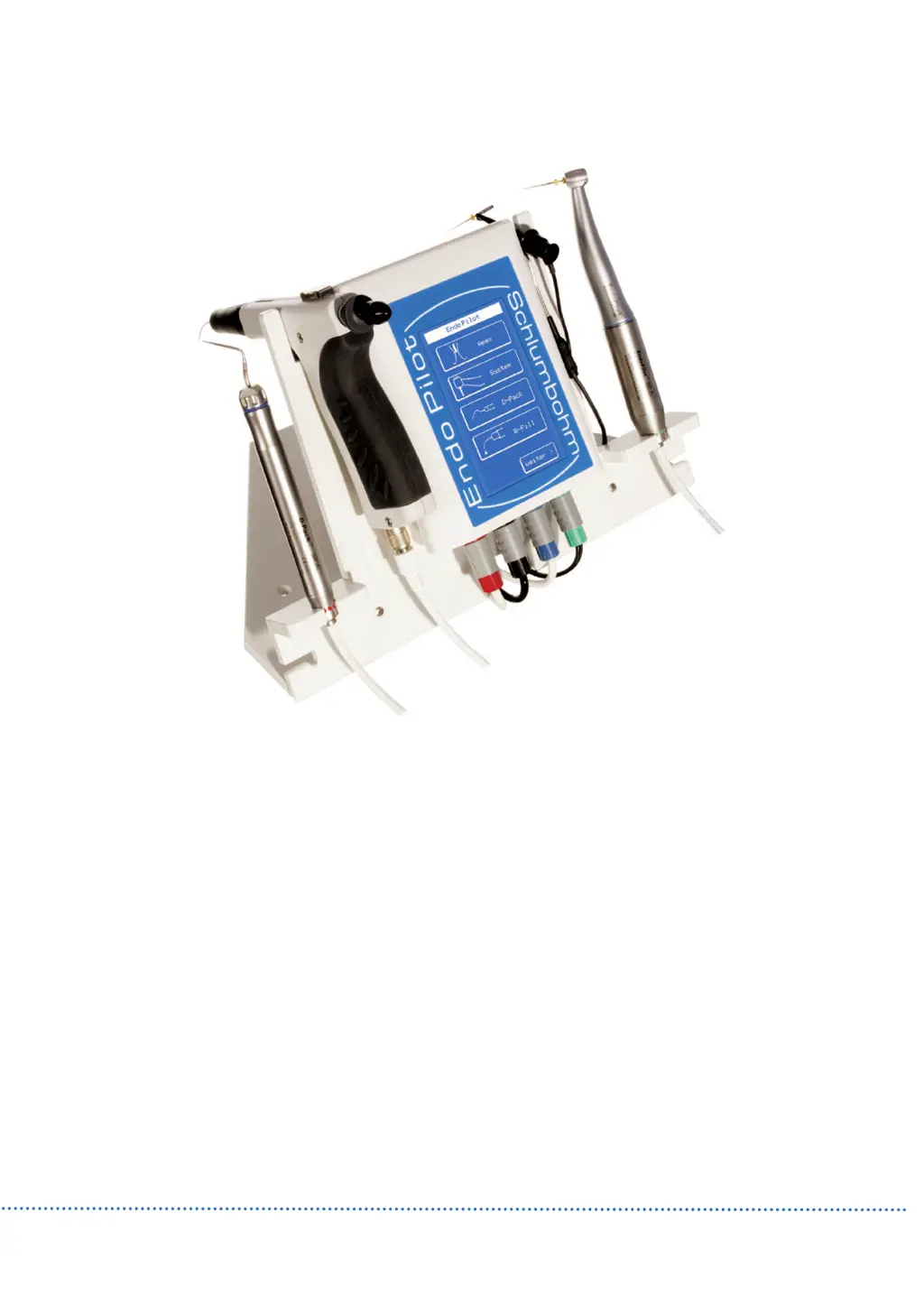
Schlumbohm EndoPilot - User Manual

Default Icon
36 pages
Print Icon
To Next Page IconTo Next Page
Loading...
Schlumbohm
Schlumbohm
609 2x01- v07 All data is subject to change. Misprints, errors, innovations and changes excepted.
DE
DE
Gebrauchsanweisung
Gebrauchsanweisung
EN
EN
User Manual
User Manual
FR
FR
Mode d’emploi
Mode d’emploi
IT
IT
Modo di uso
Modo di uso
PL
PL
Podręcznik
Podręcznik
ES
ES
Modo oe Utilizacion
Modo oe Utilizacion
GR
GR
Ο∆ΗΓΙΕΣ ΧΡΗΣΗΣ ΓΙΑ
Ο∆ΗΓΙΕΣ ΧΡΗΣΗΣ ΓΙΑ
EndoPilot

Table of Contents

Questions and Answers

  • R
    Robert ThomasAug 14, 2025
    What to do if Schlumbohm Dental equipment shows no function and display does not work?
    • M
      Marie OrtegaAug 14, 2025
      If your Schlumbohm Dental equipment shows no function and the display isn't working, it might be due to a lack of power. Check if the power supply is connected correctly, ensuring the LED is shining. Also, remember to plug in the D-Pack hand-piece only after turning the device on.
  • A
    Ashley CordovaAug 20, 2025
    What to do if Schlumbohm Dental equipment instrument does not turn?
    • W
      wgillAug 20, 2025
      If the instrument on your Schlumbohm Dental equipment isn't turning, it could be due to a few reasons. First, ensure that calibration has been performed with the contra-angle. Secondly, check the cables and plug for any damages to rule out a motor issue, and verify if the motor runs with the contra-angle. Finally, inspect the contra-angle itself to see if the axle can turn freely.
  • C
    Catherine GriffinAug 25, 2025
    What to do if Schlumbohm Dental equipment instrument does not heat?
    • J
      Jonathan WilsonAug 25, 2025
      If the instrument on your Schlumbohm Dental equipment is not heating, the issue could stem from two primary causes. First, the instrument itself may be damaged, in which case you should insert a new heating tip. Second, if the instrument is turning, use the appropriate tool to tighten the nut.
  • E
    Eric RamirezAug 27, 2025
    What to do if Schlumbohm Dental equipment foot switch has no function?
    • B
      Brian MyersAug 27, 2025
      If the foot switch for your Schlumbohm Dental equipment isn't working, inspect the cables and the plug for any signs of damage.
  • B
    Barbara SalazarAug 30, 2025
    Why is there no Guttapercha at the needle of Schlumbohm Dental equipment?
    • P
      pdavisAug 30, 2025
      If there's no Guttapercha at the needle of your Schlumbohm Dental equipment, several factors could be at play. First, ensure the hand-piece isn't too cold by checking if the heating time was sufficient and if the heating chamber is warm. Second, verify the pellet isn't used up by checking if the piston is completely in the front position; if so, insert a new pellet. Finally, if the instrument turns, turn the knob clockwise until it stops.
  • M
    Michael SmithSep 2, 2025
    What to do if Schlumbohm Dental equipment has low performance?
    • K
      Kenneth OwensSep 3, 2025
      If your Schlumbohm Dental equipment exhibits low performance, it could be due to the tip not being tightened, or being deformed or worn out. Try tightening the instrument with the appropriate tool, or replace the instrument entirely.
  • G
    Gary HopkinsSep 6, 2025
    Why Schlumbohm Dental equipment has no acoustic signals?
    • P
      ppetersonSep 6, 2025
      If your Schlumbohm Dental equipment isn't producing any acoustic signals, the tones might be turned off. Simply turn the tones back on.
  • C
    Connor StuartSep 10, 2025
    What to do if Schlumbohm Dental equipment piston is blocked (cannot be pulled back during cleaning)?
    • C
      Candace NguyenSep 10, 2025
      If the piston in your Schlumbohm Dental equipment is blocked and cannot be pulled back during cleaning, it's likely due to Guttapercha remnants sticking to the piston. To resolve this, ensure the gun is completely emptied while it is still warm.
  • J
    Joseph SolomonNov 16, 2025
    Why is no measurement possible with Schlumbohm Dental equipment?
    • I
      Isaac McdonaldNov 16, 2025
      There could be several reasons why measurement isn't possible with your Schlumbohm Dental equipment. It could be due to contact problems, so ensure the lip clip and cable are correctly connected and absolutely clean. Verify that a short circuit is displayed when the file contact and lip clip touch. Also, make sure the lip clip is connected to the female connector of the Apex-cable socket. Check that the correct EndoPilot contra-angle is connected and properly snapped in, and confirm a short circuit appears when the lip clip and NiTi-file touch. Other potential causes include a calcified or obliterated root canal (check the x-ray and consider catheterization), a very dry root canal (rinse with NaCl and dry the access cavity), or blockage by old filling or medicated substances (compare with ...

Summary

Description of the individual components

Supplementary module CoPilot

Manufacturer

Remarks

Symbols

Explains the meaning of various symbols used throughout the operating manual.

Proper Usage

Apexlocator

Defines the intended use and operational guidelines for the EndoPilot device.

Motor

Defines the intended use and operational guidelines for the EndoPilot device.

DownPack-Handpiece with Heating Tip

Defines the intended use and operational guidelines for the EndoPilot device.

BackFill Gun

Defines the intended use and operational guidelines for the EndoPilot device.

Ultrasonic Handpiece

Defines the intended use and operational guidelines for the EndoPilot device.

General Precautions

Contra-Indications

Outlines essential safety measures and general advice for operating the EndoPilot.

General Conditions of Operating

Outlines essential safety measures and general advice for operating the EndoPilot.

Conditions of the Location

Device Parts and Accessories

Compatibility

General

First Steps

Installation

Instructions for setting up the EndoPilot device and its components.

Base with Equipment Holder

Information on assembling and using the base and holder for the EndoPilot.

Connection

Details how to connect the various components and cables of the EndoPilot system.

Touch-Display

Explains the operation and functions of the EndoPilot's touch-sensitive display.

Foot Switch

Describes the functions and operation of the wired and wireless foot switches.

Switch on, Standby, Switch off, Battery-Operation*

Instructions for powering the device on, off, and managing battery operation.

Preparation of the Root Canal - Motor and Contra-Angle

Steps for preparing the root canal using the motor and contra-angle.

Filling Technique - DownPack (D-Pack)

Procedure for using the DownPack handpiece for thermoplastic condensation.

Filling Technique - BackFill (B-Fill)

Procedure for using the BackFill Gun for thermoplastic filling of root canals.

Manual Root Length Measurement

Advice for an accurate Measurement

Tips and recommendations for achieving accurate root canal length measurements.

Motor system

Favorites

How to select and manage preferred file system settings for the motor.

Selection of a file system

Steps to choose from available file systems for motor operation.

MyFile System

How to create and manage custom file sequences for the motor.

Selection of a sequence; file

Guidance on selecting specific file sequences and individual files for treatment.

Preparation

Details on preparing for root canal treatment using the motor and selected files.

File Parameters (F. Data)

How to adjust and set parameters for individual files used with the motor.

Reciprocal Function

Explanation and settings for the reciprocal movement function of the motor.

File Management; Selection of a Box

Managing files and wear indicators within the device's file management system.

Options

Settings for root curvature, apex functions, and audible assistance.

Apexlocator - Root Canal Measurement during Preparation

Using the Apexlocator during mechanical preparation for length determination.

Obturation

DownPack

Setting the temperature for the DownPack handpiece heating tip.

BackFill

Setting the temperature for the BackFill Gun's heating cylinder.

Ultrasonic Function*

Selection of the Ultrasonic output level*

How to select and adjust the intensity level for ultrasonic operations.

Selection of Run-Time*

Setting the duration for ultrasonic activations, especially for rinsing liquids.

Ultrasonic-Instrument-Selection

Choosing and configuring ultrasonic instruments for optimal performance.

Setup-Functions

Calibration

Procedure for calibrating the contra-angle for accurate torque measurement.

Setup CoPilot; Wireless foot switch*

Configuring the CoPilot module and pairing the wireless foot switch.

Reset

Restoring file parameters and MyFile settings to factory defaults.

Setup; Updates; Tones

Accessing device information, updates, and customizing acoustic signals.

Maintenance

Trouble Shooting

Error Messages

Warranty; Liability

Technical Data

Cleaning, Disinfection, processing of devices

procedural instruction part I: Control-Unit, Contra-angle and Motor

Procedure for cleaning and disinfecting the control unit, contra-angle, and motor.

Procedural Instruction part II: Apex-cable, D-Pack-handpiece and BackFill-gun

Procedure for cleaning and disinfecting the Apex-cable, D-Pack handpiece, and BackFill gun.

Procedural Instruction Part III: 1. CoPilot device 2. Ultrasonic cable and 3. Ultrasonic handpiece

Procedure for cleaning and disinfecting the CoPilot device, ultrasonic cable, and handpiece.

Schlumbohm EndoPilot Specifications

General IconGeneral
ManufacturerSchlumbohm
ModelEndoPilot
Apex LocatorIntegrated
Torque Range0.5 - 5 Ncm
Torque ControlYes
Auto ReverseYes
CategoryDental equipment
Rotation Speed150-850 rpm
DisplayLCD
Battery TypeRechargeable lithium-ion