12
3.5 Calibration of the Instrument
The balance is supplied with a 200 g calibration weight for recalibrating the instrument on
site or checking the measurement accuracy.
Requirement:
Instrument switched off as described in chapter 3.2.2.
The calibration weight is adjusted according chapter 3.3.1
There is no sample or container on the platform.
To calibrate the instrument:
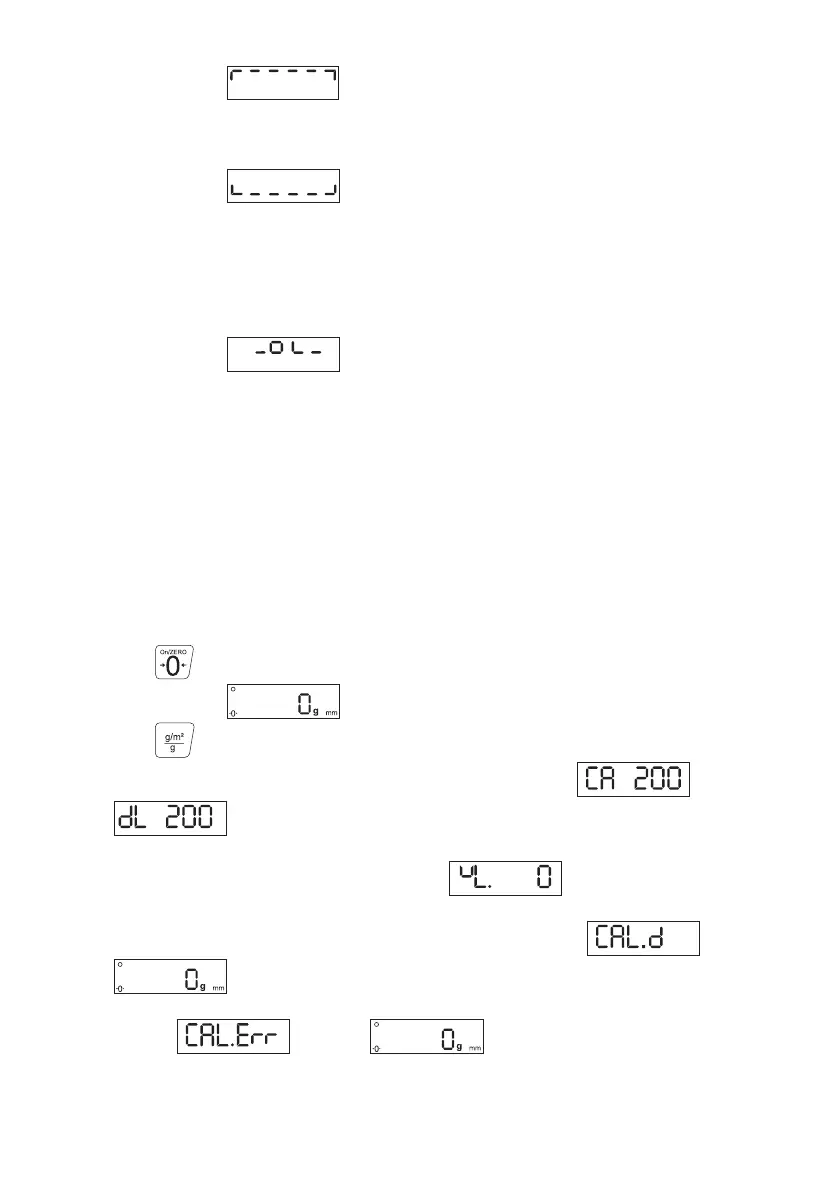
- Press the button.
The display shows .
- Press the button for 3 seconds
- The display shows momentarily the adjusted calibration weight and
than is flashing.
- Place the calibration weight on the platform.
- Wait until the display has stabilized and shows .
- Remove the calibration weight from the platform.
After the calibration has occured the display shows momentarily and
than .
If the calibration occurs not with the adjusted calibration weight, the display shows
momentarily and than .
3.4.3 Error Messages
Overload:
The display shows .
The weight on the platform exceeds the measuring range.
Underload:
The display shows .
The platform has not been placed on the instrument.
Remedy:
- Place the platform on the support plate.
Zero setting not possible:
The switch-on procedure of the instrument is interrupted.
The display shows .
The platform is not placed on the balance or a weight greater than 20 % of the
measuring range has been placed on the platform.



 To Next Page