OPERATION
FX-520 06/16 Operation Section 4-9
© 2016 Alamo Group Inc.
OPERATION
5. CONNECTING THE IMPLEMENT TO THE TRACTOR
Use extreme caution when connecting the implement to the tractor. The implement should be securely resting
at ground level or on blocks. Place a block in front of and behind the center section wheels to prevent the
implement from moving. Keep hands and feet out from under the implement and clear of pinch points between
the tractor and implement.
5.1 Connecting the Implement Tongue to the Tractor
1. Ensure the tractor is equipped with the correct
PTO shaft and the drawbar is set at the correct
length.
2. Using the parking jack, position the tongue
clevis to the height of the tractor drawbar. A
screw driver may be inserted into the hole in
the side of the swivel hitch to keep the hitch
clevis level while connecting to the tractor
drawbar.
3. Board the tractor and start the engine. Back the
tractor to the cutter aligning the drawbar hitch
hole with the cutter tongue clevis. Turn off the
tractor engine, place the tractor in park, and set
the parking brake before dismounting.
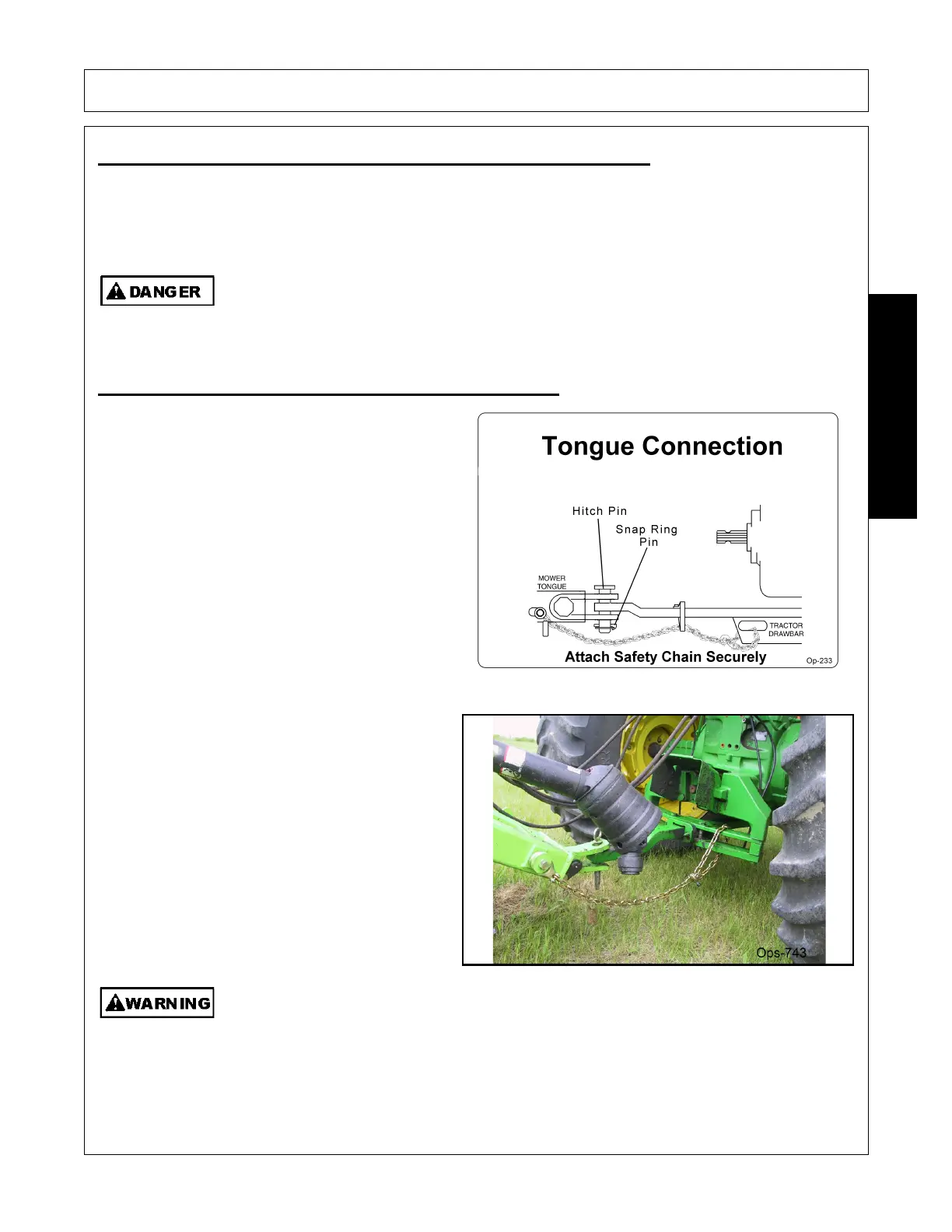
4. To attach the Cutter insert the hitch pin through
the drawbar and tongue clevis. Once the pin is
inserted, attach the snap ring pin through the
hole on the hitch pin and snap in place.
5. Securely attach the cutter safety chain to the
tractor drawbar or drawbar support frame.
6. Lower the jack until the tongue is completely
supported by the drawbar. Remove jack from
the tongue and place on storage bracket of
cutter.
NEVER STAND BETWEEN THE TRACTOR AND THE ROTARY CUTTER WHILE THE
TRACTOR IS BEING BACKED TO THE HITCH
Always shut the Tractor completely down, place the transmission in park, and set the
parking brake before you or anyone else attempts to connect or disconnect the Implement
and Tractor hitches.
(S3PT-15)


 To Next Page