EasyManua.ls Logo

Schumacher INSTANT POWER XJS4 - User Manual

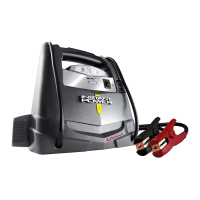
Schumacher INSTANT POWER XJS4
22 pages
Print Icon
To Next Page IconTo Next Page
Loading...
XJS4
XP400
XJS5
XP500
XJS7C
XP750C
0099001228WB-00
INSTANT POWER Jump Starter and DC Power Source
Fuente de Poder de CC y Arrancador
Models / Modelos: XJS4, XJS5, XJS7C
XP400, XP500, XP750C
READ THE ENTIRE MANUAL BEFORE USING THIS PRODUCT.
FAILURE TO DO SO COULD RESULT IN SERIOUS INJURY OR DEATH.
LEA EL MANUAL COMPLETO ANTES DE UTILIZAR ESTE PRODUCTO.
CUALQUIER FALLA PODRÍA RESULTAR EN SERIAS LESIONES O PODRÍA SER MORTAL.
OWNER’S MANUAL
MANUAL DEL USUARIO
DO NOT RETURN THIS PRODUCT TO THE STORE!
Call Customer Service for Assistance: 800-621-5485
¡NO LO DEVUELVA ESTE PRODUCTO A LA TIENDA!
Llame a Servicios al Cliente para Asistencia: 800-621-5485

Questions and Answers

  • C
    Chris MontgomeryJul 30, 2025
    What to do if my Schumacher Remote Starter won't jump start my car?
    • C
      Christopher JonesJul 30, 2025
      If your Schumacher Instant Power™ won’t jump start your car, consider these potential issues: * **Reversed Connections:** Disconnect the Instant Power™ and reverse the clips. * **Low Battery:** Check the battery charge status by pressing the button on the front of the Instant Power™. * **Poor Connection:** Check for poor connection to the battery and frame. Ensure connection points are clean. Rock the clips back and forth to improve the connection. * **Defective Vehicle Battery:** Have the vehicle's battery checked by a professional. * **Instant Power™ Off:** Ensure the Instant Power™ on/off switch is in the ON position.
  • B
    brandon09Aug 13, 2025
    Why won't my Schumacher INSTANT POWER XJS4 Remote Starter power my 12V device?
    • J
      Jacob CohenAug 13, 2025
      If your Schumacher Instant Power™ is not powering your 12V device, here are a few things to check: * **Device is Off:** Make sure the 12V device is turned on. * **Low Battery:** Check the charge status of the Instant Power™ by pressing the button on the front. * **Overload or Short Circuit:** The 12V device may draw more than 15A or have a short circuit. Disconnect the 12V device. The internal breaker will automatically reset after a minute or two. Try the 12V device again. If it happens again, replace the 12V device.

Summary

Important Safety Instructions

Risk of Electric Shock or Fire

Details risks of electric shock and fire hazards associated with product use.

Risk of Explosive Gases

Explains dangers of explosive gases generated by lead-acid batteries.

Personal Precautions

Risk of Explosive Gases and Battery Explosion

Safety measures to prevent sparks near batteries to avoid explosion.

General Precautions for Handling Battery Acid

Guidance on protecting oneself from battery acid exposure and ingestion.

Preparing to Use the Instant Power

Risk of Contact with Battery Acid

Highlights the corrosive nature of battery acid and necessary precautions.

Instant Power Location

Risk of Explosion and Contact with Battery Acid

Safe placement instructions to avoid explosion and battery acid contact.

Features

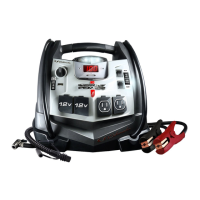
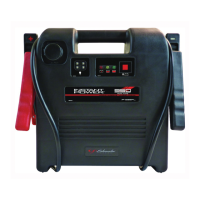
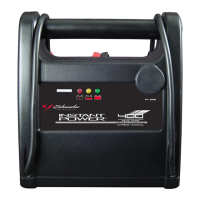
XJS4 and XP400 Features

Details the components and functionalities of the XJS4 and XP400 models.

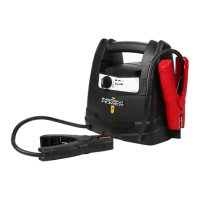
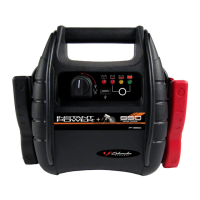
XJS5 and XP500 Features

Details the components and functionalities of the XJS5 and XP500 models.

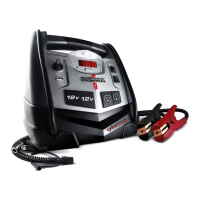
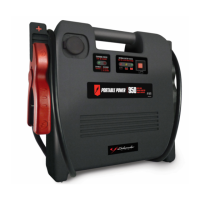
XJS7 C and XP750 C Features

Details the components and functionalities of the XJS7C and XP750C models.

Charging the Internal Battery

LED Indicators

Explains the meaning of LED lights for battery charge status.

Charging the Internal Battery using the Built-In Charger

Step-by-step guide for charging the internal battery via AC power.

Operating Instructions

Jump Starting a Vehicle Engine

Detailed steps for safely jump starting a vehicle engine.

Powering a 12 V DC Device

Instructions on using the unit as a power source for 12V DC accessories.

Using the USB Port

Guide for connecting and using devices via the USB port.

Using the Built-In Light

Instructions for operating the integrated work light.

Using the Air Compressor

Steps for operating the air compressor function for various inflatables.

Maintenance Instructions

General Maintenance Procedures

Steps for cleaning and ensuring components are in good working condition.

Moving and Storage Instructions

Safe Storage Guidelines

Recommendations for storing the unit safely to prevent damage or leaks.

Troubleshooting

Instant Power Wont Jump Start Car

Solutions for common issues when jump starting a vehicle.

Instant Power Wont Power 12 V Device

Troubleshooting steps for powering 12V devices.

Battery Wont Hold a Charge

Diagnosing and resolving issues with the internal battery not holding charge.

Specifications

Models XJS4 and XP400 Specifications

Technical details including battery type, voltage, and dimensions.

Models XJS5 and XP500 Specifications

Technical details including battery type, voltage, and dimensions.

Models XJS7 C and XP750 C Specifications

Technical details including battery type, voltage, and dimensions.

Limited Warranty

Schumacher INSTANT POWER XJS4 Specifications

General IconGeneral
BrandSchumacher
ModelINSTANT POWER XJS4
CategoryRemote Starter
LanguageEnglish

Related product manuals